{{ totalProductsCount }}

In cart {{totalProductsCount}} item(s)

Total:
{{sum | formatAmount}}

Your cart is empty

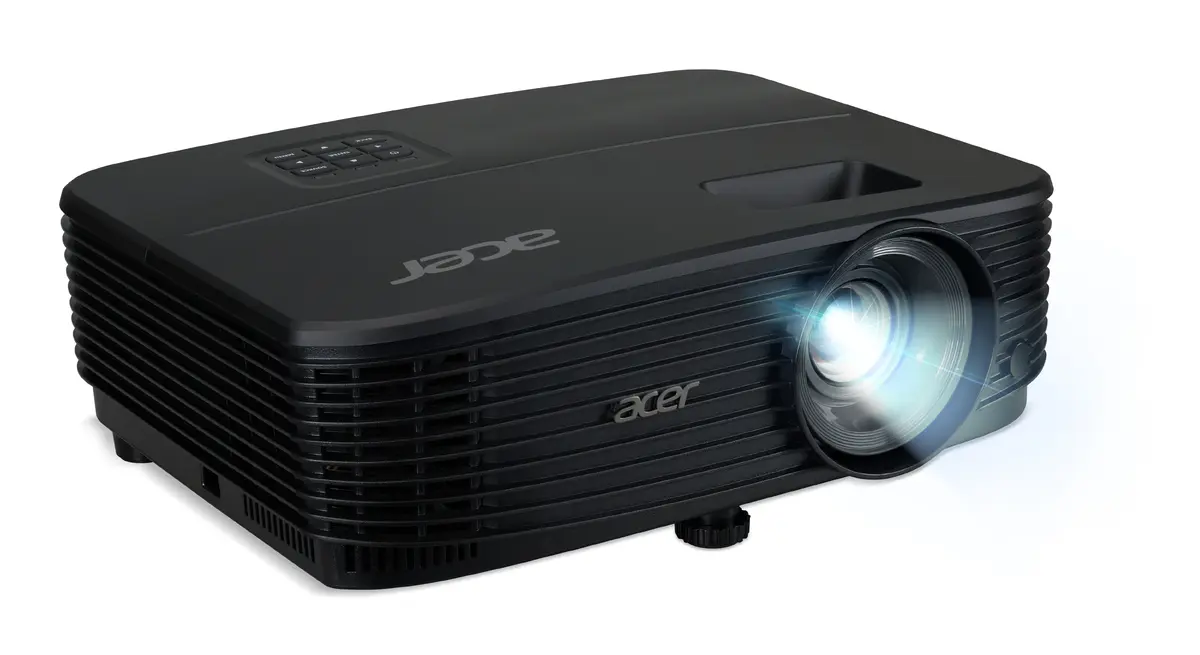
header-product Acer X1329 Standard throw projector 4800 ANSI lumens DLP WXGA 1280x800 Black Lamp 5000 h 20000:1 contrast ratio
416.99 €

Acer X1329 Standard throw projector 4800 ANSI lumens DLP WXGA 1280x800 Black Lamp 5000 h 20000:1 contrast ratio

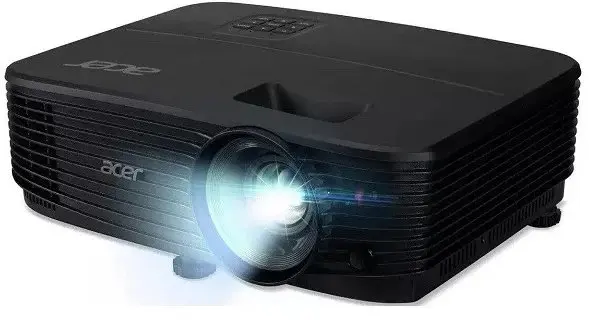
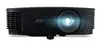
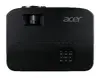
Acer X1329 Projector Photo 1
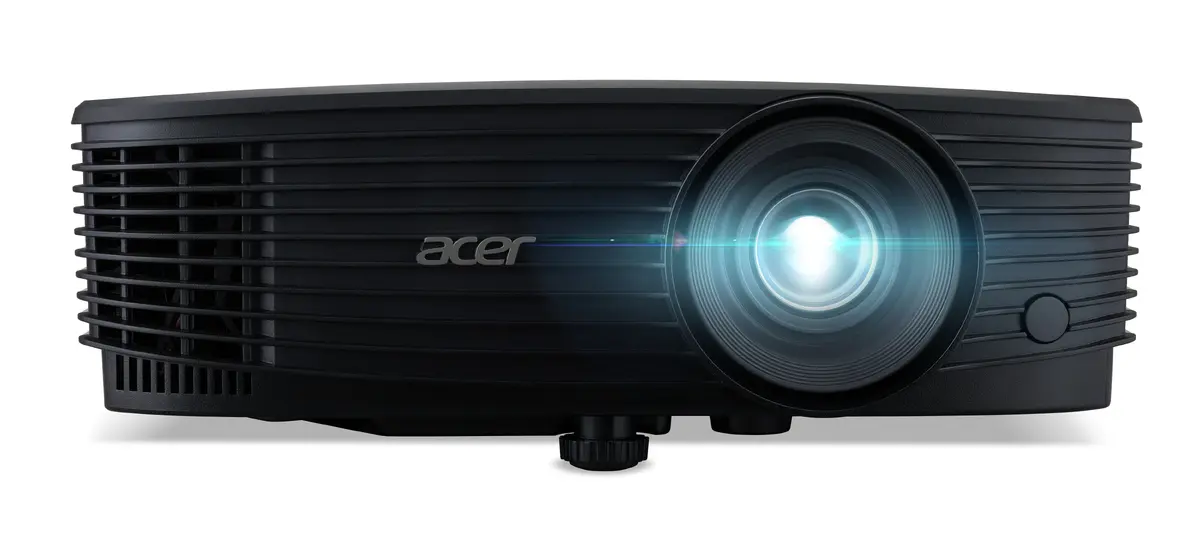
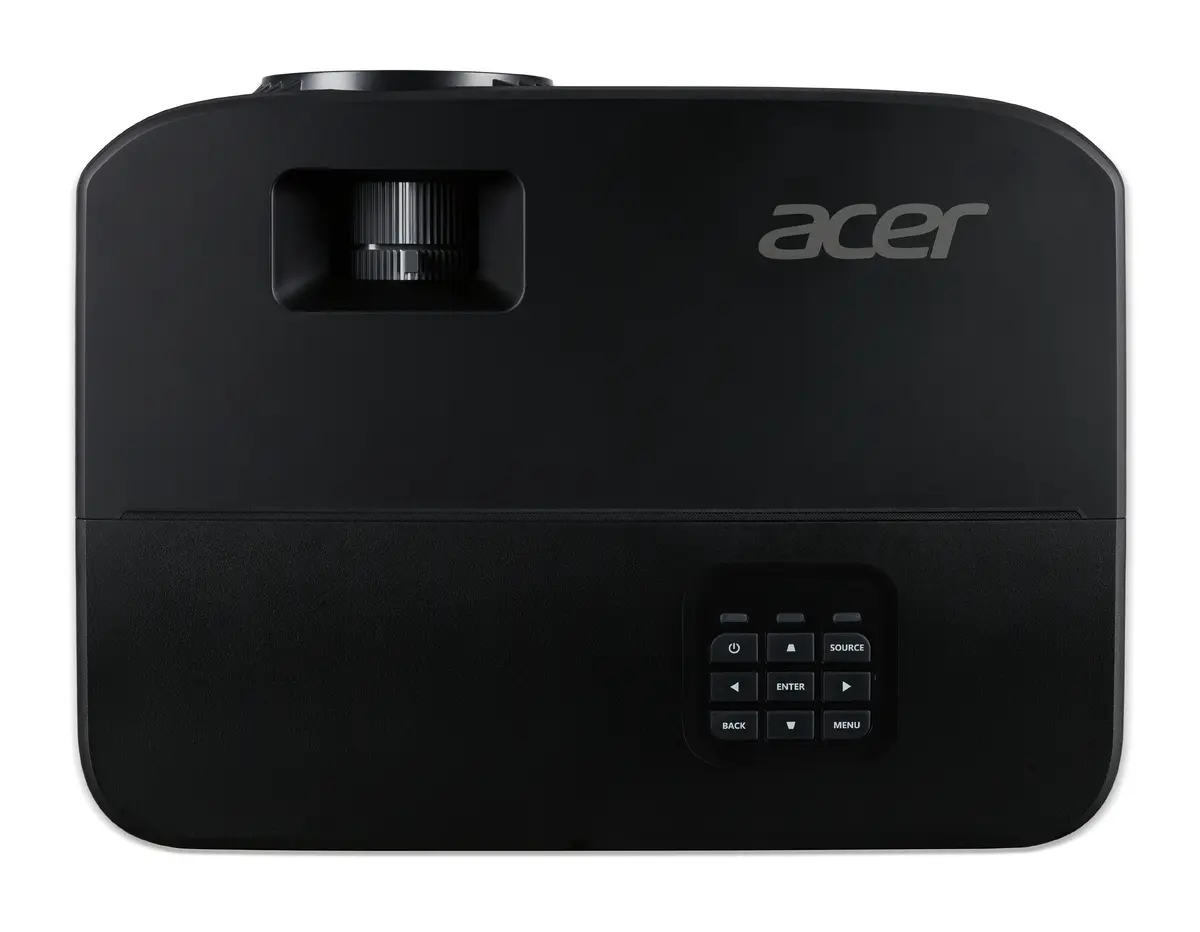
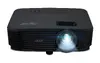
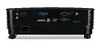
Acer X1329 Projector Photo 2
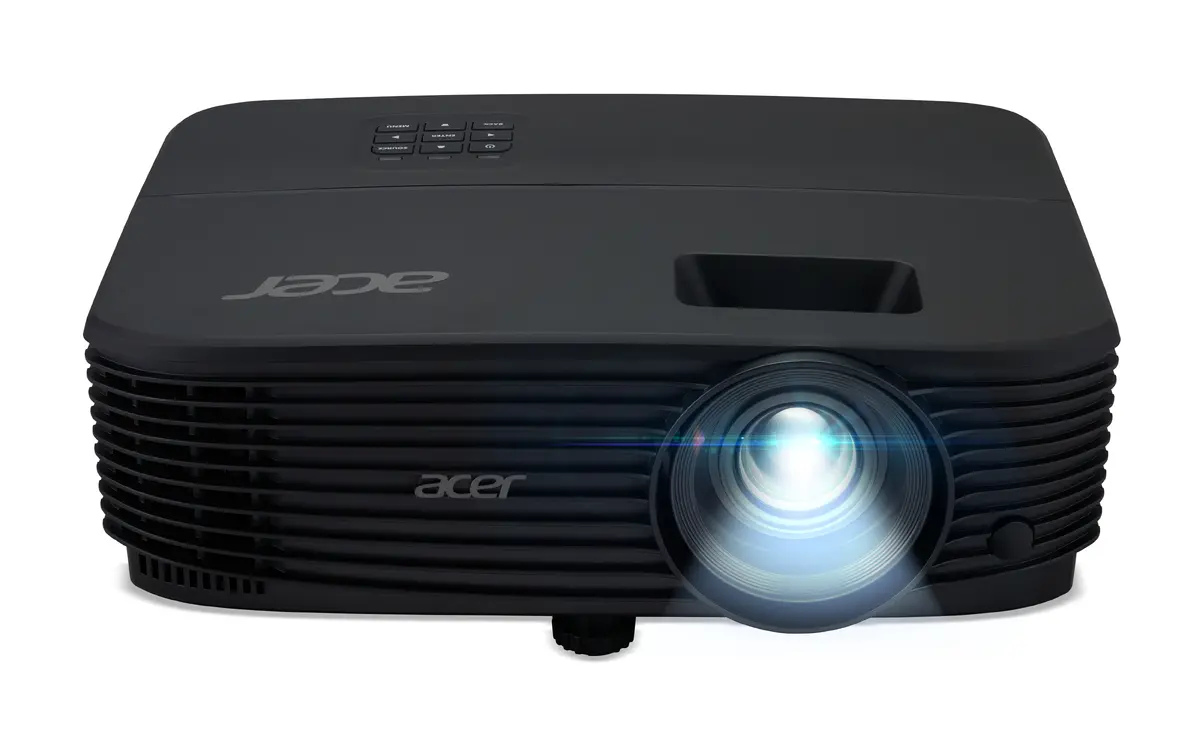
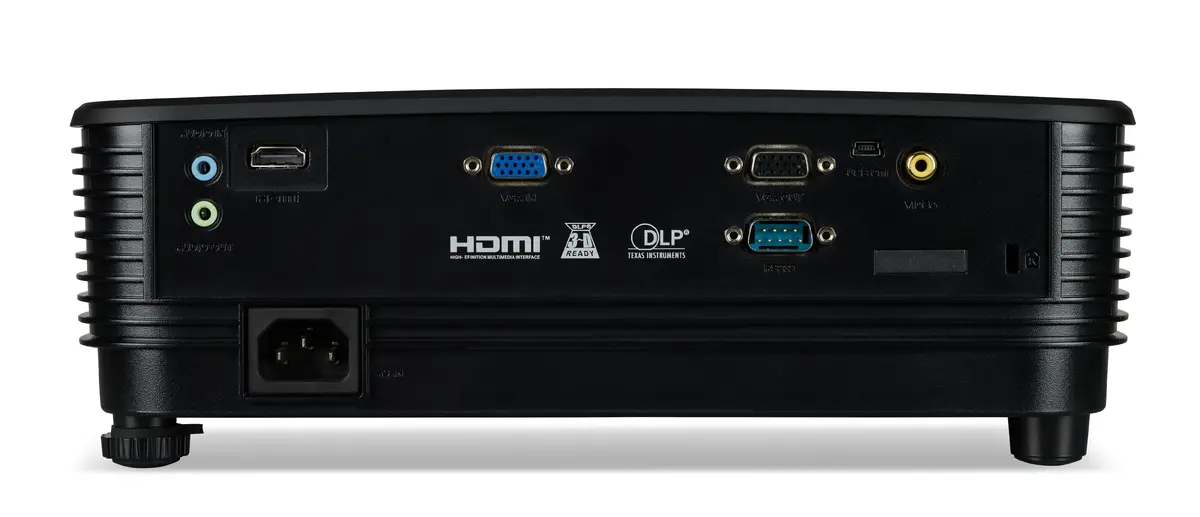
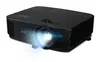
Acer X1329 Projector Photo 3
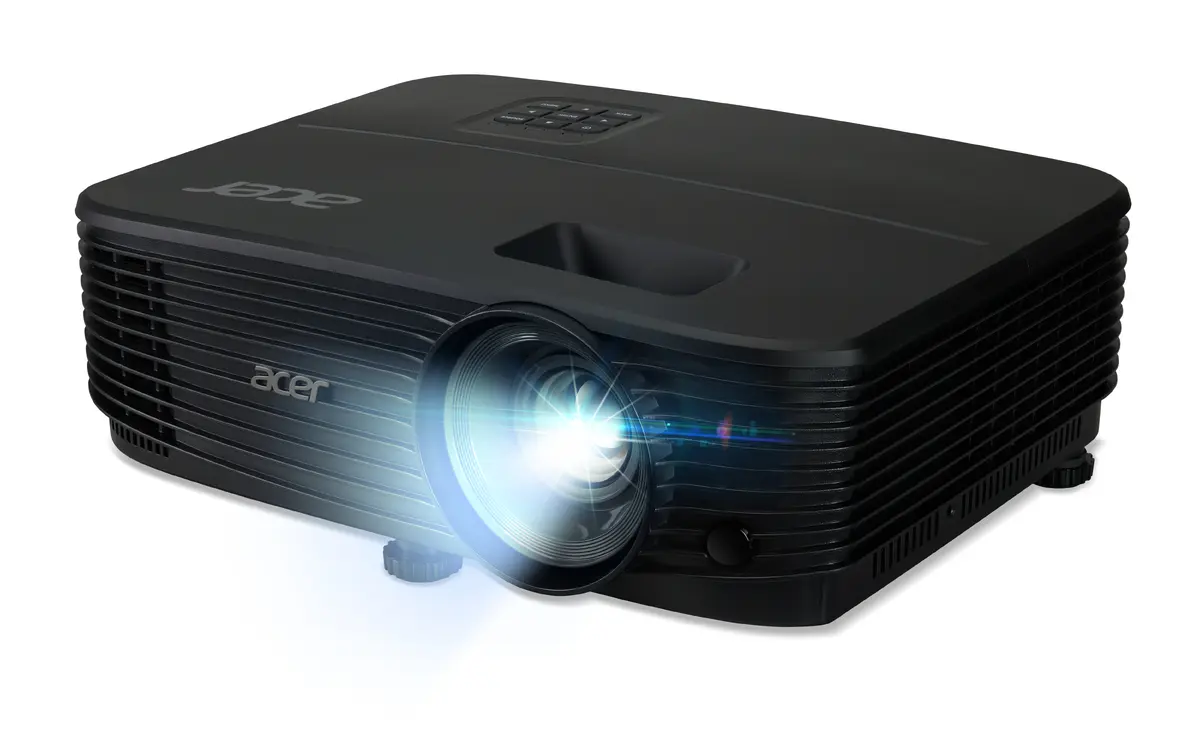
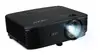
Acer X1329 Projector Photo 4
Acer X1329 Projector Photo 5
Acer X1329 Projector Photo 6
Acer X1329 Projector Photo 7
Acer X1329 Projector Photo 1
Acer X1329 Projector Photo 2
Acer X1329 Projector Photo 3
Acer X1329 Projector Photo 4
Acer X1329 Projector Photo 5
Acer X1329 Projector Photo 6
Acer X1329 Projector Photo 7

New arrival!

Keep track of price changes You keep track of price changes
Watch the price drop

Leave your address - as soon as the price of the product goes down, you'll know about it right away

You keep track of price changes

Acer X1329 Standard throw projector 4800 ANSI lumens DLP WXGA 1280x800 Black Lamp 5000 h 20000:1 contrast ratio

{{email}}
You keep track of price changes

Acer X1329 Standard throw projector 4800 ANSI lumens DLP WXGA 1280x800 Black Lamp 5000 h 20000:1 contrast ratio

{{email}}
{{selectedOffer && selectedOffer.price | formatAmount}}

Short description

Acer X1329 standard throw projector featuring DLP technology, WXGA native resolution of 1280x800, and a brightness of 4800 ANSI lumens. Designed for presentations, it offers a lamp light source with a service life up to 5000 hours, manual focus, and a typical contrast ratio of 20000:1. Equipped with dual HDMI ports, VGA, composite video, and built-in speakers. Suitable for business meetings, classrooms, and professional multimedia setups.
Available for order: 10 pcs.
Warranty: 2 Years
SKU: 12690282
free shipment

Cheapest delivery:

Unisend LV

Pick-up points

Unisend LV

Cost

1.99 €

Deliver

{{selectedOffer.parcelStationDeliveryString}}

Customer service center
2b. Kengaraga str., Riga, Latvia, LV-1063
02.11.2026 {{selectedOffer.officeDeliveryString}}
free
Courier Delivery Please note that in case of a large parcel additional delivery costs may apply!
05.11.2026 {{selectedOffer.courierDeliveryString}}
From 4.99 € (Weight: 2.40 kg)
Parcel couriers
Unisend LV / Venipak Pickup LV / Venipak Locker LV / DPD Paku skapis / Omniva LV / Latvijas Pasts pakomāts / Latvijas Pasts nodaļa
05.11.2026 {{selectedOffer.parcelStationDeliveryString}}
From 1.99 €
0 credit

pay in 3 equal parts

today

0 €

afterward

3 mth. × 139 €

overpayment

0 €

All payment Methods:
Bank transfer, Bank cards on-line, Apple Pay, Google Pay, Installment
36 months installment: from 11.58 euros per month
Together cheaper
{{product.price | formatAmount}}
{{product.title}}
{{productBundle.reference.specialPrice | formatAmount}}
{{productBundle.title}}
{{productBundlePreviousPrice | formatAmount}}
{{productBundleSpecialPrice | formatAmount}}

You saving {{productBundleYouSave | formatAmount}}

Product information

Description

The Acer X1329 standard throw projector delivers reliable visual performance for professional environments, featuring advanced DLP technology and a bright output of 4800 ANSI lumens. With a WXGA native resolution of 1280x800 and a 16:10 aspect ratio, this device ensures clear and legible content projection. Designed primarily for presentations, it provides a typical contrast ratio of 20000:1 to maintain distinct text and image separation. The unit operates on an integrated lamp light source with a service life of up to 5000 hours, supporting long-term daily use in shared spaces.

Advantages

This Acer projector combines high brightness and robust contrast to maintain visibility even in moderately lit environments. The inclusion of dual HDMI ports alongside VGA and composite video inputs allows versatile connectivity with various media sources and computers. Built-in speakers provide direct audio output without requiring external sound systems for basic setups. Additionally, the manual focus mechanism enables precise image adjustments, while the included remote control facilitates convenient operation from a distance.

Suitable for

  • Business meetings and corporate presentations
  • Classrooms and educational lectures
  • Professional multimedia setups
  • Displaying spreadsheets, documents, and standard video content

When it may not be suitable

This projector is not designed for native 4K home theater installations or high-end cinematic viewing where ultra-high-definition resolution is required. It lacks built-in Wi-Fi, Ethernet, and Smart TV capabilities, meaning it cannot stream content independently without an external playback device.

Key specifications

  • Standard throw projector using DLP technology
  • Projector brightness of 4800 ANSI lumens
  • WXGA native resolution of 1280x800
  • Typical contrast ratio of 20000:1
  • Lamp light source with 5000 h service life
  • Manual focus and zoom capability
  • Dual HDMI ports, VGA, and composite video inputs
  • Built-in speakers and audio inputs
  • Product weight of 2.4 kg in a black housing

How to use

Place the projector on a stable, flat surface or mount it securely facing the projection screen. Connect your signal source, such as a laptop or media player, using an HDMI or VGA cable plugged into the corresponding ports on the unit. Connect the power cord to an AC power source and turn on the device. Adjust the manual focus ring until the projected image appears sharp and clear. Use the included remote control to navigate settings and switch between input sources as needed.

What to consider before purchase

  • Ensure adequate physical space for a standard throw projection distance in your room
  • Verify that your input devices are compatible with the available HDMI or VGA ports
  • Determine if external audio amplification is needed depending on room size and speaker output

For optimal performance and extended lamp life, operate the projector in a well-ventilated, dust-free environment and clean the air filters periodically.

Specifications

Remote control included: Component of an electronics device, most commonly a television set, DVD player and home theater systems originally used for operating the device wirelessly from a short line-of-sight distance.
Yes
Weight: Weight of the product without packaging (net weight). If possible, the net weight is given including standard accessories and supplies. Please note that sometimes the manufacturer leaves out the weight of accessories and/or supplies.
2.4 kg
Power consumption (standby): The amount of electricity that is consumed when the product is on standby.
0.5 W
Power consumption (typical): Amount of power consumed by this model, often expressed in watts (W). Typical values that manufacturers give are power consumption when off, standby/suspended mode, typical use, maximum usage.
260 W
Power source: What is providing power for the product e.g. mains electricity.
AC
Built-in display: A display which is part of the product, so you do not need to attach another display.
No
Market positioning: Under which category can the device be positioned in the market, e.g. camera phone.
Presentation
Product type: The sub-category of the product.
Standard throw projector
Built-in speaker(s): The device contains speaker(s) to produce sound.
Yes
Noise level: The amplitude level of the undesired background noise, usually measured in decibels (db).
29 dB
Wi-Fi: Popular technology that allows an electronic device to exchange data or connect to the internet wirelessly using radio waves.
No
Ethernet LAN: An Ethernet LAN (Local Area Network) interface is present, for a wired conection via a cable.
No
Smart TV: Smart TV features access to a large number of channels that offer TV programs, movies, and music without the need to connect a TV antenna or subscribe to a cable/satellite service. Some smart TVs provide web browsing, gaming, and access to compatible media content stored on computers.
No
Audio (L/R) in: The two sockets (ports) for receiving left audio signal (white cable) and right audio signal (red cable).
1
DVI port: Digital Visual Interface (DVI) is a video display interface to connect a video source to a display device, such as a computer monitor.
No
Composite video in: The socket (port) for the composite video input (white cable).
1
HDMI ports quantity: The number of sockets (ports) for HDMI connections. HDMI (High-Definition Multimedia Interface) is a compact audio/video interface for transferring uncompressed video data and compressed/uncompressed digital audio data from a HDMI-compliant device ("the source device") to a compatible computer monitor, video projector, digital television, or digital audio device. HDMI is a digital replacement for existing analog video standards.
2
VGA (D-Sub) ports quantity: Number of VGA (D-Sub) ports (connecting interfaces) in the device. The VGA (D-Sub) connector is a 15 pin connector between a computer and a monitor. It was first introduced in 1987 by IBM.
1
Focus:
Manual
Service life of light source:
5000 h
Light source type:
Lamp
Native aspect ratio: The aspect ratio is the ratio of the width of an image to its height. The native aspect ratio is the one which the projector/display is particularly designed for. Images shown in native aspect ratio will utilize the entire resolution of the display and achieve maximum brightness. Images shown in other than native aspect ratio will always have less resolution and less brightness than images shown in native aspect ratio.
16:10
Contrast ratio (typical): The difference in light intensity between the brightest white and the darkest black.
20000:1
Projector native resolution:
WXGA (1280x800)
Projection technology:
DLP
Projector brightness:
4800 ANSI lumens
Product colour: The colour e.g. red, blue, green, black, white.
Black
Serial interface type:
RS-232
Analog signal format system: The supported protocols for exchanging analog signals.
NTSC, PAL, SECAM
All features

Packaging content

Cables included:
VGA, AC
Carrying case: A case in which the product can be carried.
Yes
Batteries included:
Yes
Remote control included: Component of an electronics device, most commonly a television set, DVD player and home theater systems originally used for operating the device wirelessly from a short line-of-sight distance.
Yes

Weight & dimensions

Height: The measurement of the product from head to foot or from base to top.
105.1 mm
Depth: The distance from the front to the back of something.
220 mm
Width: The measurement or extent of something from side to side.
299.5 mm
Weight: Weight of the product without packaging (net weight). If possible, the net weight is given including standard accessories and supplies. Please note that sometimes the manufacturer leaves out the weight of accessories and/or supplies.
2.4 kg

Power

AC input frequency:
50
AC input voltage: The voltage of the AC electricity that is inputted into the product.
120 - 230
Power consumption (standby): The amount of electricity that is consumed when the product is on standby.
0.5 W
Power consumption (typical): Amount of power consumed by this model, often expressed in watts (W). Typical values that manufacturers give are power consumption when off, standby/suspended mode, typical use, maximum usage.
260 W
Power source: What is providing power for the product e.g. mains electricity.
AC

Display

Built-in display: A display which is part of the product, so you do not need to attach another display.
No

Design

Placement: Where the product can be placed e.g. floor, wall.
Ceiling
Product colour: The colour e.g. red, blue, green, black, white.
Black
Market positioning: Under which category can the device be positioned in the market, e.g. camera phone.
Presentation
Product type: The sub-category of the product.
Standard throw projector

Multimedia

Number of built-in speakers:
1
RMS rated power: RMS (Root mean square) is a measure of the continuous power required by a device, in particular audio amplifiers and loudspeakers.
3 W
Built-in speaker(s): The device contains speaker(s) to produce sound.
Yes

Features

Projection modes:
Front, Rear, Ceiling
Noise level: The amplitude level of the undesired background noise, usually measured in decibels (db).
29 dB

Network

Wi-Fi: Popular technology that allows an electronic device to exchange data or connect to the internet wirelessly using radio waves.
No
Ethernet LAN: An Ethernet LAN (Local Area Network) interface is present, for a wired conection via a cable.
No
Smart TV: Smart TV features access to a large number of channels that offer TV programs, movies, and music without the need to connect a TV antenna or subscribe to a cable/satellite service. Some smart TVs provide web browsing, gaming, and access to compatible media content stored on computers.
No

Ports & interfaces

PC Audio out:
Yes
PC Audio in: The socket (port) for the PC audio input.
Yes
Serial interface type:
RS-232
Audio (L/R) out: The two sockets (ports) for transmitting left audio signal (white cable) and right audio signal (red cable).
1
Audio (L/R) in: The two sockets (ports) for receiving left audio signal (white cable) and right audio signal (red cable).
1
USB 2.0 Type-A ports quantity:
1
USB 2.0 ports quantity: Number of USB 2.0 ports (connecting interfaces) in the device. USB 2.0 was released in April 2000 (now called "Hi-Speed"), adding higher maximum signaling rate of 480 Mbit/s (effective throughput up to 35 MB/s or 280 Mbit/s), USB 2.0 ports are usually black.
1
DVI port: Digital Visual Interface (DVI) is a video display interface to connect a video source to a display device, such as a computer monitor.
No
Composite video in: The socket (port) for the composite video input (white cable).
1
HDMI version:
1.4
HDMI ports quantity: The number of sockets (ports) for HDMI connections. HDMI (High-Definition Multimedia Interface) is a compact audio/video interface for transferring uncompressed video data and compressed/uncompressed digital audio data from a HDMI-compliant device ("the source device") to a compatible computer monitor, video projector, digital television, or digital audio device. HDMI is a digital replacement for existing analog video standards.
2
VGA (D-Sub) ports quantity: Number of VGA (D-Sub) ports (connecting interfaces) in the device. The VGA (D-Sub) connector is a 15 pin connector between a computer and a monitor. It was first introduced in 1987 by IBM.
1

Video

Supported graphics resolutions: The graphic resolutions that can be displayed by the device. The graphic resolution describes the width and height dimensions of a display, such as a computer monitor, measured in pixels.
1920 x 1200 (WUXGA), 1280 x 800 (WXGA)
Analog signal format system: The supported protocols for exchanging analog signals.
NTSC, PAL, SECAM

Lens system

Offset:
100 %
Zoom ratio: Measures how much the camera can adjust its focus for distance shots. A 3x zoom ratio changes the camera's focal length by a factor of three, from 35 mm to 105 mm for example.
1.1:1
Zoom type:
Manual
Zoom capability: The amount that the camera lens can zoom.
Yes
Aperture range (F-F): Aperture range of the device's optics, expressed in f-stops.
2.56 - 2.68
Focal length range: Measure of how strongly the system converges or diverges light. For an optical system in air, it is the distance over which initially collimated rays are brought to a focus. A system with a shorter focal length has greater optical power than one with a long focal length; that is, it bends the rays more strongly, bringing them to a focus in a shorter distance.For an optical system in air, the effective focal length (f and f′) gives the distance from the front and rear principal planes (H and H′) to the corresponding focal points (F and F′).
22 - 24.1
Focus:
Manual

Light source

Lamps quantity: The number of lamps in/with the product.
1 lamp(s)
Lamp power:
203 W
Lamp type: The characteristics of the lamp.
P-VIP
Service life of light source (economic mode):
10000 h
Service life of light source:
5000 h
Light source type:
Lamp

Projector

Keystone correction, vertical:
-40 - 40
Horizontal scan range:
15 - 100
Vertical scan range:
24 - 120
Uniformity: Defines in percentage the harmonious spread of the projection
85 %
Projector brightness (economic mode):
3840 ANSI lumens
Number of colours:
1.07 billion colours
Projection distance: The maximum length at which an image can be projected.
1 - 10
Supported aspect ratios: The aspect ratio is the ratio of the width of an image to its height. The supported aspect ratios are the aspect ratios that can be shown by the device.
16:10, 4:3
Native aspect ratio: The aspect ratio is the ratio of the width of an image to its height. The native aspect ratio is the one which the projector/display is particularly designed for. Images shown in native aspect ratio will utilize the entire resolution of the display and achieve maximum brightness. Images shown in other than native aspect ratio will always have less resolution and less brightness than images shown in native aspect ratio.
16:10
Contrast ratio (typical): The difference in light intensity between the brightest white and the darkest black.
20000:1
Projector native resolution:
WXGA (1280x800)
Projection technology:
DLP
Projector brightness:
4800 ANSI lumens

Description

Machine translation.

Similar products

{{product.title}}
Show details Hide details

{{highlightedFeature.featureTitle}}:

{{getProductFeatureValueById(product, highlightedFeature.featureId)}}

{{product.price | formatAmount}}

Product comparison

The Acer X1329 projector is compared with several alternative models: Acer P1357, BenQ LW650, BenQ LW655C, BenQ LW555C, and Acer X1228HN. All of these devices are designed for presentations, classrooms, and offices, supporting standard throw distances and DLP technology. Common features include WXGA native resolution (except for the XGA model) and built-in speakers. The main differences lie in brightness, light source types (lamp, laser, or LED), contrast ratios, and interface options.

⚙️ The table below compares key specifications such as resolution, brightness, light source type, source lifespan, contrast ratio, connection interfaces, and weight.

ParameterAcer X1329Acer P1357BenQ LW650BenQ LW655CBenQ LW555CAcer X1228HNPractical significance
ResolutionWXGA (1280x800)WXGA (1280x800)WXGA (1280x800)WXGA (1280x800)WXGA (1280x800)XGA (1024x768)Most models offer a widescreen 16:10 aspect ratio suitable for modern content, while the Acer X1228HN uses a 4:3 format.
Brightness4800 ANSI4800 ANSI4000 ANSI4000 ANSI3500 ANSI4800 ANSIAcer models (X1329, P1357, X1228HN) provide a higher brightness of 4800 lumens, making them better suited for brightly lit rooms.
Light sourceLampLampLaserLaserLEDLampLaser light sources in the BenQ models offer a drastically longer lifespan, reducing maintenance needs.
Contrast20000:120000:13000000:13000000:120000:120000:1BenQ laser projectors deliver a significantly higher contrast ratio for sharper dark scenes.
HDMI ports222310Acer X1329 features dual HDMI ports, whereas Acer X1228HN completely lacks HDMI and relies on VGA.

◎ The table below evaluates how well each product suits different use cases and user profiles.

Use caseRecommended productWhy
Meetings in bright roomsAcer X1329High brightness of 4800 ANSI lumens ensures clear visibility even with ambient light.
Low maintenance and long lifeBenQ LW650Laser light source lasts up to 20000 hours without the need for lamp replacements.
Multiple source connectionsBenQ LW655CThree HDMI ports allow seamless switching between several video sources.
Legacy hardware compatibilityAcer X1228HNVGA connectivity and 4:3 native ratio fit older office computers and setups.

The Acer X1329 differs from alternatives by combining a high brightness of 4800 ANSI lumens with dual HDMI ports using a traditional reliable lamp setup. It is best suited for standard business meetings and classrooms where bright image reproduction and multiple modern inputs are needed without upgrading to expensive laser units. A buyer should prefer the Acer X1329 over competitors if high brightness in ambient lighting conditions is the primary requirement.

Might be useful
{{product.manufacturerName}}
{{product.categoryName}}
{{product.title}}
{{product.specialPrice}}
{{product.price}}

Customer reviews

Customer questions

FAQ

How much does the Acer X1329 Projector cost, and is it available for purchase?

The price is 416.99 € (valid at the time of publication and already includes all taxes). The item is available for order — 10 pcs. are in stock, and you can place your purchase right now with delivery across Latvia and Europe or choose pickup at the Riga collection point. We offer favorable purchase terms, including the option to split the payment into convenient monthly installments. Availability and price are updated in real time, so we recommend placing your order in advance.

If I order this product today, when will I receive my order?

If you place your order today, delivery will be as fast and convenient as possible. You will be able to pick up your order on 02.11.2026 at the Riga pickup point or choose delivery across Latvia and Europe. We carefully inspect every purchase and pack it securely for safe transportation.

What payment options are available?

AiO.lv offers several payment methods: Bank transfer, Bank cards on-line, Apple Pay, Google Pay, Installment. All transactions are 100% secure and encrypted.

Can Acer X1329 Projector be purchased with a lease?

Yes, the purchase is available both on credit and with an interest-free installment plan. We work with leading banks and leasing companies in Latvia, allowing you to make your purchase on convenient terms — with a minimal down payment and a repayment period from 3 to 36 months. You can apply for credit or installments for the Acer X1329 Projector online, and the application process is as simple as possible:
  • Select the product on the website and add it to your cart;
  • When placing your order, choose the payment method “Installments”;
  • Fill in the required details for the lending partner;
  • Receive a decision within a few minutes.
For more information about available payment options, interest-free installment terms, and credit conditions in Latvia, please visit the Payment page.

Can this product be purchased for a company (with VAT)?

Yes. AiO.lv works with legal entities in Latvia and across Europe. The product price already includes VAT. For certain product categories, as well as for companies from other EU countries with a valid VAT number, a 0% VAT rate may apply. We issue the invoice immediately after the order is placed, support electronic BIS invoices, and automatically generate all necessary accounting documents. You can complete the purchase for a company online — simply select the company profile and choose bank transfer as the payment method during checkout.

What is the warranty period?

All Acer products come with an official 2 Years warranty. It covers all manufacturing defects and malfunctions that may occur during use. The warranty is valid at all authorized Acer service centers and through AiO.lv

Can the product be returned after purchase?

Yes, you can return the product within 14 days of purchase if you bought it as a consumer (not a legal entity). Returns are possible without giving any reason — the main condition is that the product retains its original appearance and full set of accessories. We will make the process as simple and convenient as possible: just contact our customer support team, and we will help you arrange the return.

Where should I contact for warranty service?

For warranty-related questions you can contact the AiO.lv (SIA VSPRO) customer support team. We will assist with consultation, warranty claim processing, and coordination with certified service centers.

How can I tell if this product suits my needs?

When making a choice, we recommend paying attention to the key features: remote control included, weight, power consumption (standby), power consumption (typical), power source, built-in display, market positioning, product type, built-in speaker(s), noise level, wi-fi, ethernet lan, smart tv, audio (l/r) in, dvi port, composite video in, hdmi ports quantity, vga (d-sub) ports quantity, focus, service life of light source, light source type, native aspect ratio, contrast ratio (typical), projector native resolution, projection technology, projector brightness, product colour, serial interface type, analog signal format system, compatibility with your devices or usage conditions, material quality, functionality, and warranty terms. These characteristics will help you determine how well the model meets your needs.

Where can I download the instructions for Acer X1329 Projector?

You can download the instructions in PDF format from the “Instructions” section on the product description page. The file contains complete information about installation, setup, and usage.
warranty
14-Day Return Policy We are confident in our quality, but if the purchase doesn’t fit — you have 14 days to return the product with peace of mind.
shipping
Fast Delivery Get your orders as quickly as possible — right to your door, parcel lockers, or pickup points across Latvia and the EU.
payment
Secure Payment Pay the way you prefer: cash, VISA, MasterCard, Apple Pay, Google Pay, bank transfer, or 0% installment plan.
warranty
Quality Since 2008 AiO.lv has been on the market for over 18 years and has earned trust — with more than 6000 genuine positive reviews on Google.