Hurry and order now – up to 50% off!
In cart {{totalProductsCount}} item(s)
Your cart is empty
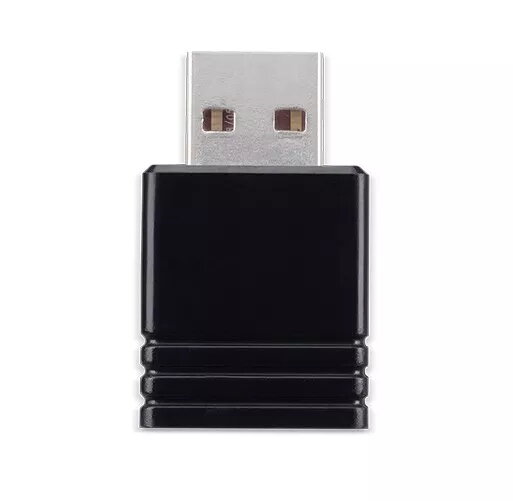
Acer UWA5 Wireless Projection Kit USB-A 802.11
The Acer UWA5 Wireless Projection Kit is a specialized adapter designed to facilitate seamless wireless connectivity between compatible devices and Acer projectors. Utilizing a standard USB-A interface and supporting 802.11 wireless networking standards, this kit eliminates the need for physical cable connections during presentations. It provides a stable and efficient link for streaming content, making it a practical solution for modern meeting rooms and classrooms where quick setup and reliable performance are required.
This wireless projection kit offers significant flexibility by allowing users to project content without being tethered to the display device by cables. Its compact design ensures it does not obstruct other ports on the projector, while the integration with 802.11 standards ensures broad compatibility with existing wireless network infrastructures. By simplifying the connection process, it reduces technical downtime during meetings and educational sessions, allowing for a more professional and streamlined presentation experience.
This adapter is designed specifically for use with compatible Acer projectors and may not function with projectors from other manufacturers. It is also not intended for high-bandwidth applications such as professional-grade gaming or real-time 4K video editing, where a wired connection remains the most reliable option.
To use the Acer UWA5, insert the adapter into the designated USB-A port on your compatible Acer projector. Once connected, ensure the projector is powered on and navigate to the wireless settings menu on the projector interface. Follow the on-screen instructions to pair your source device, such as a laptop or smartphone, with the projector's wireless network. Once the connection is established, you can begin projecting your content wirelessly.
For the best performance, ensure the adapter is plugged directly into the projector's USB port and maintain a clear line of sight between the source device and the projector whenever possible. Keep the projector firmware updated to ensure optimal compatibility and wireless stability.
{{highlightedFeature.featureTitle}}:
{{getProductFeatureValueById(product, highlightedFeature.featureId)}}