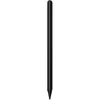
This comparison evaluates Stylus Adonit Dash SE for iOS & Android — Adonit pen, model Dash SE, black alongside similar alternatives: Stylus Adonit Dash SE for iOS & Android — white, fine-point capacitive stylus, Stylus Pen Tolino 4016621130282, and Stylus pen HAMA 00125145. All these products serve as touch input tools designed to improve precision during note-taking, sketching, and navigation on touchscreens. The primary differences lie in their brand identity, color options, design, and specific compatibility ranges with mobile devices and e-readers.
⚙️ The specifications comparison below covers device types, supported platforms, design characteristics, and intended use cases for each product.
| Parameter | Adonit Dash SE (Black) | Adonit Dash SE (White) | Tolino 4016621130282 | HAMA 00125145 | Practical significance |
|---|
| Device type | Capacitive stylus with fine point | Capacitive stylus with fine-point tip | Stylus pen for precise writing and drawing | Universal stylus pen for tablets and smartphones | All models aim to enhance touchscreen accuracy, differing mainly in physical design and tip engineering. |
| Compatibility | iOS and Android devices | iOS and Android devices | Compatible with passive stylus-enabled devices and e-readers | Universal compatibility across various tablet and smartphone brands | Adonit models target iOS and Android, Tolino suits e-readers, while HAMA offers broad universal device support. |
| Color and form | Black, slim pen-like body | White, lightweight construction | Lightweight body, easy to hold | Black, compact 116 mm form factor | Aesthetics and physical dimensions influence personal comfort and ease of carrying. |
| Intended use | Note-taking, sketching, navigation | Note-taking, sketching, navigation without drivers | Writing, drawing, and navigation on e-readers and tablets | General touchscreen control, drawing, and navigation | Core application tasks are similar, but the ideal choice depends on the specific screen type and brand preference. |
◎ The suitability and use cases comparison below helps determine which product aligns best with your everyday requirements.
| Use case | Recommended product | Why |
|---|
| Note-taking and navigation on iOS and Android phones and tablets | Stylus Adonit Dash SE for iOS & Android — Adonit pen, model Dash SE, black | Tailored specifically for iOS and Android platforms with a sleek black finish and fine point input. |
| Preference for a light-colored fine-point stylus for mobile devices | Stylus Adonit Dash SE for iOS & Android — white, fine-point capacitive stylus | Delivers the same Dash SE functionality in a white finish for comfortable touch control. |
| Usage with e-readers and devices supporting passive styluses | Stylus Pen Tolino 4016621130282 | Provides a dedicated solution suited for e-readers alongside general touchscreens. |
| Compact everyday touchscreen control across various brands | Stylus pen HAMA 00125145 for tablet and smartphone, universal compatibility, black | Offers universal cross-brand compatibility in a compact form factor convenient for mobile routines. |
The main difference between Stylus Adonit Dash SE for iOS & Android — Adonit pen, model Dash SE, black and the alternatives is its distinct black colorway and affiliation with the Adonit Dash SE lineup designed for iOS and Android environments. This model is most suitable for users seeking a reliable, sleek black stylus for standard smartphones and tablets. Competitor options may be preferred if you require a white color option, compatibility with e-readers like Tolino, or a general-purpose universal tool from HAMA.