Leave your address - as soon as the price of the product goes down, you'll know about it right away
Amazon Fire TV Stick 4K Select (2025) Streaming Media Player
In cart {{totalProductsCount}} item(s)
Your cart is empty
Amazon Fire TV Stick 4K Select (2025) Streaming Media Player
Leave your address - as soon as the price of the product goes down, you'll know about it right away
Amazon Fire TV Stick 4K Select (2025) Streaming Media Player
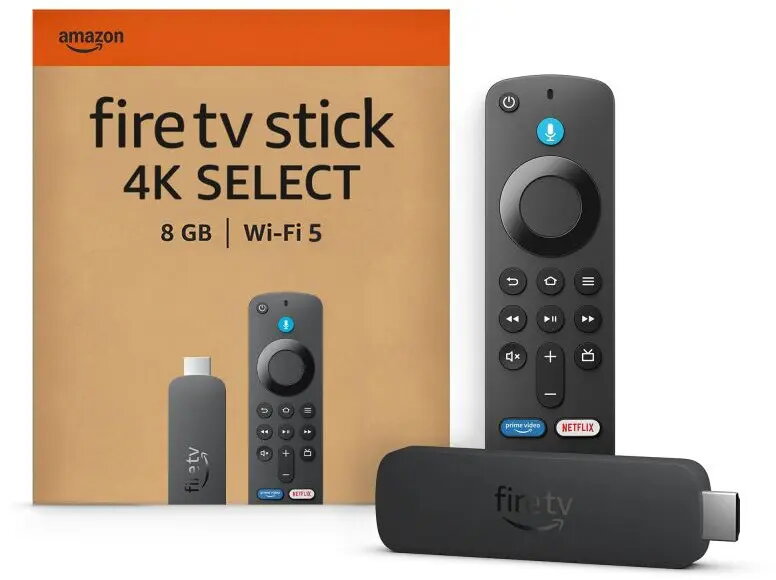
The Amazon Fire TV Stick 4K Select (2025) is a compact and powerful streaming media player designed to bring high-definition 4K Ultra HD entertainment directly to your television. This device serves as a central hub for your digital content, allowing you to access a vast library of streaming services, applications, and live television channels with ease. By connecting to your TV's HDMI port, it transforms standard displays into smart entertainment systems, offering a responsive interface and reliable performance for a modern home cinema experience.
This streaming player offers exceptional visual clarity by supporting 4K Ultra HD resolution, ensuring that every detail is rendered with precision. The device is engineered for speed and efficiency, providing quick navigation through menus and rapid loading times for your favorite content. Its compact design allows it to remain discreetly hidden behind your television, maintaining a clean aesthetic in your living space. Furthermore, the included remote control simplifies operation, making it accessible for users of all technical levels to manage their media library and streaming subscriptions.
This device may not be the ideal choice for users who do not have access to a stable, high-speed internet connection, as streaming 4K content requires significant bandwidth. Additionally, it is not suitable for televisions that lack an available HDMI port or for users who prefer a traditional cable or satellite broadcast setup without internet integration.
To begin using the device, insert the streaming player into an available HDMI port on your television and connect the power cable to a wall outlet. Once powered on, follow the on-screen instructions to connect the device to your home Wi-Fi network. After the initial setup and software update, you can sign in to your preferred streaming accounts and begin browsing the interface to select your desired content using the remote control.
For the best performance, ensure the device is connected to a stable 5GHz Wi-Fi network and keep the software updated to the latest version to access new features and security improvements.
{{highlightedFeature.featureTitle}}:
{{getProductFeatureValueById(product, highlightedFeature.featureId)}}