Hurry and order now – up to 50% off!
In cart {{totalProductsCount}} item(s)
Your cart is empty
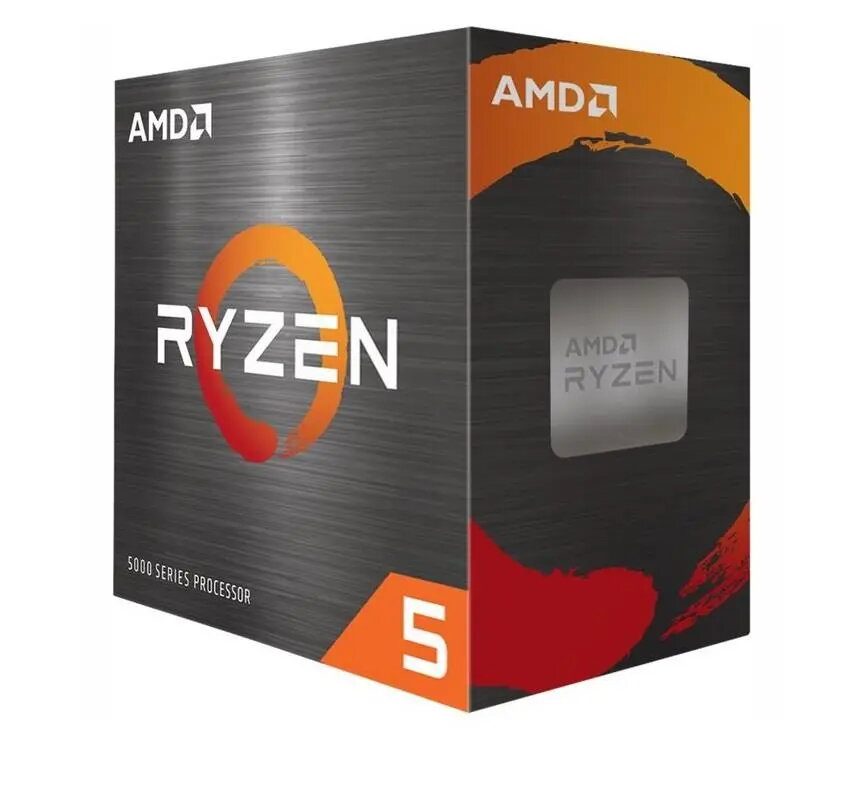
AMD Ryzen 5 5500 Processor 3.6 GHz 16 MB L3 Cache Box
The AMD Ryzen 5 5500 is a high-performance desktop processor designed to deliver efficient computing power for a wide range of applications. Built on the advanced Zen 3 architecture, this CPU features a 3.6 GHz base clock speed and 16 MB of L3 cache, ensuring smooth operation for both demanding software and everyday tasks. It serves as a reliable foundation for modern desktop builds, balancing speed and power efficiency to meet the needs of gamers, content creators, and office professionals.
This processor offers a significant performance boost for multitasking and productivity thanks to its multi-core design and efficient architecture. Users benefit from high-speed data processing and improved responsiveness in complex applications. The Zen 3 architecture provides excellent power efficiency, which helps in maintaining lower operating temperatures and reducing overall power consumption during intensive workloads. Its compatibility with widely available platforms makes it a versatile choice for system builders looking for a cost-effective yet powerful solution.
This processor may not be the ideal choice for users requiring extreme performance for professional-grade 3D rendering, heavy workstation tasks, or high-end competitive gaming at very high refresh rates where higher-tier processors with larger cache sizes might be preferred. Additionally, it does not feature integrated graphics, meaning a dedicated graphics card is mandatory for system operation.
Installation requires a compatible AM4 socket motherboard. Ensure the BIOS is updated to a version that supports the Ryzen 5000 series before installation. Carefully align the processor with the socket, secure it using the retention arm, and apply a suitable thermal paste before attaching your cooling solution. Once installed, ensure the cooling fan is properly connected to the motherboard header to maintain optimal operating temperatures.
For the best performance and stability, always use a high-quality thermal compound and ensure your PC case has adequate airflow. Regularly update your chipset drivers from the official manufacturer website to maintain system efficiency.
{{highlightedFeature.featureTitle}}:
{{getProductFeatureValueById(product, highlightedFeature.featureId)}}
{{ productComparisonGenerationError }}