Save time and money with our discounts!
In cart {{totalProductsCount}} item(s)
Your cart is empty
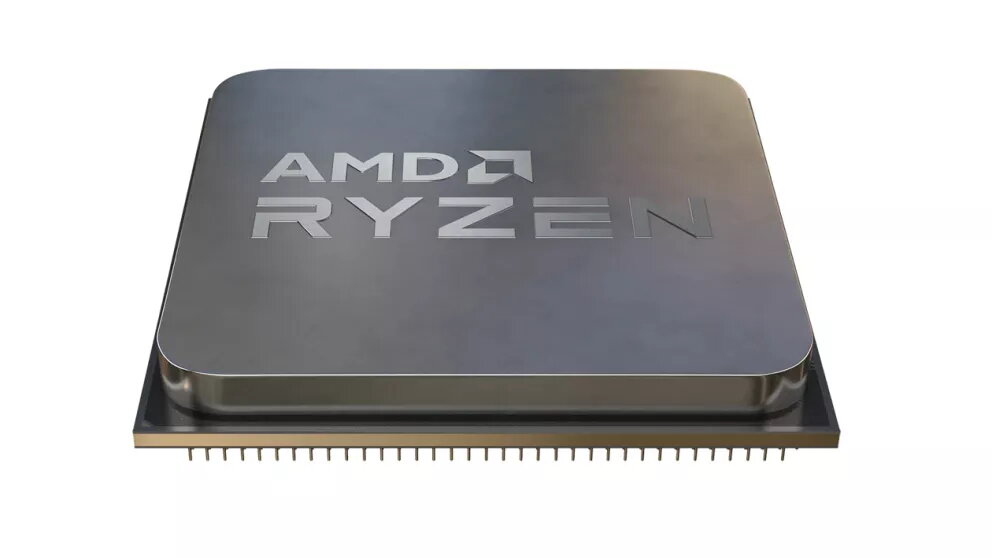
Processor AMD Ryzen 5 5500GT 3.6 GHz 6 Cores 16 MB L3 Socket AM4
The AMD Ryzen 5 5500GT is a desktop processor with a base clock of 3.6 GHz, six physical cores and a 16 MB L3 cache. Built on a 7 nm process, it integrates AMD Radeon Graphics running at a base frequency of 1900 MHz and supports dual-channel DDR4 memory at 2667, 2933 and 3200 MHz. Compatible with common operating systems such as Windows 10/11, RHEL and Ubuntu and designed for Socket AM4 motherboards, this CPU targets general-purpose desktop workloads that require efficient multi-core performance and basic integrated graphics.
The processor offers a balance of multi-threaded performance and energy efficiency with six cores and a high boost frequency up to 4.4 GHz. Integrated AMD Radeon Graphics provides display and light GPU acceleration without the immediate need for a discrete graphics card. Support for DDR4 dual-channel memory at up to 3200 MHz and a modern 7 nm manufacturing process contribute to responsive system performance for everyday desktop tasks, office work, media playback and light content creation.
This processor is not intended for high-end gaming at maximum settings or demanding professional workloads that rely heavily on GPU compute, such as advanced 3D rendering or large-scale machine learning. Systems that require the highest single-threaded performance or a dedicated high-performance graphics card may be better served by higher-tier CPUs or a separate discrete GPU.
Install the AMD Ryzen 5 5500GT into an AM4-compatible motherboard following the motherboard manufacturer’s instructions, apply appropriate cooling that meets the CPU’s thermal requirements, and populate memory in dual-channel configuration for optimal performance. Configure memory speeds in BIOS/UEFI to match supported DDR4 frequencies. Install a supported operating system such as Windows 10/11, RHEL or Ubuntu and update chipset and graphics drivers from official sources to ensure system stability and take full advantage of integrated graphics acceleration.
For balanced performance, install memory in matched pairs and enable dual-channel mode; update motherboard BIOS and platform drivers before heavy workloads; use the integrated graphics for display and light gaming, and add a discrete GPU when higher graphics performance is required.
{{highlightedFeature.featureTitle}}:
{{getProductFeatureValueById(product, highlightedFeature.featureId)}}
{{ productComparisonGenerationError }}