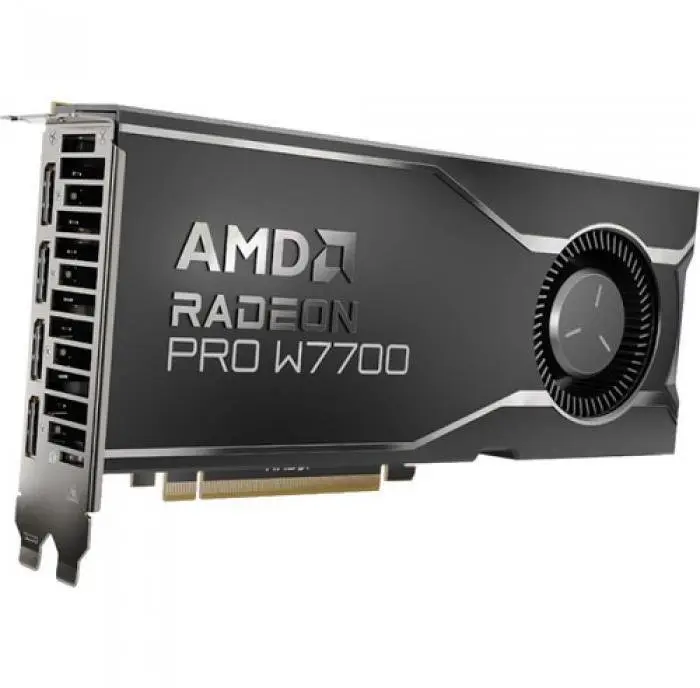
The AMD Radeon Pro W7700 16GB GDDR6 is a professional workstation graphics card engineered for CAD, 3D modelling, rendering and visualization tasks that require substantial memory and modern display connectivity. Equipped with 16GB of GDDR6 memory and a PCIe 4.0 interface, the card supports multi-monitor setups via four DisplayPort 2.1 outputs and is designed to accelerate GPU-bound workflows in professional applications.
Advantages
The card combines a high-capacity 16GB GDDR6 frame buffer with a PCIe 4.0 host interface to provide predictable performance for large models, complex scenes and high-resolution textures. Four DisplayPort 2.1 outputs enable multi-display configurations and support for high-refresh, high-resolution monitors. The design targets professional driver support and stability for workstation software commonly used in CAD, DCC and scientific visualization.
Suitable for
- Computer-aided design (CAD) applications and 2D/3D drafting
- 3D modelling and sculpting in professional content creation tools
- GPU-accelerated rendering and viewport performance in rendering engines
- Multi-monitor professional workstations and visualization setups
- Scientific visualization and data analysis that benefit from large GPU memory
When it may not be suitable
This card is targeted at professional workstation use and may be overpowered for basic office tasks or simple multimedia playback where integrated graphics are sufficient. It is not a gaming-focused consumer card, so gaming performance may not match consumer gaming GPUs optimized for that market. Systems without PCIe 4.0 will still work with the card but may not fully utilize peak interface bandwidth.
Key specifications
- Graphics memory: 16GB GDDR6
- Host interface: PCI Express 4.0
- Display outputs: 4 × DisplayPort 2.1
- Primary use: Professional workstation graphics for CAD, 3D and visualization
How to use
Install the card into an available PCIe x16 slot following your workstation or server manufacturer instructions, secure it in the chassis, and connect required DisplayPort cables to your monitors. Install the appropriate professional drivers from the manufacturer to ensure compatibility and stability with workstation applications. Configure display settings and application-specific GPU preferences within your operating system and software to take advantage of multi-display layouts and GPU acceleration.
What to consider before purchase
- Ensure your workstation has a free PCIe x16 slot and supports the card's physical dimensions and power requirements.
- Confirm your power supply and chassis cooling meet the card and system thermal/power needs.
- Verify that your professional applications support and benefit from GPU acceleration and the available memory capacity.
- Check monitor compatibility with DisplayPort 2.1 for the intended resolution and refresh rate targets.
Usage recommendations
For stable results in professional workflows, use manufacturer-provided workstation drivers, keep system BIOS and application software up to date, and allocate large datasets to GPU memory when possible to improve responsiveness. For multi-monitor setups, use certified DisplayPort 2.1 cables and configure display scaling and color profiles within your applications.