{{ totalProductsCount }}

In cart {{totalProductsCount}} item(s)

Total:
{{sum | formatAmount}}

Your cart is empty

header-product AnyCubic 8-color hub for ACE Pro / Kobra 3 Combo / V2 Combo / Max Combo / S1 Combo

AnyCubic 8-color hub for ACE Pro / Kobra 3 Combo / V2 Combo / Max Combo / S1 Combo

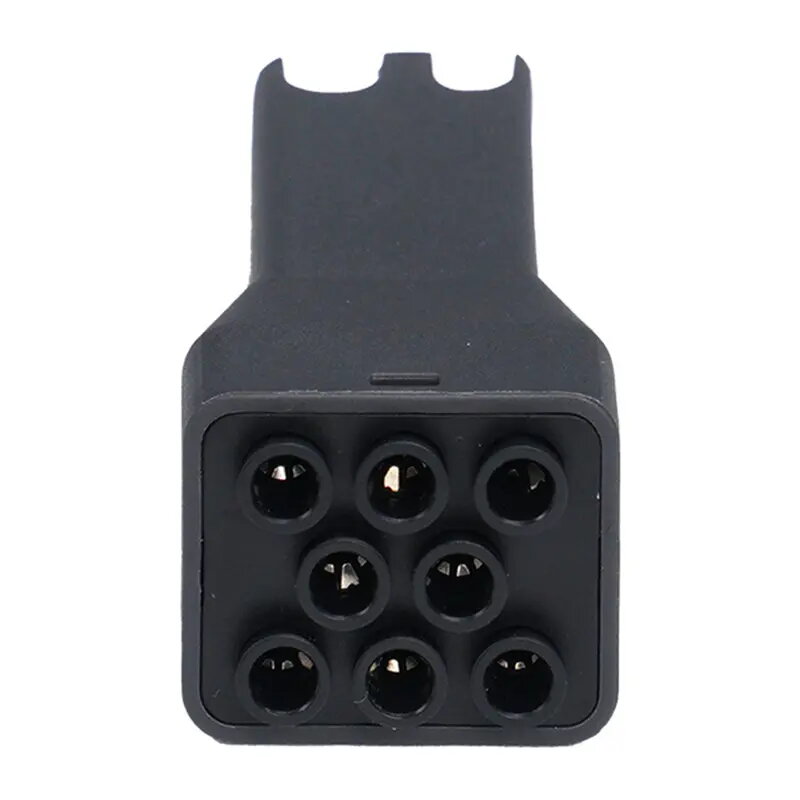
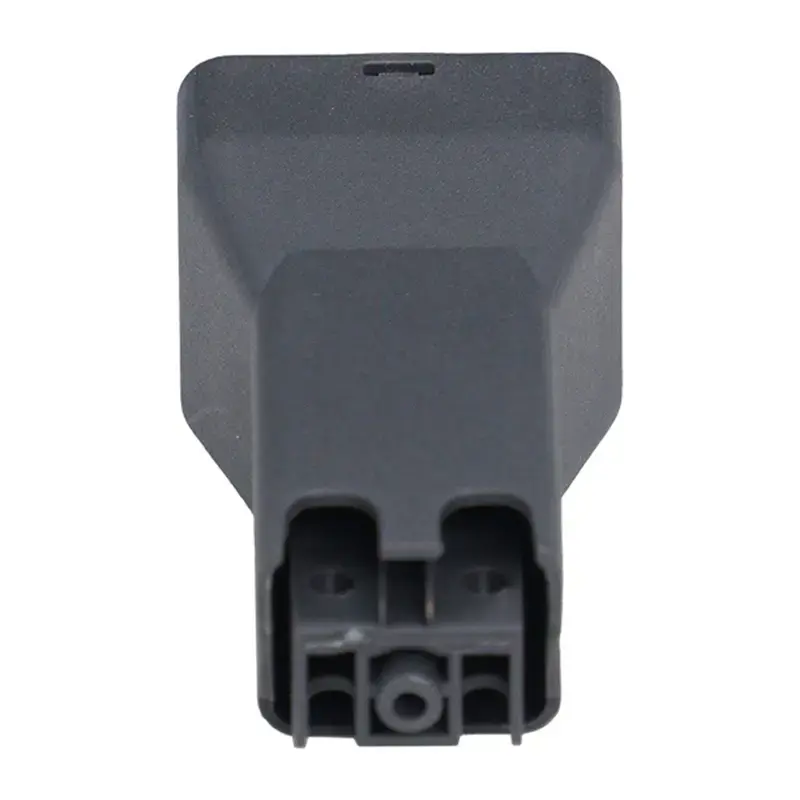
AnyCubic 8-color hub for ACE Pro / Kobra 3 Combo Photo 1
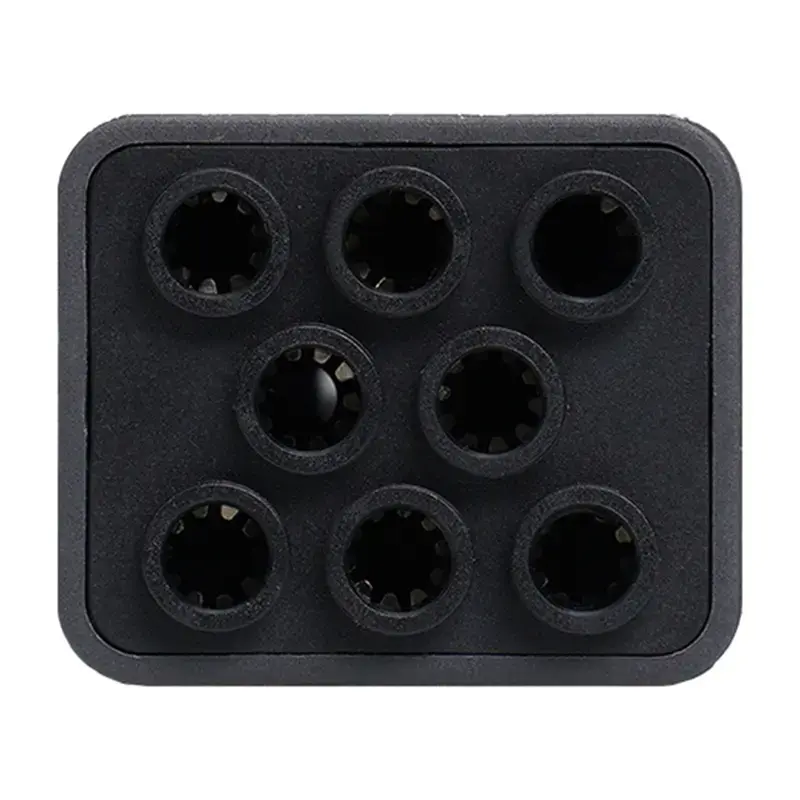
AnyCubic 8-color hub for ACE Pro / Kobra 3 Combo Photo 2
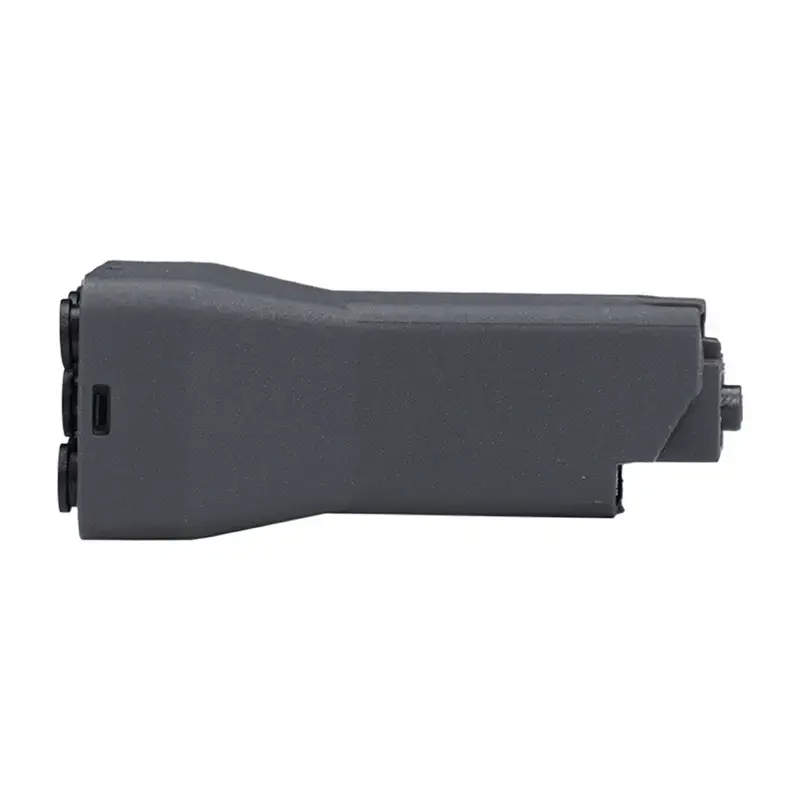
AnyCubic 8-color hub for ACE Pro / Kobra 3 Combo Photo 3
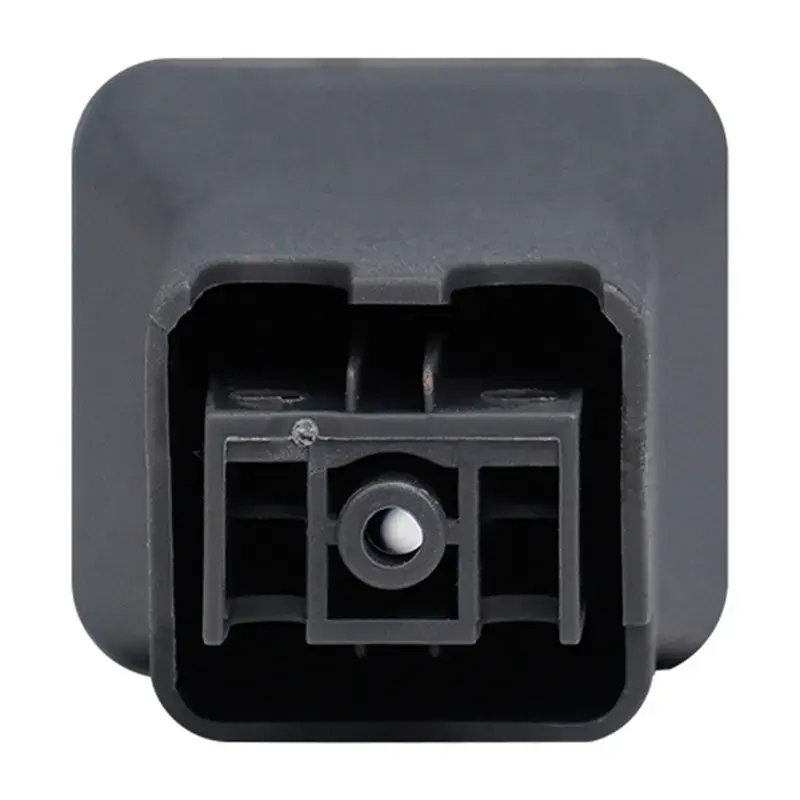
AnyCubic 8-color hub for ACE Pro / Kobra 3 Combo Photo 4
AnyCubic 8-color hub for ACE Pro / Kobra 3 Combo Photo 5
AnyCubic 8-color hub for ACE Pro / Kobra 3 Combo Photo 1
AnyCubic 8-color hub for ACE Pro / Kobra 3 Combo Photo 2
AnyCubic 8-color hub for ACE Pro / Kobra 3 Combo Photo 3
AnyCubic 8-color hub for ACE Pro / Kobra 3 Combo Photo 4
AnyCubic 8-color hub for ACE Pro / Kobra 3 Combo Photo 5
Out of stock.
View similar!

Short description

AnyCubic 8-color hub is an accessory designed to add multi-filament color switching to compatible AnyCubic printers: ACE Pro, Kobra 3 Combo, V2 Combo, Max Combo and S1 Combo. The hub supports up to eight filament inputs and routes selected filament to the extruder for multi-color or multi-material prints, useful for color-changing models, prototypes and decorative parts.
Warranty: 1 Year
SKU: 12334750
Manufacturer: AnyCubic
delivery
Information regarding the items availability for purchase will be posted on this site
price
Item cost information will be published on this site
Together cheaper
{{product.price | formatAmount}}
{{product.title}}
{{productBundle.reference.specialPrice | formatAmount}}
{{productBundle.title}}
{{productBundlePreviousPrice | formatAmount}}
{{productBundleSpecialPrice | formatAmount}}

You saving {{productBundleYouSave | formatAmount}}

Product information

Description

The 8-color hub for ACE Pro, Kobra 3 Combo, V2 Combo, Max Combo and S1 Combo is a compact accessory that enables the use of multiple filaments without frequent manual changes. Its compact dimensions and lightweight design make it easy to place near the printer, while the molded channels and mounting features help route filaments cleanly to reduce tangles and maintain steady, uninterrupted multicolor printing.

Advantages

The hub supports up to eight filaments at once, allowing for expanded color and material variety in prints. Its small footprint (110 × 135 × 35 mm) and low weight (22 g) minimise added bulk and make installation straightforward. The structure organises filament paths to reduce snags and contributes to a smoother printing workflow.

Suitable for

  • ACE Pro users who want multicolor prints
  • Owners of Kobra 3 Combo looking to expand filament options
  • Users of V2 Combo, Max Combo or S1 Combo seeking tidy filament management
  • Small workspaces where compact accessories are needed

When it may not be suitable

This hub is designed specifically for the listed AnyCubic models and may not be compatible with printers from other manufacturers or older/later models unless they explicitly support the same mounting and filament routing. It also does not eliminate the need for proper filament handling; very flexible or poorly spooled filaments can still require extra care to avoid tangling.

Key specifications

  • Supported filaments: up to 8
  • Compatibility: ACE Pro, Kobra 3 Combo, V2 Combo, Max Combo, S1 Combo
  • Dimensions: 110 × 135 × 35 mm
  • Weight: 22 g

How to use

Mount the hub according to the printer’s accessory attachment points so that filament paths align with the extruder feed. Insert each filament into its designated channel and guide the filament through to the printer’s filament intake, checking that routing is smooth and without sharp bends. Feed and load filaments in the printer’s filament management system and perform a test extrusion to confirm each filament moves freely before starting a multicolor print.

What to consider before purchase

  • Ensure your printer model is listed among supported models
  • Check that your filament spools and filament types are compatible with hub routing
  • Verify available space on or near the printer for mounting the hub

Usage recommendations

Use well-wound spools and route filaments through the hub channels with gentle curves; perform a brief feed test for each filament before printing large or multicolor parts to reduce the risk of jams or colour shifts.

Description

Machine translation.

Similar products

{{product.title}}
Show details Hide details

{{highlightedFeature.featureTitle}}:

{{getProductFeatureValueById(product, highlightedFeature.featureId)}}

{{product.price | formatAmount}}

Product comparison

In this comparison, AnyCubic 8-color hub for ACE Pro / Kobra 3 Combo / V2 Combo / Max Combo / S1 Combo is evaluated alongside other genuine AnyCubic accessories, including a quick-change hotend with a 0.8 mm nozzle, textured and smooth build plates, and a filament cutter. While all items belong to the same manufacturer ecosystem, they serve distinct operational purposes. The main product expands functional capabilities by enabling multi-color and multi-material printing, whereas the alternative items focus on printer maintenance, first-layer surface finish, or extrusion performance.

⚙️ The specification and feature comparison in the table below covers the accessory type, supported printer models, and its practical impact on the 3D printing workflow.

ParameterAnyCubic 8-color hub0.8 mm HotendPhantom + Sphere PlateFilament CutterOctagon + Diamond PlateSmooth Plate S1Practical significance
Accessory typeFilament hubReplacement hotendBuild plateCutting toolBuild plateBuild plateEach component addresses a specific engineering need, ranging from material routing to surface preparation.
Primary purposeMulti-color and multi-material printingFaster extrusion and coarse-layer prototypesTextured base with spherical visual effectsClean filament cutting for smooth loadingTextured base with geometric patternsSmooth flat surface for easy part removalThe choice depends on whether you need to upgrade printer capabilities or perform routine maintenance.
CompatibilityACE Pro, Kobra 3 Combo, V2 Combo, Max Combo, S1 ComboKobra 3, Kobra 3 Combo, V2, V2 ComboKobra 3, Kobra 3 Combo, Kobra 3 V2, Kobra 3 V2 ComboKobra S1, Kobra S1 ComboKobra 3, Kobra 3 Combo, Kobra 3 V2, Kobra 3 V2 ComboKobra S1, Kobra S1 ComboCompatibility is strictly tailored to specific AnyCubic ecosystems without cross-brand universality.

◎ The use-case and buyer suitability analysis in the following table helps identify which product matches your specific printing requirements.

Use caseRecommended productWhy
Creating multi-colored models and multi-material prototypesAnyCubic 8-color hub for ACE Pro / Kobra 3 Combo / V2 Combo / Max Combo / S1 ComboAllows connection of up to eight filament inputs for automated color switching during the printing process.
Faster printing for large, robust, or draft componentsHotend AnyCubic quick-change with 0.8 mm nozzle for Kobra 3 / Kobra 3 Combo / V2 / V2 ComboLarger nozzle orifice extrudes more material per pass, reducing production time for coarse-layer parts.
Adding a patterned sphere and phantom visual effect to the baseBuild Plate 3D-effect (Phantom + Sphere) for AnyCubic Kobra 3 / Kobra 3 Combo / Kobra 3 V2 / Kobra 3 V2 ComboApplies a textured, decorative surface finish directly to the bottom layer of finished prints.
Preparing clean filament tips to prevent loading jamsFilament Cutter AnyCubic for Kobra S1 / S1 ComboA dedicated manual tool designed to cleanly trim thermoplastic filaments prior to feeding into the printer.
Applying geometric octagon and diamond textures to the first layerBuild Plate AnyCubic 3D-effect (octagon + diamond) for Kobra 3 / Kobra 3 Combo / Kobra 3 V2 / Kobra 3 V2 ComboEnhances first-layer grip while leaving a distinct geometric imprint on the base of the printed object.
Achieving a flat, mirror-smooth bottom finishBuild Plate for AnyCubic Kobra S1 / S1 Combo — Smooth Surface (replacement plate)Provides a flat and reliable smooth printing surface that simplifies part release for hobby and professional tasks.
AnyCubic 8-color hub for ACE Pro / Kobra 3 Combo / V2 Combo / Max Combo / S1 Combo differs fundamentally from the alternative items by offering a major hardware expansion for multi-filament switching rather than a routine consumable or maintenance tool. This hub is most suitable for users looking to unlock advanced multi-color capabilities across compatible printers. The alternative components remain better suited for targeted maintenance, surface texture experimentation, or extrusion adjustments.

Might be useful
{{product.manufacturerName}}
{{product.categoryName}}
{{product.title}}
{{product.specialPrice}}
{{product.price}}

Customer reviews

Customer questions

FAQ

What payment options are available?

AiO.lv offers several payment methods: Bank transfer. All transactions are 100% secure and encrypted.

Can this product be purchased for a company (with VAT)?

Yes. AiO.lv works with legal entities in Latvia and across Europe. The product price already includes VAT. For certain product categories, as well as for companies from other EU countries with a valid VAT number, a 0% VAT rate may apply. We issue the invoice immediately after the order is placed, support electronic BIS invoices, and automatically generate all necessary accounting documents. You can complete the purchase for a company online — simply select the company profile and choose bank transfer as the payment method during checkout.

What is the warranty period?

All AnyCubic products come with an official 2 Years warranty. It covers all manufacturing defects and malfunctions that may occur during use. The warranty is valid at all authorized AnyCubic service centers and through AiO.lv

Can the product be returned after purchase?

Yes, you can return the product within 14 days of purchase if you bought it as a consumer (not a legal entity). Returns are possible without giving any reason — the main condition is that the product retains its original appearance and full set of accessories. We will make the process as simple and convenient as possible: just contact our customer support team, and we will help you arrange the return.

Where should I contact for warranty service?

For warranty-related questions you can contact the AiO.lv (SIA VSPRO) customer support team. We will assist with consultation, warranty claim processing, and coordination with certified service centers.
warranty
14-Day Return Policy We are confident in our quality, but if the purchase doesn’t fit — you have 14 days to return the product with peace of mind.
shipping
Fast Delivery Get your orders as quickly as possible — right to your door, parcel lockers, or pickup points across Latvia and the EU.
payment
Secure Payment Pay the way you prefer: cash, VISA, MasterCard, Apple Pay, Google Pay, bank transfer, or 0% installment plan.
warranty
Quality Since 2008 AiO.lv has been on the market for over 18 years and has earned trust — with more than 6000 genuine positive reviews on Google.