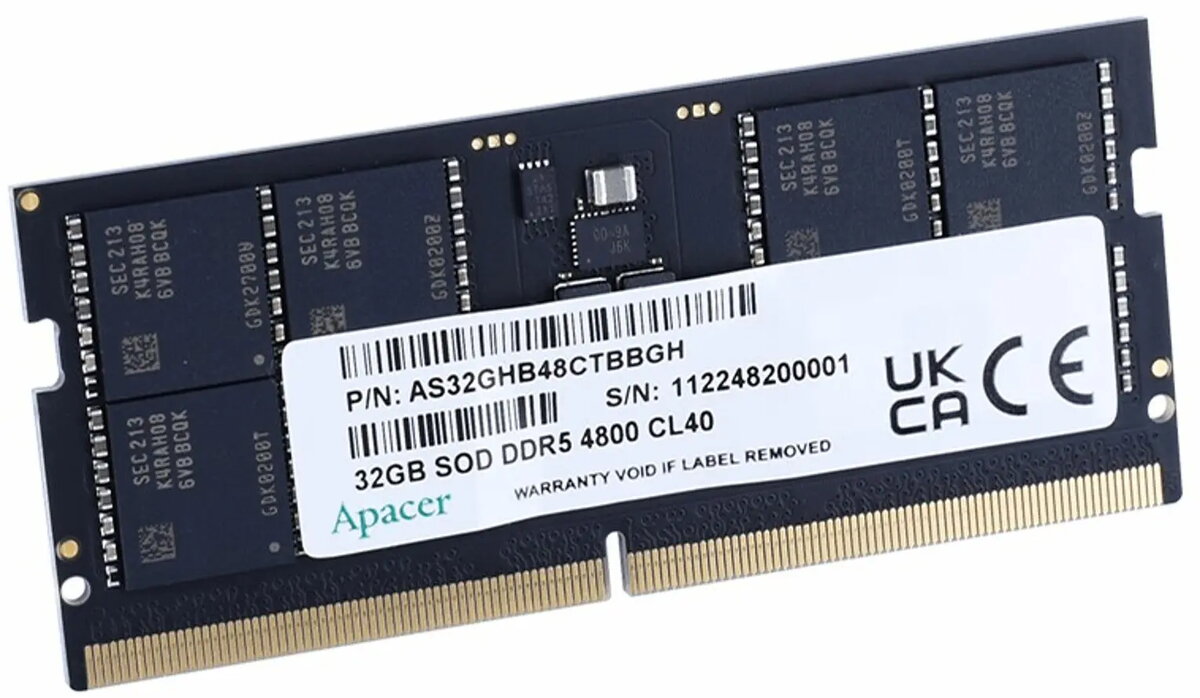
APACER SODIMM DDR5 32GB 4800MHz CL40 1.1V (1x32GB) is a single-module laptop memory designed for systems that support DDR5 SODIMM. This 32GB module operates at a nominal data rate of 4800MHz with CL40 latency and 1.1V operating voltage, delivering increased memory capacity and bandwidth compared with previous generations. The module is intended for small form-factor PCs and notebooks where a high-capacity SODIMM is required to improve multitasking, run memory-hungry applications, or enable larger virtual machines and content-creation workflows.
Advantages
The APACER DDR5 SODIMM provides a balance of higher frequency and larger capacity in a single 32GB stick, simplifying upgrades where only one memory slot is available. Operating at 4800MHz with DDR5 improvements, it offers increased effective bandwidth and more advanced on-die features compared to DDR4. The 1.1V nominal voltage contributes to lower power draw relative to some previous memory generations, which can benefit battery life in portable systems. As a single-module solution, installation is straightforward and compatible with systems that accept 32GB DDR5 SODIMM modules.
Suitable for
- Upgrading laptops or compact desktops to 32GB memory capacity
- Multitasking with multiple applications and browser tabs
- Content creation tasks such as photo editing and video timelines
- Running virtual machines or memory-intensive development environments
- Small form-factor systems that require SODIMM DDR5 modules
When it may not be suitable
This single 32GB SODIMM is not suitable for systems that only support DDR4 or older memory standards; compatibility must be confirmed with the device manufacturer. Systems that require dual-channel configurations for maximum theoretical memory bandwidth may benefit from using matched pairs of modules rather than a single stick, so a single-module setup could limit peak memory throughput in some workloads.
Key specifications
- Memory type: DDR5 SODIMM
- Capacity: 32GB (single module)
- Frequency: 4800MHz
- CAS latency: CL40
- Voltage: 1.1V nominal
How to use
Power off the laptop or small desktop and disconnect all power sources before installation. Open the memory compartment or access panel according to the device manufacturer’s instructions. Align the SODIMM notch with the socket, insert the module at an angle, and press down gently until the retention clips engage. After installation, reconnect power and boot to the system firmware or operating system to confirm the new capacity and memory frequency. If necessary, check BIOS/UEFI settings for memory profile or XMP/JEDEC compatibility and update system firmware to the latest version recommended by the device maker.
What to consider before purchase
- Confirm your laptop or motherboard supports DDR5 SODIMM and accepts 32GB modules
- Verify the number of memory slots and whether single- or dual-module configurations are preferred
- Check device BIOS/UEFI compatibility and available firmware updates for DDR5 support
- Ensure physical dimensions and pin layout match the SODIMM form factor required by your system
Usage recommendations
For best results, install memory when the system is powered down and follow anti-static precautions. If maximizing memory bandwidth is important, consider using matched modules in supported dual-channel configurations; otherwise the single 32GB SODIMM is a straightforward option to increase available RAM for multitasking and memory-heavy applications.