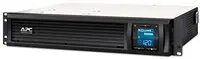
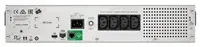
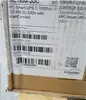
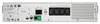
APC Smart-UPS C 1500VA LCD RM 2U 230V with SmartConnect (900W) is a rack-mountable uninterruptible power supply designed to protect servers, network devices and other critical IT equipment from power interruptions and surges. The unit provides 1500VA / 900W output capacity, a front-panel LCD for status and configuration, a 2U rack form factor for standard server cabinets and remote cloud connectivity through SmartConnect. This particular listing notes damaged packaging; the UPS itself should be inspected to confirm condition and completeness before installation.
Advantages
The Smart-UPS C combines a compact 2U rack design with 1500VA/900W capacity, making it suitable for dense rack deployments where space is limited. The front LCD provides real-time status and basic configuration without the need for additional tools. SmartConnect adds remote monitoring capabilities via the cloud, enabling alerts and simplified management. Built-in surge protection and battery backup maintain continuity for connected equipment during short outages and voltage disturbances.
Suitable for
- Rack-mounted servers and small to medium IT appliances
- Network switches, routers and firewalls requiring clean shutdown capability
- Edge and branch office racks where 2U form factor is preferred
- Environments where remote monitoring via SmartConnect is desired
When it may not be suitable
This UPS may not be suitable for installations that require power capacity above 900W or extended runtime for many minutes under full load, since its rated output is 1500VA / 900W and runtime depends on battery size and load. It may also be less appropriate where original, undamaged retail packaging is required for warranty claims or resale, because this unit is listed with damaged packaging and condition should be confirmed before purchase.
Key specifications
- Output capacity: 1500 VA / 900 W
- Form factor: 2U rack-mountable
- Input/Output voltage: 230 V nominal
- Front-panel LCD for status and configuration
- Remote connectivity: SmartConnect cloud monitoring
- Functions: battery backup and surge protection
How to use
Install the UPS in a compatible 19-inch rack using the included or appropriate rack-mount kit, occupying 2U of space. Connect the UPS input to a stable 230 V mains supply and plug critical equipment into the UPS outlets. Use the front LCD to view operational status, battery level and to perform basic configuration. Register the device with SmartConnect to enable cloud monitoring and receive alerts; follow APC’s registration steps for connecting the unit to the network. Before placing into service, perform a functional test and verify battery condition, especially for a unit sold with damaged packaging.
What to consider before purchase
- Confirm the UPS condition and completeness since packaging is damaged
- Verify that 900W output meets peak and runtime requirements of connected equipment
- Ensure compatibility with your rack depth and mounting hardware
- Check network environment and policies for using SmartConnect cloud monitoring
Usage recommendations
Place the UPS in a ventilated rack location away from direct heat sources, perform an initial battery test after installation, and register the unit with SmartConnect for remote status notifications. For critical loads, document runtime expectations and plan for periodic battery replacement according to manufacturer guidance.