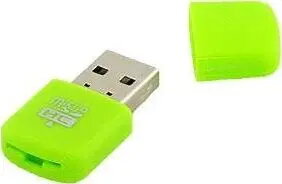
The Aptel AK242A USB 2.0 memory card reader is a compact and efficient device designed to facilitate seamless data transfer between various memory card formats and your computer. Engineered for reliability and ease of use, this card reader serves as a practical solution for managing digital files, high-resolution photos, and important documents. Its lightweight and portable construction ensures that it remains an unobtrusive addition to your workspace or travel kit, providing instant access to your external storage media whenever required.
Advantages
This memory card reader offers a straightforward plug-and-play experience, eliminating the need for complex driver installations or additional software configurations. Its USB 2.0 interface ensures broad compatibility with a wide range of desktop and laptop computers, making it a versatile tool for everyday data management. The durable build quality protects the internal components during transport, while the compact form factor allows it to fit easily into pockets or laptop bags, ensuring that you can manage your data on the go without carrying bulky equipment.
Suitable for
- Transferring photos from digital cameras to a computer
- Managing files on memory cards for smartphones or tablets
- Backing up documents from portable storage media
- Quick data access for users working with multiple memory card formats
When it may not be suitable
This device is designed for the USB 2.0 standard, which may result in slower data transfer speeds compared to modern USB 3.0 or USB-C devices when handling very large files or high-definition video footage. It is not compatible with memory card formats that require specialized high-speed interfaces or proprietary connection protocols.
Key specifications
- Interface: USB 2.0
- Plug-and-play functionality
- Compact and portable design
- Support for standard memory card formats
How to use
To use the Aptel AK242A, simply insert your memory card into the appropriate slot on the device. Once the card is securely seated, connect the card reader to an available USB port on your computer. Your operating system will automatically detect the device as a removable storage drive, allowing you to open, copy, move, or delete files using your computer's file manager. When you have finished your tasks, ensure you safely eject the drive through your operating system before physically disconnecting the reader from the USB port.
What to consider before purchase
- Check the compatibility of your specific memory card format with the reader
- Ensure your computer has an available USB 2.0 or compatible port
- Consider if your data transfer requirements necessitate the higher speeds of USB 3.0 technology
Usage recommendations
To maintain the longevity of the device and your memory cards, always ensure the card is fully inserted before connecting to the computer and avoid removing the card while data transfer is in progress.