
Save time and money with our discounts!
In cart {{totalProductsCount}} item(s)
Your cart is empty
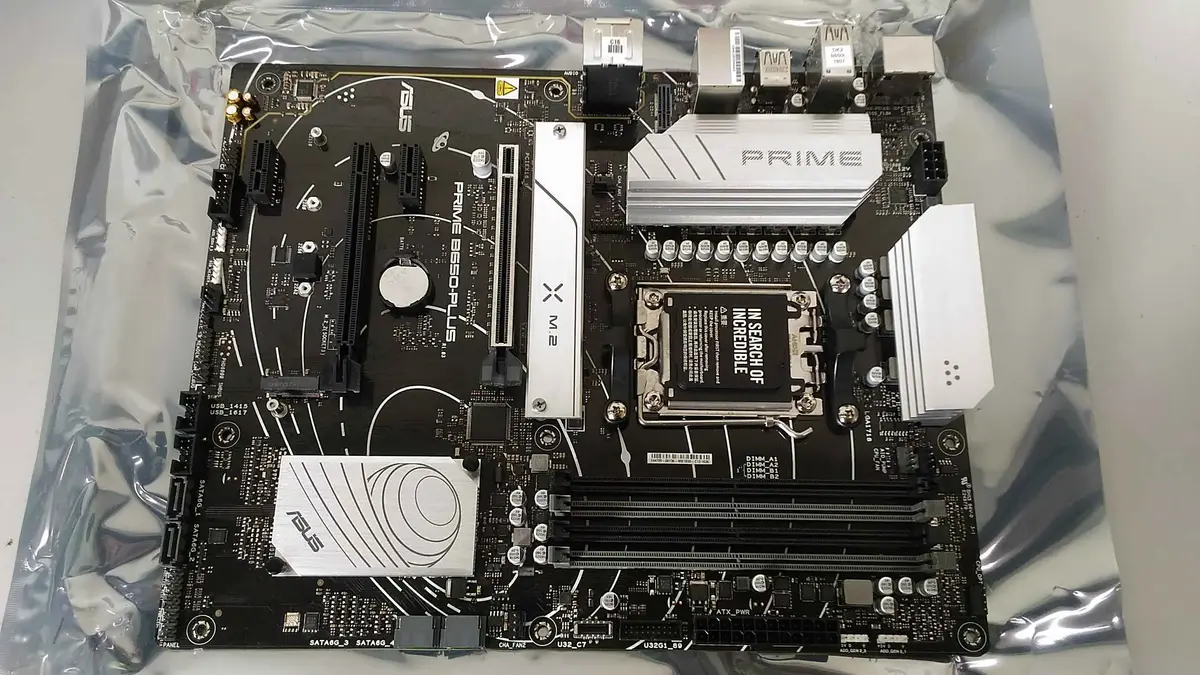
Motherboard ASUS PRIME B650-PLUS, AMD B650, AM5, ATX
The ASUS PRIME B650-PLUS is a reliable ATX motherboard designed for the AMD AM5 socket, utilizing the advanced AMD B650 chipset. This board is engineered to provide a stable foundation for modern computing, supporting the latest AMD Ryzen processors and high-speed DDR5 memory. With its robust power delivery and comprehensive cooling solutions, it ensures consistent performance for a wide range of demanding applications.
This motherboard offers significant flexibility for system builders by providing four DDR5 DIMM slots, allowing for substantial memory expansion to handle multitasking and resource-intensive software. The inclusion of multiple M.2 interfaces alongside traditional SATA connectors ensures that users can configure high-speed storage solutions tailored to their specific needs. Its ATX form factor provides ample space for expansion cards and efficient airflow, making it a versatile choice for building a balanced and durable desktop system.
This motherboard may not be the ideal choice for users requiring a compact system, as its ATX form factor is too large for small form factor cases. Additionally, users looking for specialized features found in high-end enthusiast boards, such as extreme overclocking capabilities or extensive multi-GPU support, might find this model limited.
To use the ASUS PRIME B650-PLUS, install the motherboard into a compatible ATX-sized computer case and secure it using the appropriate mounting points. Insert your AMD AM5 processor into the socket, install your DDR5 memory modules into the DIMM slots, and connect your storage devices via the M.2 or SATA ports. Ensure all necessary power cables from your power supply unit are connected to the motherboard before booting the system and accessing the BIOS to configure your settings.
For optimal performance and system stability, ensure that the motherboard BIOS is updated to the latest version provided by the manufacturer. Always use high-quality thermal paste when installing the CPU cooler and ensure proper cable management to maintain adequate airflow within the chassis.
{{highlightedFeature.featureTitle}}:
{{getProductFeatureValueById(product, highlightedFeature.featureId)}}
{{ productComparisonGenerationError }}
