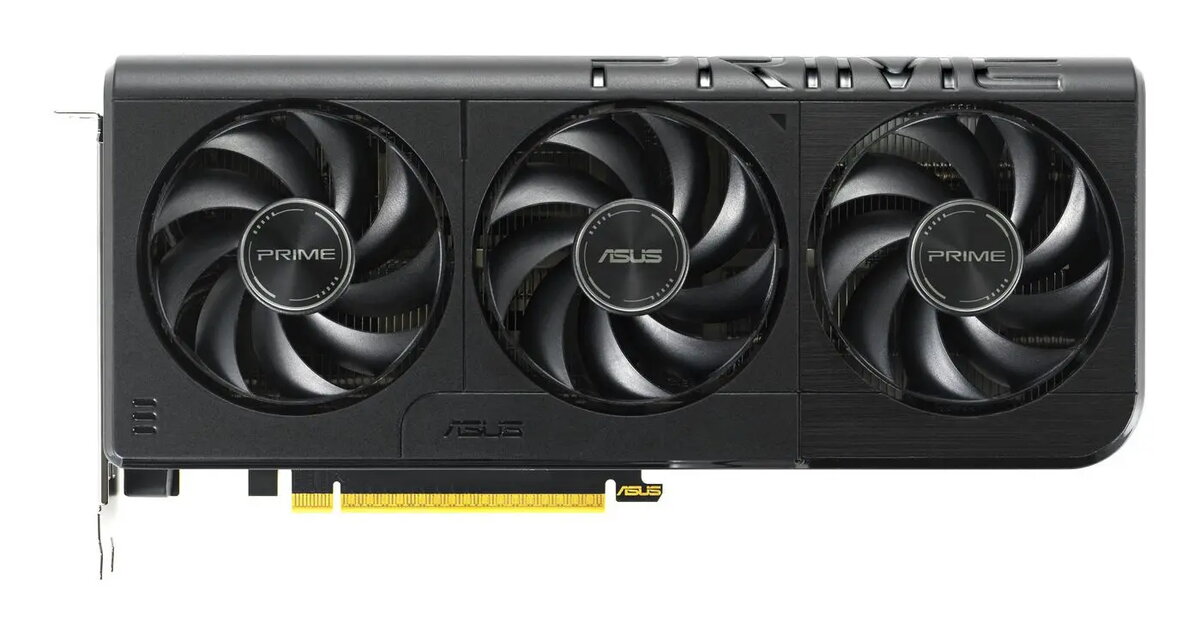
The Asus Prime RTX 5050 O8G 8GB GDDR (OC Edition) is a discrete desktop graphics card designed for gaming, multimedia and GPU-accelerated creative tasks. Featuring 8 GB of GDDR memory and factory overclocking, this card targets smooth 1080p gameplay at medium to high settings, hardware-accelerated video decoding and faster viewport performance in content-creation applications. The Prime series styling and cooling solution provide a balance of thermal control and quiet operation suitable for mainstream desktop builds.
Advantages
The card combines 8 GB of dedicated GDDR memory with a factory overclocked GPU profile to deliver improved frame rates and responsiveness compared with standard-clock variants. It supports modern graphics APIs and hardware video features, enabling accelerated rendering, encoding/decoding and better multimedia playback. The Asus cooling design and optimized PCB layout help maintain stable performance under sustained loads while fitting typical ATX enclosures.
Suitable for
- 1080p gaming at medium to high graphics settings
- Video playback and hardware-accelerated decoding for streaming and media editing
- GPU-accelerated tasks in creative software such as accelerated viewport rendering and effects
- Everyday desktop use with occasional content creation and light-to-moderate gaming
When it may not be suitable
This graphics card may not be the best choice for consistently playing modern AAA titles at ultra settings or for native 4K gaming where substantially more GPU memory and higher raw performance are typically required. It is also not intended for specialized professional workflows that demand certified drivers or workstation-class features.
Key specifications
- Video memory: 8 GB GDDR
- Factory overclocked GPU profile
- Interface: PCI Express x16 (exact revision depends on system motherboard)
- Recommended use: desktop PC gaming and multimedia
- Cooling: manufacturer-designed air cooling solution
- Display outputs: typical modern outputs for desktop graphics cards (refer to product photos/spec sheet for exact ports)
How to use
Install the card into an available PCI Express x16 slot on a compatible motherboard and secure it to the case. Connect any required supplemental power cables from the PSU if the system demands them, and attach display cables to the card’s outputs. Install the latest official drivers from the manufacturer to enable the factory overclock profile, hardware acceleration and up-to-date API support. Configure in-game or application graphics settings to match desired performance and image quality trade-offs.
What to consider before purchase
- Ensure your PC case has adequate clearance and airflow for the card’s length and cooling needs.
- Verify your power supply has the necessary connectors and sufficient wattage to support the GPU and the rest of the system.
- Check motherboard compatibility for PCI Express x16 slots and BIOS/driver support for modern GPUs.
- Confirm the display outputs match your monitor inputs or that you have appropriate adapters.
Usage recommendations
For balanced performance, use the card with up-to-date drivers and a well-ventilated case. Adjust in-game settings to medium or high presets at 1080p for sustained smooth frame rates; enable hardware acceleration in creative applications to leverage the GPU for rendering and encoding tasks.