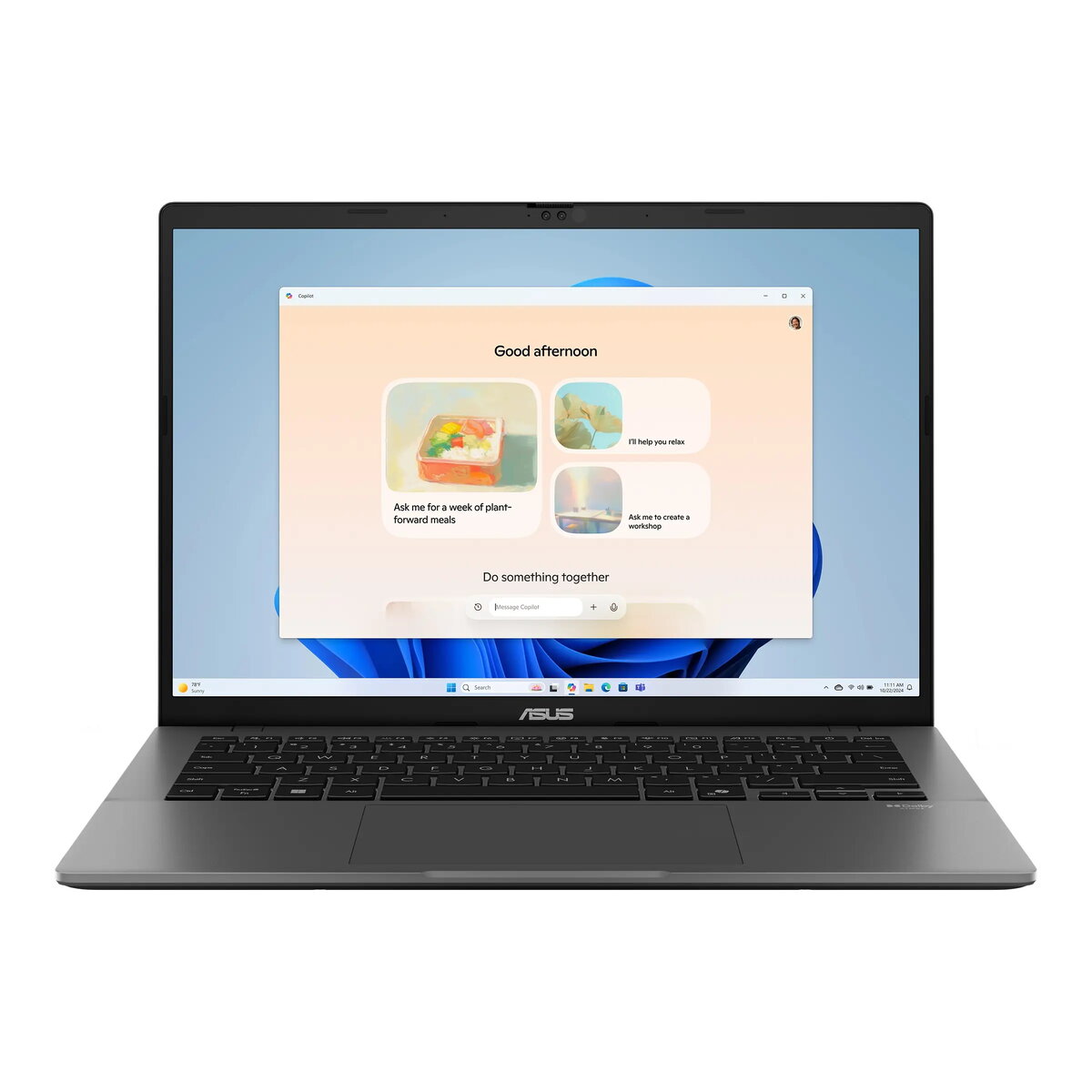
The Asus Vivobook S 14 OLED is a high-performance laptop designed to balance portability with professional-grade power. Featuring a 14-inch WUXGA OLED display, this device delivers vibrant colors and sharp visuals, making it an excellent choice for both work and entertainment. At its core, the laptop is driven by the AMD Ryzen AI 7 processor, which includes advanced neural processing capabilities to handle modern computing tasks efficiently. With 32GB of RAM and a spacious 1TB SSD, it provides a seamless experience for multitasking, content creation, and data-heavy applications, all housed in a durable, sleek gray chassis that meets military-grade standards.
Advantages
The primary strength of this laptop lies in its stunning OLED display, which offers superior contrast and color accuracy compared to traditional screens. The integration of the AMD Ryzen AI processor ensures that the system is ready for AI-enhanced workflows, providing a future-proof foundation for productivity. Its lightweight design, combined with a robust 70Wh battery, makes it highly portable for users on the move. Furthermore, the inclusion of a backlit keyboard and a high-quality FHD infrared webcam enhances usability in various lighting conditions, while the comprehensive port selection, including USB-C with Power Delivery and HDMI 2.1, ensures easy connectivity to external peripherals and displays.
Suitable for
- Professional office work and multitasking
- Content creation and graphic design tasks
- Students requiring a reliable and portable device
- Media consumption and high-quality video streaming
When it may not be suitable
This laptop is not designed for high-end gaming or intensive 3D rendering, as it relies on integrated graphics rather than a dedicated GPU. Additionally, users who require a built-in numeric keypad or an integrated memory card reader may find the compact 14-inch form factor limiting for their specific workflow needs.
Key specifications
- Display: 14-inch WUXGA (1920x1200) OLED, 60Hz
- Processor: AMD Ryzen AI 7 445
- Memory: 32GB DDR5 RAM
- Storage: 1TB M.2 NVMe PCIe 4.0 SSD
- Graphics: Integrated AMD Radeon 840M
- Battery: 70Wh, 4-cell Li-ion
- Connectivity: Wi-Fi 6, Bluetooth 5.4
- Ports: 2x USB-C, 2x USB-A, HDMI 2.1, Audio combo jack
- Weight: Approx. 1.4kg
How to use
To begin using your Asus Vivobook S 14, connect the provided USB-C power adapter to charge the battery fully. Upon powering on, follow the Windows 11 Home setup prompts to configure your user account and security settings, including the Windows Hello infrared facial recognition for secure, password-free logins. You can connect external monitors or peripherals using the available USB-C or HDMI ports. For optimal performance, ensure the laptop is placed on a flat, stable surface to allow for proper airflow through the cooling vents, and keep the operating system updated via the built-in settings menu.
What to consider before purchase
- The device features a glossy display, which may reflect light in bright environments.
- There is no integrated SD or microSD card reader for direct camera media transfers.
- The laptop uses integrated graphics, which is suitable for productivity but not for demanding gaming.
- The memory configuration consists of soldered and SO-DIMM components; verify if future upgrades meet your requirements.
Usage recommendations
To maintain the longevity of the OLED display, it is recommended to use a dark theme, hide the taskbar when not in use, and avoid displaying static images at maximum brightness for extended periods. Regularly clean the screen with a soft, dry microfiber cloth to prevent smudges and dust buildup.