
Save time and money with our discounts!
In cart {{totalProductsCount}} item(s)
Your cart is empty
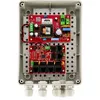
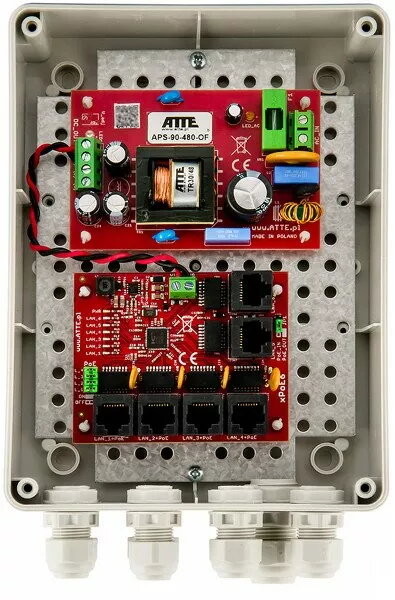
Network PoE Switch Atte IP-5-11-M2 — 5-port PoE Ethernet switch (model 15483)
Atte IP-5-11-M2 is a compact 5-port Power over Ethernet (PoE) switch designed for small network installations. It combines data switching and PoE power delivery on five Ethernet ports, enabling centralized connection and power for compatible devices such as IP cameras, wireless access points and VoIP phones. The device is intended for use where a simple, space-saving network hub is required to support both connectivity and low-voltage power distribution.
The switch provides simultaneous data transmission and power delivery over standard Ethernet cables, reducing the need for separate power adapters at the device end. Its compact form factor allows flexible placement in small equipment rooms, retail counters or security cabinets. Simple plug-and-play operation eliminates complex configuration for basic deployments, and the dedicated PoE ports ensure connected devices receive both network connectivity and power from a single point.
Place the switch on a stable surface near your network distribution point or mount it where cabling is convenient. Connect the uplink from your router or main switch to one of the Ethernet ports to provide network access. Plug compatible PoE devices such as IP cameras, wireless access points or VoIP phones into the remaining ports using standard Ethernet cables; the switch will deliver both data and power to PoE-capable devices. For non-PoE devices, use the same Ethernet ports for data-only connections. Ensure the device is connected to a suitable power source and observe basic ventilation requirements to avoid overheating.
For reliable operation, use quality Cat5e or higher Ethernet cables and verify that connected devices are PoE-compatible. Distribute connected device power demands across ports to avoid exceeding the switch's total PoE budget, and place the switch in a ventilated location away from direct heat sources. For surveillance and VoIP deployments, test each connection after installation to confirm both power and data are being delivered.
{{highlightedFeature.featureTitle}}:
{{getProductFeatureValueById(product, highlightedFeature.featureId)}}
{{ productComparisonGenerationError }}