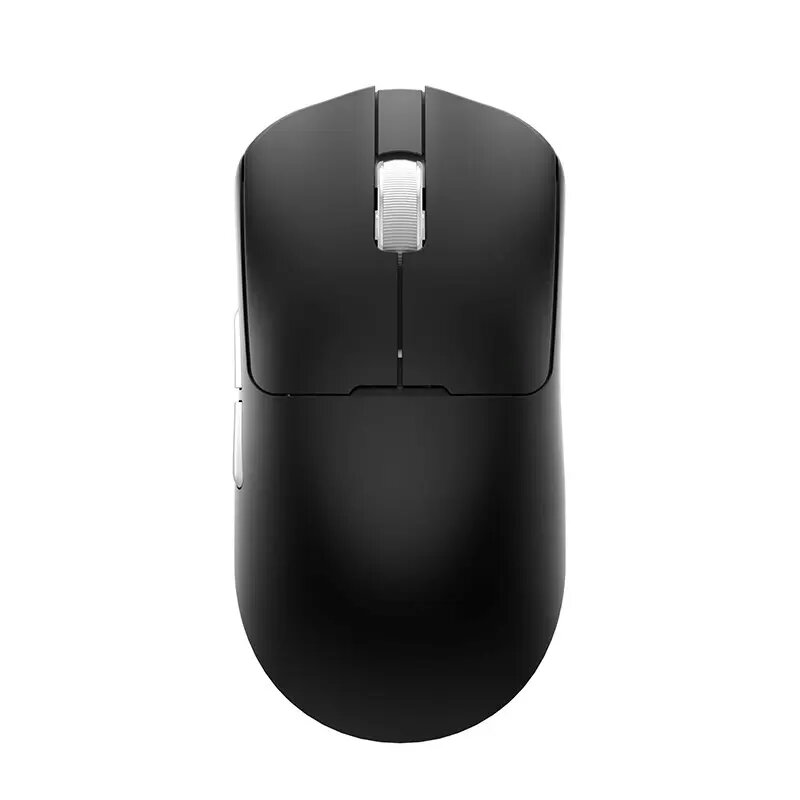
The AULA LEOBOG GM3 is a high-precision optical gaming mouse engineered for users who demand accuracy and reliability. Featuring a powerful 12000 DPI sensor, this mouse ensures smooth and responsive tracking across various surfaces. It offers flexible connectivity options, allowing you to switch between wireless Bluetooth and wired USB modes depending on your setup. The ergonomic design is tailored for right-handed users, providing comfort during long gaming sessions or intensive work tasks. With its lightweight 50g frame and included charging dock, the GM3 combines performance with convenience.
Advantages
The primary advantage of the AULA LEOBOG GM3 is its versatile dual-connectivity, which provides the freedom of wireless operation alongside the stability of a wired connection. The high-resolution 12000 DPI optical sensor allows for precise cursor control, essential for competitive gaming and detailed design work. Its ultra-lightweight construction significantly reduces wrist fatigue, making it an excellent choice for extended daily use. Furthermore, the included dedicated charging dock simplifies battery management, ensuring your device is always ready for action without the need for constant cable management.
Suitable for
- Competitive gaming requiring high precision
- Professional office tasks and creative design work
- Users who prefer a lightweight mouse for long-term comfort
- Desktop setups requiring both wired and wireless connectivity
When it may not be suitable
This mouse is specifically designed for right-handed users and may not be comfortable for left-handed individuals. Additionally, those who prefer a heavier mouse for increased tactile feedback might find the 50g weight too light for their personal preference.
Key specifications
- Sensor resolution: 12000 DPI
- Connectivity: Bluetooth and USB
- Number of buttons: 5
- Weight: 50 g
- Battery capacity: 500 mAh
- Form factor: Right-handed
- Scrolling: Vertical wheel
How to use
To begin using the AULA LEOBOG GM3, connect the device to your computer via the provided USB cable or pair it using Bluetooth settings on your operating system. For wireless use, ensure the internal 500 mAh battery is charged by placing the mouse on the included charging dock. Once connected, the mouse is plug-and-play, though you may adjust sensitivity settings through your computer's mouse control panel to match the 12000 DPI capability to your specific needs.
What to consider before purchase
- Ensure your computer supports Bluetooth if you intend to use the wireless mode without the USB receiver.
- Verify that the right-handed ergonomic shape fits your grip style.
- Consider if the 50g weight meets your requirements for mouse resistance and control.
Usage recommendations: To maintain optimal performance, keep the optical sensor lens clean from dust and debris. Use the provided charging dock regularly to ensure the battery remains charged, and avoid exposing the device to extreme temperatures to preserve the longevity of the internal battery.