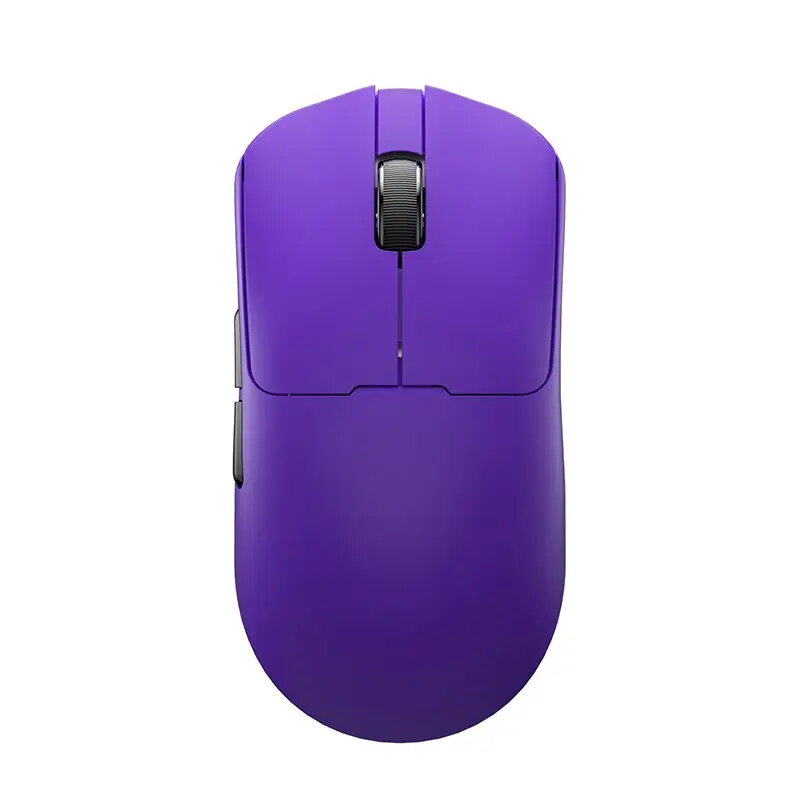
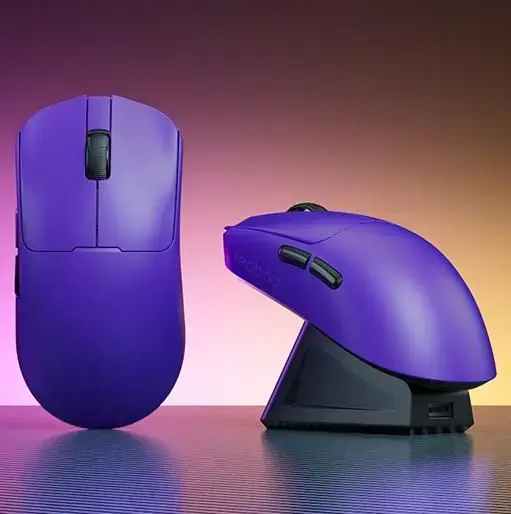
The LEOBOG GM3 is a high-performance optical wireless mouse designed for users who prioritize precision and versatility. Featuring a striking purple finish and an ergonomic right-handed form factor, this device combines aesthetic appeal with functional excellence. It offers dual connectivity options, allowing seamless switching between Bluetooth and USB modes, ensuring reliable performance across various devices. With a high-resolution sensor capable of up to 12000 DPI, it provides smooth and accurate tracking for demanding tasks.
Advantages
This mouse stands out due to its integrated charging dock, which simplifies power management and ensures the device is always ready for use. The inclusion of a 500 mAh rechargeable battery provides long-lasting operation, while the lightweight construction of just 50 grams reduces wrist fatigue during extended sessions. The five responsive buttons and vertical scroll wheel offer intuitive control, making it an efficient tool for both professional work and casual use.
Suitable for
- Precision-based office tasks and graphic design
- General web browsing and productivity
- Users who prefer a clutter-free desk with wireless connectivity
- Gamers looking for a lightweight and responsive optical mouse
When it may not be suitable
This mouse is specifically designed for right-handed users, meaning it may not be comfortable or ergonomic for left-handed individuals. Additionally, while it offers high DPI settings, users requiring a large number of programmable side buttons for complex macros may find the five-button layout insufficient for their specific needs.
Key specifications
- Movement detection: Optical
- Resolution: 12000 DPI
- Connectivity: Bluetooth and USB
- Buttons: 5
- Battery capacity: 500 mAh
- Weight: 50 g
- Form factor: Right-handed
How to use
To begin using the LEOBOG GM3, connect the device to your computer via the USB cable or pair it using Bluetooth settings on your operating system. For wireless operation, ensure the internal battery is charged by placing the mouse on the included charging dock. Once connected, the mouse is plug-and-play, requiring no additional software for basic functionality. Adjust the DPI settings according to your preference for cursor speed and tracking accuracy.
What to consider before purchase
- Compatibility with your operating system's Bluetooth or USB requirements
- The right-handed ergonomic design
- The necessity of a charging dock for your workspace setup
Usage recommendations
For optimal performance and longevity, keep the charging dock on a flat, stable surface and ensure the charging contacts remain clean. If you experience connectivity issues, ensure the mouse is within range of the receiver or Bluetooth host and that the battery is sufficiently charged.