Powerful EcoFlow stations for energy anywhere!
In cart {{totalProductsCount}} item(s)
Your cart is empty
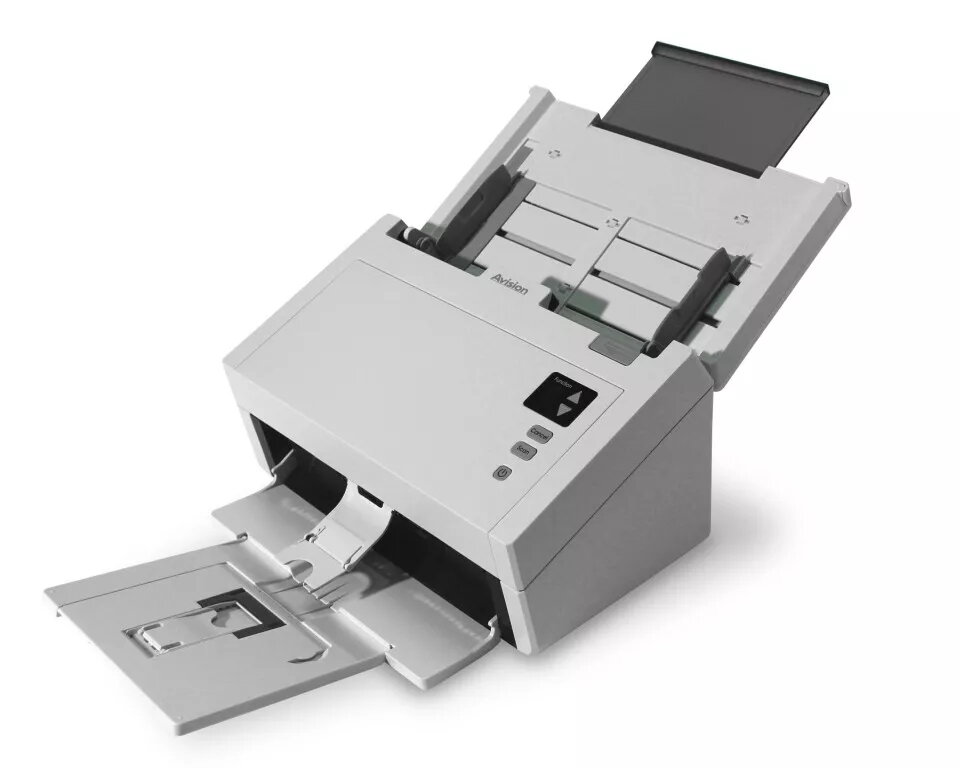
ADF scanner Avision AD230
The Avision AD230 is an ADF duplex scanner designed for offices and businesses that need reliable, high-volume scanning of documents, cards and mixed media. It scans at up to 30 pages per minute (60 images per minute duplex) with an optical resolution of 600 x 600 dpi, supports document widths up to 9.5" (242 mm) and accepts media from small receipts to business documents (up to 242 x 256 mm / 9.5" x 14"). The AD230 includes an 80-sheet automatic document feeder, an LCD display for easy operation, and a CIS sensor with LED illumination.
The AD230 combines a fast duplex speed with robust feeding mechanisms — including reverse roller separation and ultrasonic multi-feed detection — to reduce multi-feeds and jams when scanning mixed batches. Its straight paper path and advanced image processing provide automatic crop and deskew for clean, ready-to-use scans. The unit supports embossed cards up to 1.25 mm thick and paper weights up to 413 g/m2, while folding trays and a compact footprint save desk space. Bundled TWAIN/ISIS drivers and applications such as Button Manager, AVScan and ScanSoft PaperPort simplify scanning to email, printer or cloud services.
Open the input tray and place a stack of documents into the ADF, aligning the paper guides. Use the LCD panel to select a preset destination or scan profile, or choose settings via the bundled Button Manager on your PC. Press the Scan button to start duplex scanning; the AD230 will feed each page through the straight paper path, apply auto crop and deskew, and save or send images to the chosen destination. For cards or thick media, place them individually and verify the card feeding orientation (portrait or landscape) before scanning.
For reliable operation, keep the ADF trays folded when not in use to protect from dust, enable ultrasonic multi-feed detection for mixed-weight batches, and disable ultrasonic detection when scanning documents with sticky labels or taped receipts. Use the reverse roller and separation adjustments if you experience multiple feeds, and perform regular cleaning of the CIS sensor and rollers per the user manual.
{{highlightedFeature.featureTitle}}:
{{getProductFeatureValueById(product, highlightedFeature.featureId)}}
{{ productComparisonGenerationError }}