Filters you can trust. Pure water every day.
In cart {{totalProductsCount}} item(s)
Your cart is empty
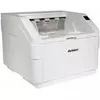
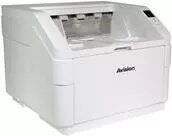
Avision FT-1907B scanner Avision FT-1907B 000-0923-07G 600 dpi USB
The Avision FT-1907B scanner provides reliable flatbed scanning with a maximum optical resolution of 600 dpi and USB connectivity for straightforward setup. Designed for everyday document and photo scanning, this compact scanner combines consistent image quality with a simple user interface suitable for home and small office environments.
This scanner delivers sharp scans at up to 600 dpi, producing clear text and detailed images for documents and photographs. USB connectivity ensures plug-and-play installation on most computers without the need for additional network hardware. Its compact footprint saves desk space, while straightforward controls make it accessible for users with varying levels of technical experience.
Place the document or photo face-down on the flatbed glass, aligning it with the registration marks. Connect the scanner to a computer using the USB cable and install the provided or compatible scanning software and drivers if required. Use the software to select resolution (up to 600 dpi), color mode and file format, then initiate the scan. Preview and crop as needed before saving or exporting the scanned file to your preferred location.
For clear text and photo reproduction, use 200–600 dpi depending on the level of detail required: 200–300 dpi for standard documents and 400–600 dpi for high-detail images or photo archiving. Clean the flatbed glass regularly with a lint-free cloth and manufacturer-recommended cleaner to avoid artifacts. When scanning multiple documents, allow a short pause between scans to ensure consistent performance.
{{highlightedFeature.featureTitle}}:
{{getProductFeatureValueById(product, highlightedFeature.featureId)}}
{{ productComparisonGenerationError }}