Save time and money with our discounts!
In cart {{totalProductsCount}} item(s)
Your cart is empty
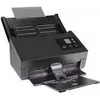
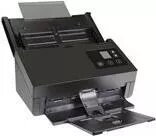
Avision A4 Document Scanner AD370WN 600 dpi, USB, wireless networking
The Avision A4 Document Scanner AD370WN is a compact flatbed scanner designed for office and home use. It provides up to 600 dpi optical resolution for clear reproduction of text and images, supports USB connection and wireless networking for flexible installation, and handles single- and multi-page scanning tasks for archiving, recordkeeping and sharing. The device combines a small footprint with network capability to serve shared workstations and small teams where reliable everyday scanning is required.
The AD370WN delivers high-resolution scans at up to 600 dpi, producing sharp documents and legible images suitable for digital archives and OCR processing. Built-in wireless networking and USB connectivity allow both direct connection to a workstation and shared use over a local network without needing a dedicated PC. Its compact design conserves desk space while still supporting common document sizes up to A4. Energy-efficient operation and straightforward controls simplify routine scanning.
Place the document face down on the scanner glass aligned with the guides, then choose the desired resolution and color mode using the scanner software or hardware controls. For a direct connection, attach the scanner to your computer via USB and install the provided drivers. To use networked scanning, configure the wireless settings through the scanner's setup utility and connect it to the same local network as your devices. Initiate scans from the computer application or, if available, from network-attached software to save images to a shared folder or cloud service.
For optimal results, clean the scanner glass regularly to avoid dust or streaks, use 300–600 dpi for common document archiving depending on the level of detail required, and select color or grayscale according to the original document. When using wireless mode, place the scanner within reliable Wi‑Fi coverage and, for frequent multi-page jobs, consider scanning in smaller batches to maintain speed and file handling efficiency.
{{highlightedFeature.featureTitle}}:
{{getProductFeatureValueById(product, highlightedFeature.featureId)}}
{{ productComparisonGenerationError }}