
Powerful EcoFlow stations for energy anywhere!
In cart {{totalProductsCount}} item(s)
Your cart is empty
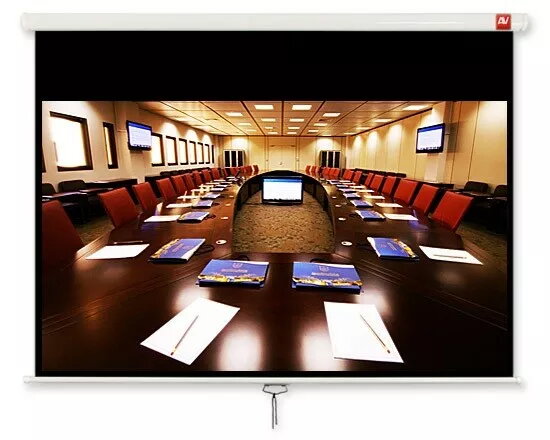
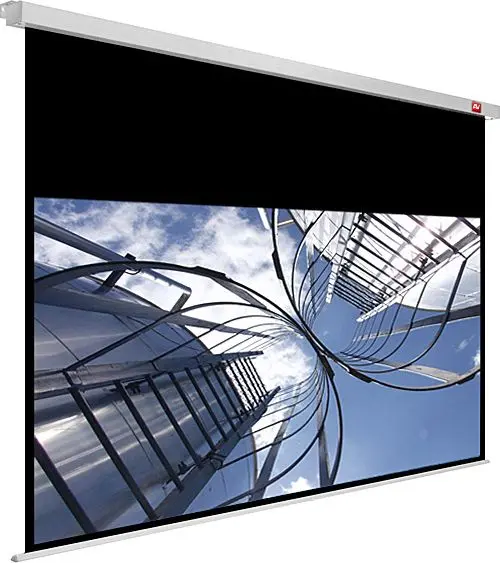
Projection screen AVTEK Handheld Wall Screen Cinema PRO 200 MG 200 inch
AVTEK Handheld Wall Screen Cinema PRO 200 MG 200 inch is a wall-mounted projection screen that provides a large, matte viewing surface for home cinema, classrooms, conference rooms and events. The 200-inch diagonal display area is designed to deliver clear, large-scale images from front projectors, offering a stable flat surface when mounted on a wall. The screen is portable in the sense that it can be uninstalled and relocated, while its construction focuses on ease of installation and reliable image presentation in medium to large spaces.
The AVTEK Cinema PRO 200 MG offers a wide viewing area suitable for audiences where a large image is required. Its surface material is engineered for uniform reflectance to reduce hotspots and maintain consistent brightness across the frame. The frame and mounting system are designed for straightforward wall attachment and to keep the screen flat and tensioned. The product balances large-format image size with a design intended for repeated installation and use in different rooms.
Mount the AVTEK Cinema PRO 200 MG on a sturdy, load-bearing wall using the included mounting brackets or hardware compatible with the product. Ensure the wall is level and that the screen is positioned at a suitable height so the projected image fills the intended area without obstruction. Connect and position the projector at the recommended throw distance and alignment for the projector’s lens to achieve a focused image that matches the 200-inch diagonal. After installation, adjust projector keystone and lens focus as needed to obtain sharp edges and correct geometry.
For best image quality, use a projector with appropriate brightness for a 200-inch screen and control ambient light in the room. Keep the projection surface clean and dust-free; use a soft, dry cloth for regular maintenance. Verify wall flatness and secure mounting to maintain screen tension and avoid image distortions over time.
{{highlightedFeature.featureTitle}}:
{{getProductFeatureValueById(product, highlightedFeature.featureId)}}
{{ productComparisonGenerationError }}