
Leave your address - as soon as the price of the product goes down, you'll know about it right away
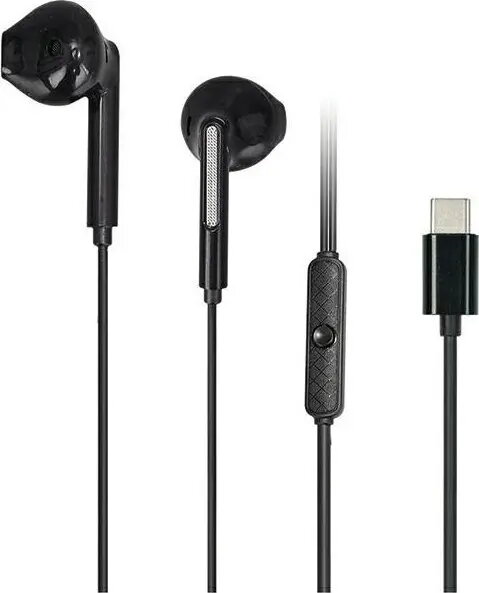
Headphones Awei PC-7T Stereo USB-C wired 1.2 m black
In cart {{totalProductsCount}} item(s)
Your cart is empty
Headphones Awei PC-7T Stereo USB-C wired 1.2 m black
Leave your address - as soon as the price of the product goes down, you'll know about it right away
Headphones Awei PC-7T Stereo USB-C wired 1.2 m black
The Awei PC-7T Stereo USB-C wired headphones provide a straightforward wired audio solution for devices with USB-C audio support. With a 1.2 m cable and stereo drivers, these black headphones are suited for voice communication, media playback and online meetings on compatible laptops, desktops and mobile devices. The inline remote and plug-and-play USB-C connection make setup simple without the need for additional adapters or software.
These Awei wired headphones offer stable wired connectivity through a USB-C connector, delivering consistent stereo sound and clear voice pickup for calls and conferencing. The 1.2 m cable length balances freedom of movement with tidy desktop placement, while the compact over-ear design and lightweight construction ensure comfortable extended use. The plug-and-play nature makes them immediately usable with devices that support USB-C audio.
Connect the USB-C plug to a device that supports USB-C audio. The headset is ready for use immediately after connection without installing drivers on most modern operating systems. Use the inline control to answer or end calls and to adjust basic playback where supported by the host device. Position the earcups comfortably over the ears and adjust cable routing to avoid strain during use.
For best performance, connect directly to a device USB-C port rather than through unpowered hubs or adapters. Keep the cable untangled and avoid sharp bends near the connector to prolong cable life. If audio quality varies between devices, check host audio settings and ensure the device firmware or operating system supports USB-C audio output.
{{highlightedFeature.featureTitle}}:
{{getProductFeatureValueById(product, highlightedFeature.featureId)}}