{{ totalProductsCount }}

In cart {{totalProductsCount}} item(s)

Total:
{{sum | formatAmount}}

Your cart is empty

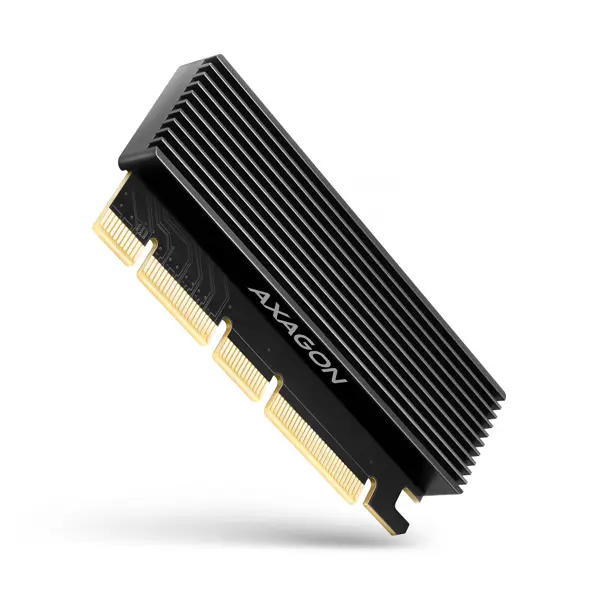
header-product AXAGON PCEM2-XS PCIe x16 to M.2 NVMe M-Key Slot Adapter with Passive Aluminum Heatsink
14.99 €

AXAGON PCEM2-XS PCIe x16 to M.2 NVMe M-Key Slot Adapter with Passive Aluminum Heatsink

Fast shipping
AXAGON PCEM2-XS PCIe x16 to M.2 NVMe Adapter with Heatsink Photo 1
AXAGON PCEM2-XS PCIe x16 to M.2 NVMe Adapter with Heatsink Photo 2
AXAGON PCEM2-XS PCIe x16 to M.2 NVMe Adapter with Heatsink Photo 3
AXAGON PCEM2-XS PCIe x16 to M.2 NVMe Adapter with Heatsink Photo 4
AXAGON PCEM2-XS PCIe x16 to M.2 NVMe Adapter with Heatsink Photo 5
AXAGON PCEM2-XS PCIe x16 to M.2 NVMe Adapter with Heatsink Photo 6
AXAGON PCEM2-XS PCIe x16 to M.2 NVMe Adapter with Heatsink Photo 1
AXAGON PCEM2-XS PCIe x16 to M.2 NVMe Adapter with Heatsink Photo 2
AXAGON PCEM2-XS PCIe x16 to M.2 NVMe Adapter with Heatsink Photo 3
AXAGON PCEM2-XS PCIe x16 to M.2 NVMe Adapter with Heatsink Photo 4
AXAGON PCEM2-XS PCIe x16 to M.2 NVMe Adapter with Heatsink Photo 5
AXAGON PCEM2-XS PCIe x16 to M.2 NVMe Adapter with Heatsink Photo 6
Keep track of price changes You keep track of price changes
Watch the price drop

Leave your address - as soon as the price of the product goes down, you'll know about it right away

You keep track of price changes

AXAGON PCEM2-XS PCIe x16 to M.2 NVMe M-Key Slot Adapter with Passive Aluminum Heatsink

{{email}}
You keep track of price changes

AXAGON PCEM2-XS PCIe x16 to M.2 NVMe M-Key Slot Adapter with Passive Aluminum Heatsink

{{email}}
{{selectedOffer && selectedOffer.price | formatAmount}}

Short description

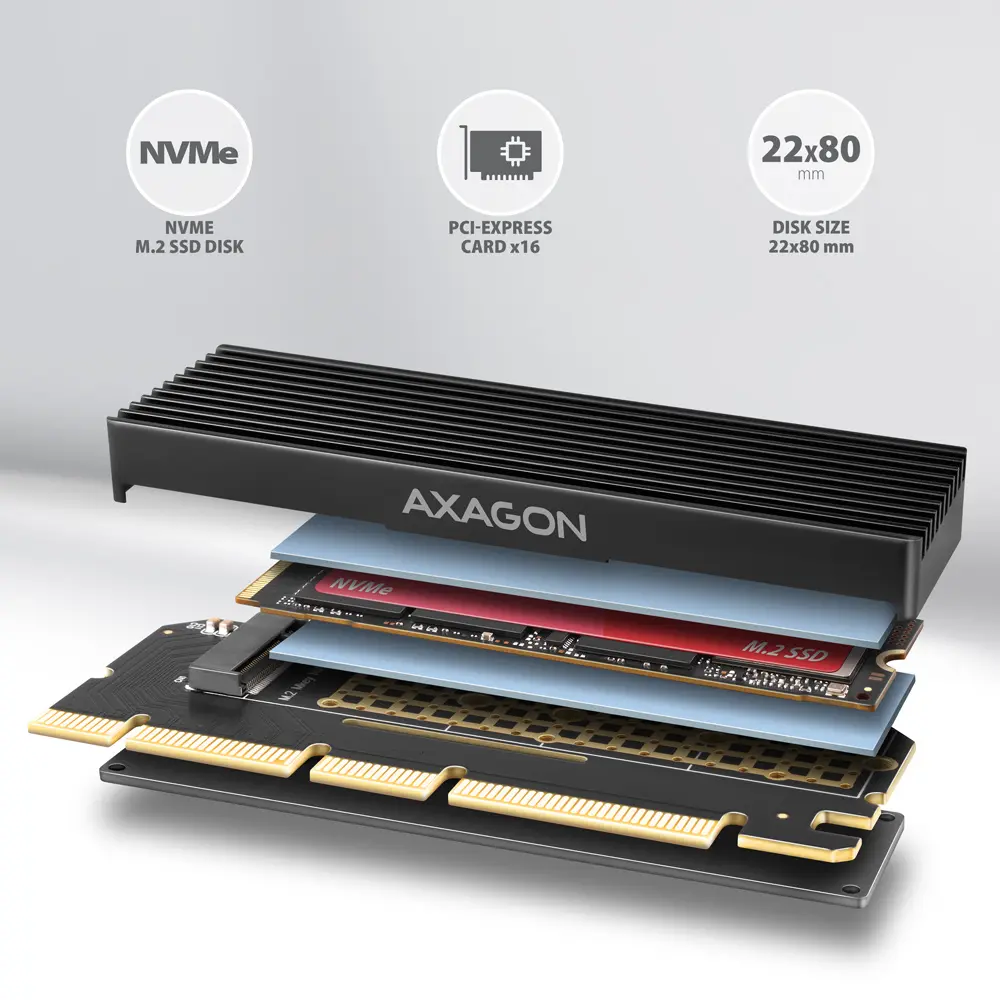
The AXAGON PCEM2-XS internal adapter allows you to connect an NVMe M.2 SSD drive to a desktop computer via a PCI-Express x16 bus. It supports single-sided and double-sided M.2 drives up to 2280 format without capacity limitations and is compatible with PCIe 5.0, 4.0, and 3.0 interfaces. Equipped with a ribbed aluminum passive heatsink and thermal pads, it ensures efficient heat dissipation for high-speed SSDs. Ideal for upgrading desktop PCs lacking an onboard M.2 slot.
Available at price 14.99 €: 1 pcs.
Total available for order: 58 pcs.
Warranty: 3 Years
SKU: 10694851
free shipment

Cheapest delivery:

Unisend LV

Pick-up points

Unisend LV

Cost

1.99 €

Deliver

{{selectedOffer.parcelStationDeliveryString}}

Customer service center
2b. Kengaraga str., Riga, Latvia, LV-1063
Tuesday {{selectedOffer.officeDeliveryString}}
free
Courier Delivery Please note that in case of a large parcel additional delivery costs may apply!
27.11.2026 {{selectedOffer.courierDeliveryString}}
From 4.99 € (Weight: 0.08 kg)
Parcel couriers
Unisend LV / Venipak Pickup LV / Venipak Locker LV / DPD Paku skapis / Omniva LV / Latvijas Pasts pakomāts / Latvijas Pasts nodaļa
27.11.2026 {{selectedOffer.parcelStationDeliveryString}}
From 1.99 €
payment
Payment Methods:
Cash payment, Bank transfer, Bank cards on-line, Apple Pay, Google Pay
Together cheaper
{{product.price | formatAmount}}
{{product.title}}
{{productBundle.reference.specialPrice | formatAmount}}
{{productBundle.title}}
{{productBundlePreviousPrice | formatAmount}}
{{productBundleSpecialPrice | formatAmount}}

You saving {{productBundleYouSave | formatAmount}}

Product information

Description

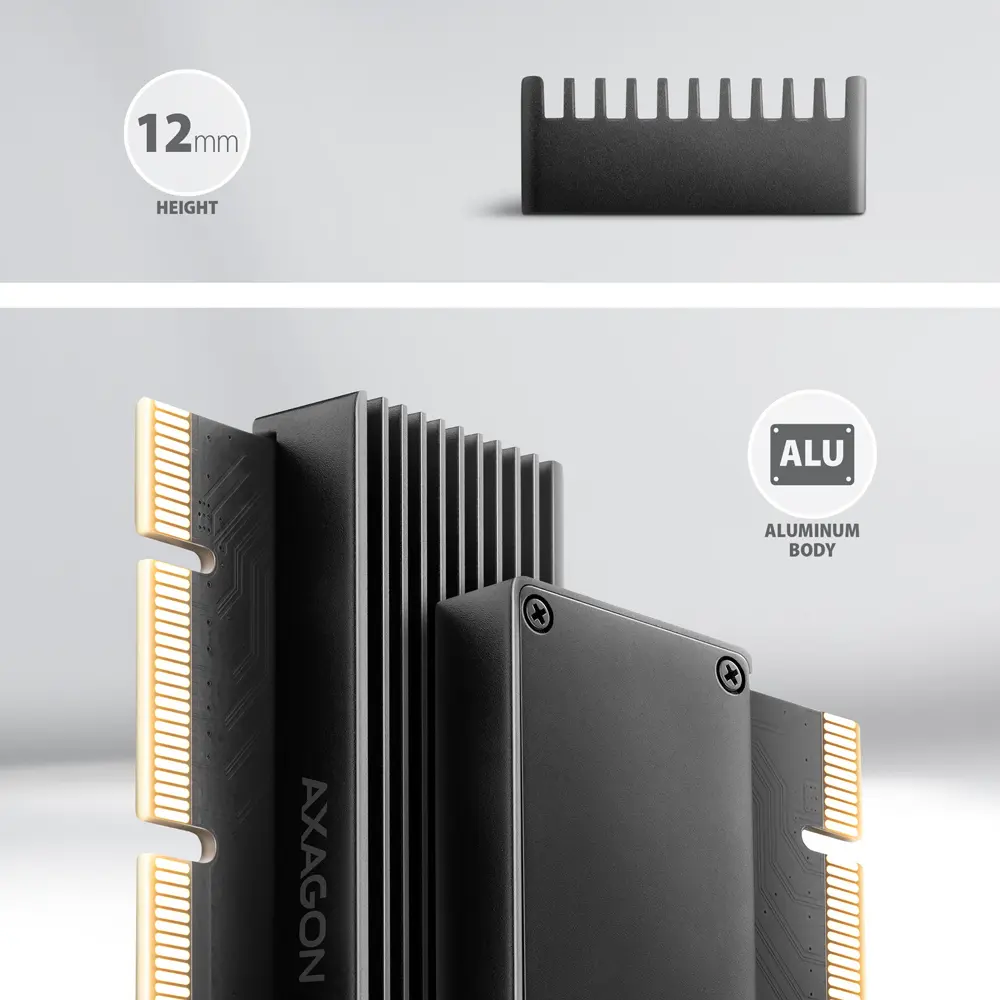
The AXAGON PCEM2-XS internal adapter allows you to connect a high-speed NVMe M.2 SSD to your desktop computer using a PCI-Express bus. Featuring high-quality workmanship, compact dimensions, and an attractive design, this adapter is an ideal choice for upgrading desktop computers that lack a built-in M.2 slot. It supports single-sided and double-sided NVMe M.2 drives of various lengths without any capacity limitations, enabling maximum data transfer speeds through the high-bandwidth PCIe interface. Equipped with an integrated ribbed aluminum heatsink and thermal pads, the adapter effectively dissipates heat from both sides of the installed drive to maintain optimal operating temperatures, even during intensive workloads or when using demanding high-performance drives.

Advantages

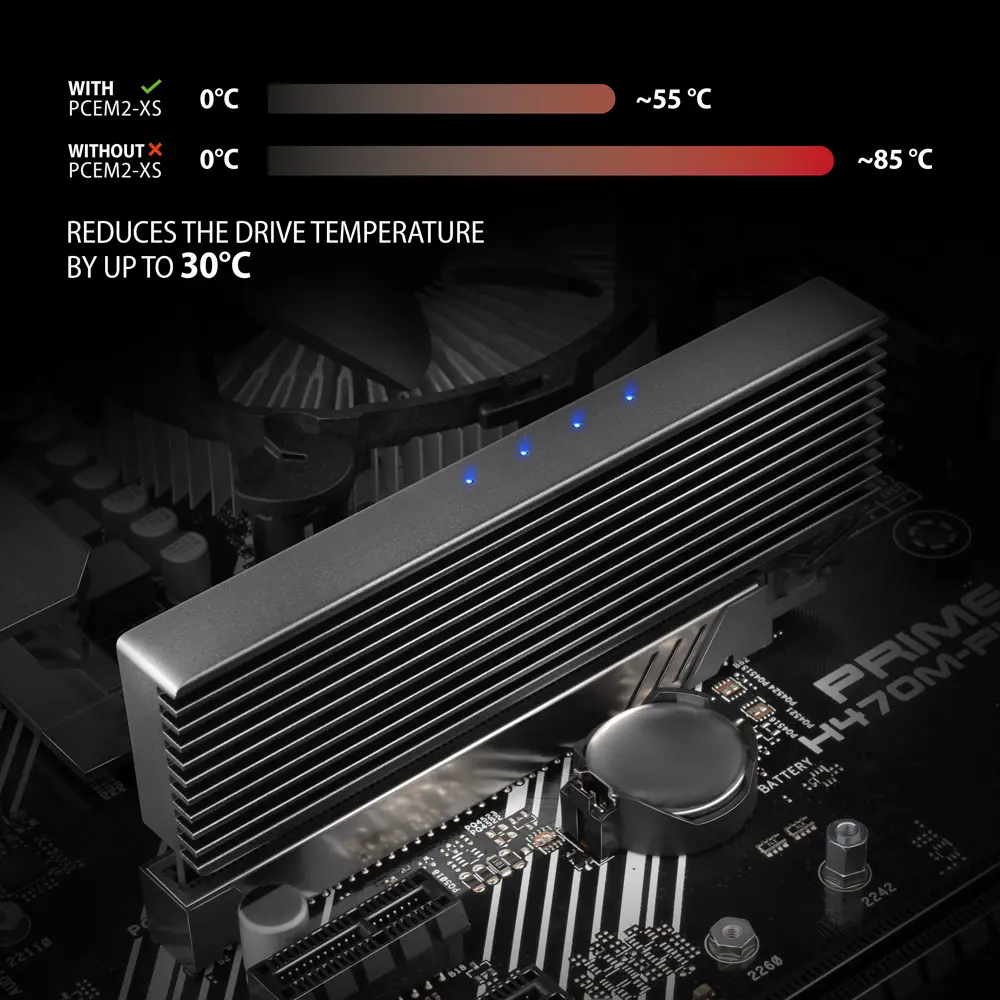
The adapter utilizes direct connection to the PCI-Express bus to achieve maximum throughput, ensuring that your high-speed solid-state drive performs at its full potential without bottlenecks. Sophisticated passive cooling relies on a large aluminum radiator surface combined with thermal pads that cover both sides of the drive, preventing thermal throttling and maintaining stable performance under heavy data loads. Compatibility spans multiple generations of the PCI-Express interface, allowing the hardware to adapt flexibly to different motherboards. Installation is straightforward and requires no separate drivers, while built-in LED indicators provide clear visual feedback regarding power status and active data transfers.

Suitable for

  • Upgrading desktop computers that do not have an onboard M.2 slot
  • Connecting fast NVMe M.2 SSDs to PCI-Express x4, x8, or x16 motherboard slots
  • Building high-performance workstations for intensive data processing and gaming
  • Replacing slower storage setups with high-speed solid-state drives supporting system booting

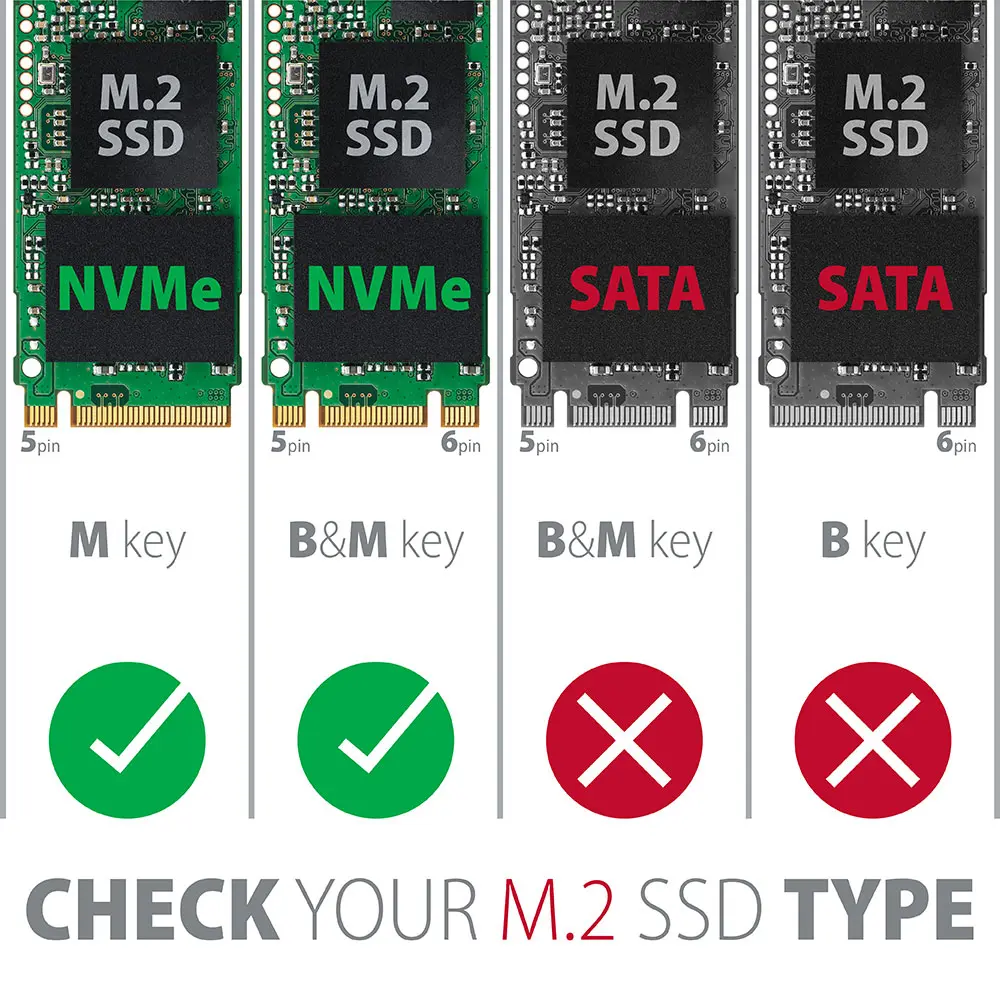
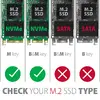
This adapter is not designed to support older SATA-based M.2 B-key SSDs, as it is strictly engineered for NVMe PCI-Express drives. It cannot be used in laptops or systems lacking an available physical PCI-Express x16 or x4 expansion slot.

Key specifications

  • Compatible with PCIe 5.0, 4.0, 3.0, and older interface versions
  • Fits x4, x8, and x16 PCI-Express motherboard slots
  • Supports M.2 form factor sizes 2230, 2242, 2260, and 2280
  • Accommodates M-key and B+M-key NVMe SSDs
  • Supports single-sided and double-sided drives with no capacity limit
  • Passive cooling via ribbed aluminum heatsink and thermal pads
  • Powered directly through the PCIe bus without external cables
  • Compatible with Windows and Linux operating systems

How to use

To install the adapter, first attach the provided thermal pads to the aluminum heatsink and position your M.2 NVMe SSD into the 75-pin M-key slot on the board. Secure the drive using the included mounting material and screwdriver, then attach the aluminum heatsink cover to ensure proper thermal contact on both sides of the storage device. Insert the assembled adapter firmly into an available PCI-Express slot on your desktop computer motherboard. Fasten the mounting bracket to the computer chassis. The operating system will automatically recognize the hardware without requiring manual driver installations, allowing you to format the drive or configure it as a bootable system volume.

What to consider before purchase

  • Verify that your motherboard has an available PCI-Express x4, x8, or x16 slot
  • Confirm that your M.2 drive uses the NVMe protocol rather than the SATA interface
  • Check your computer case dimensions to ensure sufficient physical clearance for the adapter height
  • Ensure your operating system version supports NVMe storage configuration

For best thermal performance and stable long-term operation, always ensure that the thermal pads make firm contact with both the M.2 SSD and the aluminum heatsink during assembly.

Specifications

Internal: The product is built in.
Yes
Host interface: Interface that enables a host controller to communicate with a driver.
PCIe
Output interface: The socket (port) where the output connectors are connected.
M.2
All features

Weight & dimensions

Package weight: Weight of the packaged product.
80 g
Weight: Weight of the product without packaging (net weight). If possible, the net weight is given including standard accessories and supplies. Please note that sometimes the manufacturer leaves out the weight of accessories and/or supplies.
0.05 kg
Height: The measurement of the product from head to foot or from base to top.
12 mm
Depth: The distance from the front to the back of something.
45 mm
Width: The measurement or extent of something from side to side.
105 mm

System requirements

Server operating systems supported:
Y
Linux operating systems supported: 8 RT. Linux (9.4, 9.5), Red Hat Enterprise Linux 5.0 (supported with a pre-built package); SUSE Linux (10.3, 11.0, 11, 11.1, 11.2), Fedora (9, 9.0, 10, 10.0, 11.0, 11, 12, 12.0), Ubuntu (8.04, 8.04.1, 8.04.2, 8.10, 9.04, 9.10, 10.04), Debian (5.0, 5.0.1, 5.0.2, 5.0.3)
Y
Windows operating systems supported: Windows vesions wich can be used with the device.
Y

Other features

Manual:
Yes

Logistics data

Country of origin: Country where the device is made. Aka Country of manufacture (COM).
China
Quantity per pack:
1 pc(s)

Packaging data

Package type: The type of product package e.g. box.
Hanging box
Package height: The distance from the top to the bottom of the packaging.
16 mm
Package depth: The distance from the front to the back of the packaging.
67 mm
Package width: The distance from one side of the packaging to the other.
140 mm

Technical details

Warranty period:
3 year(s)
Compliance certificates: Indicates which regulatory, safety, and environmental standards the product complies with, as verified by recognized authorities or certification bodies.
RoHS, CE

Features

Plug and Play: Indicates whether this product supports is "plug and play". Plug and play is hardware or software that, after being installed ("plugged in"), can immediately be used ("played with"), as opposed to hardware or software which requires configuration.
Yes

Design

Easy to install:
Yes
Cooling type: The method used to cool the device or to cool the air around the device.
Passive
Product colour: The colour e.g. red, blue, green, black, white.
Black
Internal: The product is built in.
Yes

Ports & interfaces

Number of M.2 (M) slots:
1
NVMe: NVM Express (NVMe) or Non-Volatile Memory Host Controller Interface Specification (NVMHCIS) is an open logical device interface specification for accessing non-volatile storage media attached via a PCI Express (PCIe) bus. NVM Express, as a logical device interface, has been designed to capitalize on the low latency and internal parallelism of solid-state storage devices.
Yes
Expansion card standard:
PCIe 5.0
Expansion card form factor:
Low-profile
Host interface gender:
Male
Host interface: Interface that enables a host controller to communicate with a driver.
PCIe
Output interface: The socket (port) where the output connectors are connected.
M.2

Performance

Certification:
CE, RoHS

Description

Machine translation.

Reasons to buy

NVMe SSD in a PCIe x4 slot

Adds an M.2 NVMe SSD to a desktop PC without an M.2 slot. Fits x4, x8 and x16 slots.

Ready for PCIe 5.0

Compatible with PCIe 5.0 down to 1.0a. The passive adapter has no controller, so the SSD runs at the full speed of the slot.

Aluminium heatsink on both sides

A ribbed aluminium heatsink and thermal pads cool both sides of the drive. An LED shows activity.

No drivers, boot supported

Works plug and play in Windows and Linux and supports booting. Sizes 2230 to 2280 with M or B+M key; mounting kit and screwdriver included.

Similar products

{{product.title}}
Show details Hide details

{{highlightedFeature.featureTitle}}:

{{getProductFeatureValueById(product, highlightedFeature.featureId)}}

{{product.price | formatAmount}}

Product comparison

The Interface Card Axagon PCEM2-XS is compared with several alternative expansion cards from the same manufacturer AXAGON: Interface Card Axagon PCEU-43RS, Interface Card Axagon PCES-SA4X4, Interface Card Axagon PCEM2-1U, Interface Card Axagon PCEA-S2N, and Interface Card Axagon ADSA-FP3. All these products are internal or external solutions for expanding system capabilities using a PCIe host interface or USB, yet they differ fundamentally in their output interface and intended purpose. The main practical differences lie in the specific types of devices each card allows you to connect—ranging from M.2 and SATA storage drives to USB ports and legacy RS-232 serial devices.

⚙️ Below is a comparison of technical characteristics, including installation type, host interface, output interface, and key design features of each model to help evaluate their compatibility with your hardware.

ParameterAxagon PCEM2-XSAxagon PCEU-43RSAxagon PCES-SA4X4Axagon PCEM2-1UAxagon PCEA-S2NAxagon ADSA-FP3Practical significance
Installation typeInternalInternalInternalInternalInternalExternalInternal cards mount directly inside the PC case on the motherboard, whereas the external model connects via a USB port.
Host interfacePCIePCIePCIePCIePCIeUSB Type-AMost compared cards utilize a PCIe slot for maximum performance, while one model focuses on external USB connectivity.
Output interfaceM.2USB 3.2 Gen 1SATAM.2RS-232SATAThe output interface determines the type of connectable devices: M.2 and SATA storage, USB peripherals, or specialized serial hardware.
CoolingPassive coolingNot specifiedNot specifiedNot specifiedNot specifiedNot specifiedThe presence of a passive cooling system on the main model helps efficiently dissipate heat from the installed M.2 drive.

◎ This section evaluates each model's suitability for various usage scenarios and buyer profiles to help choose the optimal tool for specific tasks.

Use caseRecommended productWhy
Installing a high-speed M.2 drive with efficient heat dissipationInterface Card Axagon PCEM2-XSEquipped with a passive cooling heatsink and specifically designed to integrate fast M.2 storage into a PCIe-based system.
Adding modern USB 3.2 ports to a desktop PC caseInterface Card Axagon PCEU-43RSIdeal for expanding standard peripheral connection capabilities with data transfer speeds up to 5 Gbit/s.
Expanding storage capacity with additional SATA devicesInterface Card Axagon PCES-SA4X4Engineered specifically for high-speed data transfer and connecting internal SATA storage drives.
Compact M.2 drive connection without a heatsinkInterface Card Axagon PCEM2-1UOffers a similar foundational M.2 interface via PCIe in an ultra-compact form factor for restricted space environments.
Connecting industrial or specialized RS-232 hardwareInterface Card Axagon PCEA-S2NFeatures a serial port with a FIFO buffer and Windows and Linux support for working with legacy instrumentation.
External connection of SATA drives to laptops or tabletsInterface Card Axagon ADSA-FP3Features an external USB Type-A interface and 12 V power output, convenient for operating drives outside a PC case.

The Interface Card Axagon PCEM2-XS differs significantly from alternative options by focusing exclusively on M.2 storage support and incorporating a passive cooling system for stable performance under load. This model is most suitable for PC owners who need to install a modern solid-state drive into a PCIe slot with protection against overheating. A buyer may prefer it over other Axagon options if their primary goal is storage subsystem upgrades rather than adding USB, SATA, or serial interfaces.

Might be useful
{{product.manufacturerName}}
{{product.categoryName}}
{{product.title}}
{{product.specialPrice}}
{{product.price}}
Stock data
Warehouse Stock Delivery to the store Store Price
BT13 1 Tuesday Best delivery
Fast shipping
14.99 € Best price
BT19 19 Tuesday Best delivery
Fast shipping
15.49 €
EU1 30 02.12.2026
15.49 €
Show all offers Hide
Available only for legal entities
Warehouse Stock Delivery to the store Store Price
WH159 3 07.12.2026
15.49 €
WH109 3 21.12.2026
28.99 €
Fast shipping
14.99 €
Stock: 1
Delivery Date: Tuesday Best delivery
Warehouse: BT13
Fast shipping
15.49 €
Stock: 19
Delivery Date: Tuesday Best delivery
Warehouse: BT19
15.49 €
Stock: 30
Delivery Date: 02.12.2026
Warehouse: EU1
16.99 €
Stock: 2
Delivery Date: 07.12.2026
Warehouse: EU85
Available only for legal entities
15.49 €
Stock: 3
Delivery Date: 07.12.2026
Warehouse: WH159
28.99 €
Stock: 3
Delivery Date: 21.12.2026
Warehouse: WH109

Customer reviews

Customer questions

FAQ

How much does the AXAGON PCEM2-XS PCIe x16 to M.2 NVMe Adapter with Heatsink cost, and is it available for purchase?

The price is 14.99 € (valid at the time of publication and already includes all taxes). The item is available for order — 58 pcs. are in stock, and you can place your purchase right now with delivery across Latvia and Europe or choose pickup at the Riga collection point. We offer favorable purchase terms, including the option to split the payment into convenient monthly installments. Availability and price are updated in real time, so we recommend placing your order in advance.

If I order this product today, when will I receive my order?

If you place your order today, delivery will be as fast and convenient as possible. You will be able to pick up your order on Tuesday at the Riga pickup point or choose delivery across Latvia and Europe. We carefully inspect every purchase and pack it securely for safe transportation.

What payment options are available?

AiO.lv offers several payment methods: Cash payment, Bank transfer, Bank cards on-line, Apple Pay, Google Pay. All transactions are 100% secure and encrypted.

Can this product be purchased for a company (with VAT)?

Yes. AiO.lv works with legal entities in Latvia and across Europe. The product price already includes VAT. For certain product categories, as well as for companies from other EU countries with a valid VAT number, a 0% VAT rate may apply. We issue the invoice immediately after the order is placed, support electronic BIS invoices, and automatically generate all necessary accounting documents. You can complete the purchase for a company online — simply select the company profile and choose bank transfer as the payment method during checkout.

What is the warranty period?

All AXAGON products come with an official 2 Years warranty. It covers all manufacturing defects and malfunctions that may occur during use. The warranty is valid at all authorized AXAGON service centers and through AiO.lv

Can the product be returned after purchase?

Yes, you can return the product within 14 days of purchase if you bought it as a consumer (not a legal entity). Returns are possible without giving any reason — the main condition is that the product retains its original appearance and full set of accessories. We will make the process as simple and convenient as possible: just contact our customer support team, and we will help you arrange the return.

Where should I contact for warranty service?

For warranty-related questions you can contact the AiO.lv (SIA VSPRO) customer support team. We will assist with consultation, warranty claim processing, and coordination with certified service centers.

How can I tell if this product suits my needs?

When making a choice, we recommend paying attention to the key features: internal, host interface, output interface, compatibility with your devices or usage conditions, material quality, functionality, and warranty terms. These characteristics will help you determine how well the model meets your needs.

Where can I download the instructions for AXAGON PCEM2-XS PCIe x16 to M.2 NVMe Adapter with Heatsink?

You can download the instructions in PDF format from the “Instructions” section on the product description page. The file contains complete information about installation, setup, and usage.
warranty
14-Day Return Policy
We are confident in our quality, but if the purchase doesn’t fit — you have 14 days to return the product with peace of mind.
shipping
Fast Delivery
Get your orders as quickly as possible — right to your door, parcel lockers, or pickup points across Latvia and the EU.
payment
Secure Payment
Pay the way you prefer: cash, VISA, MasterCard, Apple Pay, Google Pay, bank transfer, or 0% installment plan.
warranty
Quality Since 2008
AiO.lv has been on the market for over 18 years and has earned trust — with more than 6000 genuine positive reviews on Google.