


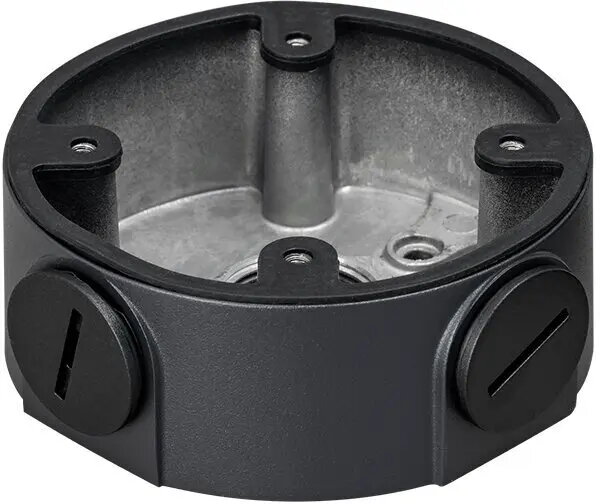
Mounting Box Adapter BCS BCS-AD11-G — junction box mount for cameras and fixtures
Short description

Cheapest delivery:
Unisend LV
Product information
Description
BCS BCS-AD11-G is a mounting box adapter designed to provide a secure and tidy connection between CCTV cameras or small fixtures and standard junction or electrical boxes. It creates a stable interface for wall or ceiling installations, improves cable routing, and reduces the need for custom mounting work. The adapter is suitable for use where a compact, reliable transition from a junction box to the camera or accessory is required.
Advantages
The adapter simplifies installation by aligning mounting holes and providing a flat, stable mounting surface. It conceals and organizes cables inside the junction box, reducing exposed wiring and improving the overall appearance of the installation. Its construction allows straightforward attachment of many common dome and bullet cameras and compatible fixtures, saving time during setup and maintenance.
Suitable for
- Mounting CCTV dome and bullet cameras to junction or electrical boxes
- Attaching small security devices and accessories that require a box-mounted interface
- Wall and ceiling installations where neat cable routing and a stable mount are needed
Key specifications
- Function: junction box to camera/fixture adapter for mounting
- Compatibility: designed for use with standard wall and ceiling electrical junction boxes and common CCTV camera housings
- Material and finish: durable construction suitable for indoor and protected outdoor use
- Mounting: provides pre-aligned mounting surface and cable routing aperture(s)
How to use
Install the adapter by aligning it with the openings and mounting points of the existing junction box and secure it with appropriate screws. Route camera or fixture cables through the adapter into the junction box to maintain organized wiring and protect cable connections. Attach the camera or accessory to the adapter’s mounting surface following the device manufacturer’s mounting instructions. Verify that all fasteners are tightened and that the adapter presents a flush, stable surface for the installed device.
Usage recommendations
Use the adapter with junction boxes of compatible size and mounting pattern. Select corrosion-resistant screws for installations in humid or semi-exposed environments. Check compatibility with the specific camera model to ensure that mounting hole patterns and cable entry align correctly before final installation.


