Save time and money with our discounts!
In cart {{totalProductsCount}} item(s)
Your cart is empty
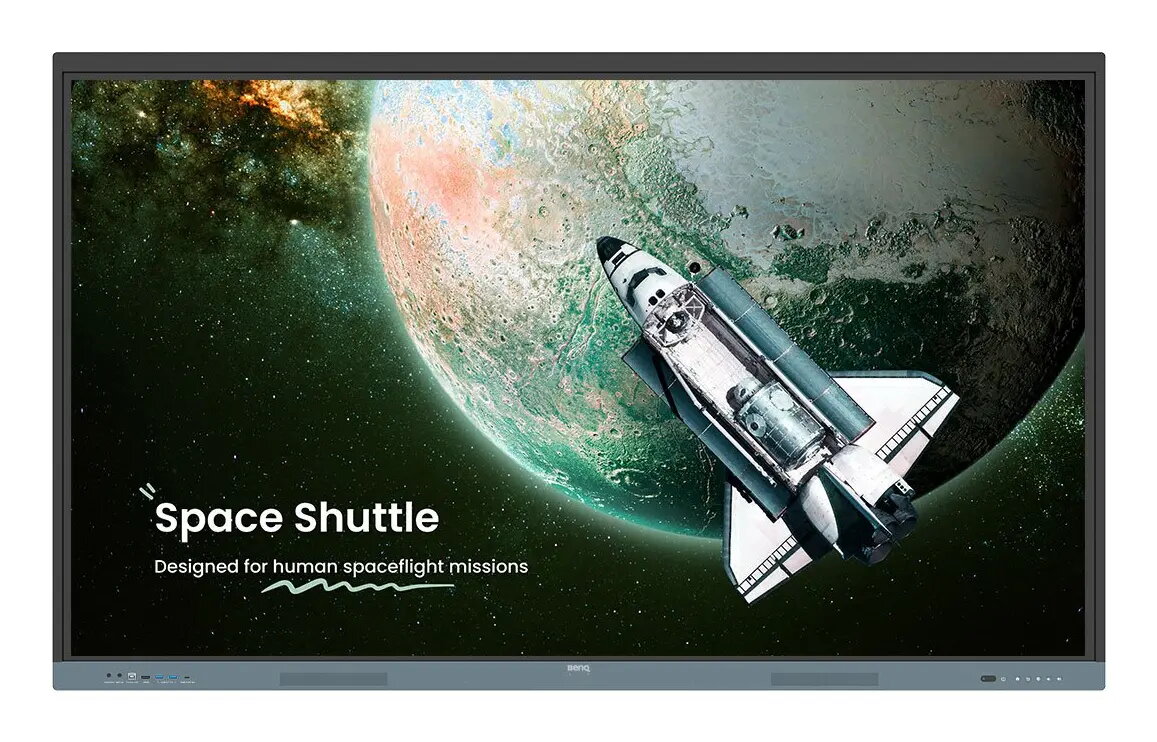
Interactive flat panel BenQ RE8604 — 86" (2.18 m) 4K UHD IPS, 450 cd/m², Android touchscreen, 1200:1 contrast
BenQ RE8604 is an 86" (2.18 m) interactive flat panel with 4K UHD (3840×2160) resolution, 450 cd/m² brightness and an IPS touchscreen. Running Android on a built-in processor, the board integrates Google services and BenQ’s EZWrite software to provide an interactive display tailored for classroom and collaborative use. The RE8604 supports multi-touch input with a fast 8 ms response time, Precision IR touch, built-in speakers and a variety of connectivity options including a multipurpose USB‑C port.
The BenQ RE8604 combines Google-certified services with BenQ hardware security and software tools, allowing direct access to Google Drive, Meet and apps from Google Play. EZWrite offers an expandable canvas with AI-assisted features such as text-to-speech, multilingual translation and OCR for editing text from images. The panel supports 40 touch points for whole-class interaction, gap-free writing and a natural pen response. Built-in management tools and user-list syncing simplify IT administration, while ClassroomCare features and IP5X dust protection improve durability and reduce eye strain with low blue light and flicker-free technology.
Power on the RE8604 and sign in with a secure account to access your personal apps and files. Open Google Drive or other Google apps directly from the home screen to load lesson materials, or install educational apps from Google Play. Use EZWrite to create or import lesson files, annotate on the expandable canvas and export sessions as editable files for later classes. Use InstaShare 2 to wirelessly cast from participant devices and the Floating Tool to take snapshots, record the screen or annotate over any displayed content.
For best performance, ensure the panel firmware and apps are kept up to date via the BenQ management console, keep user accounts synced with your institution’s directory (Google Workspace, Entra ID, ClassLink, LDAP or SAML), and position the display to minimise glare. Regularly clean the screen following manufacturer guidelines and use ClassroomCare settings to reduce blue light and flicker for prolonged use.
{{highlightedFeature.featureTitle}}:
{{getProductFeatureValueById(product, highlightedFeature.featureId)}}
{{ productComparisonGenerationError }}