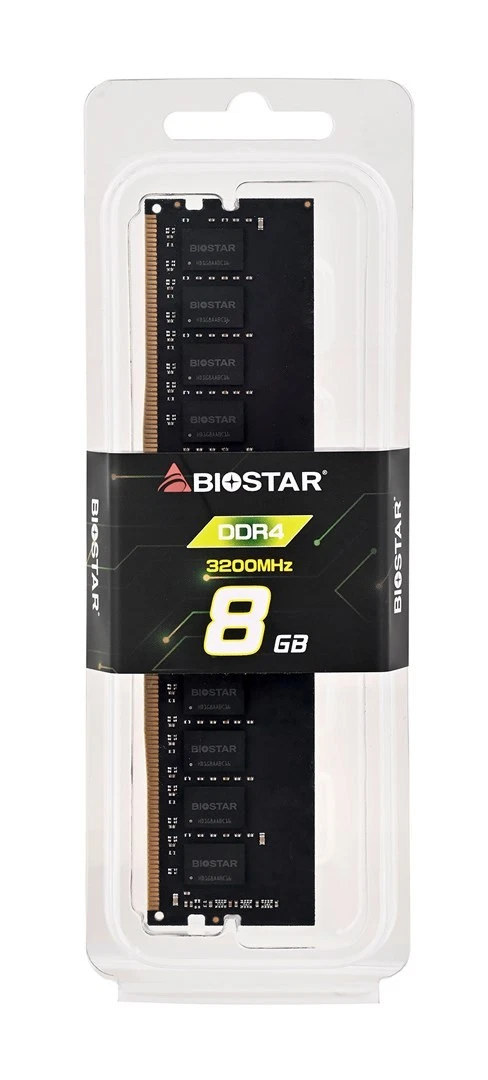
The Biostar 8GB DDR4 3200MHz Desktop Memory Module DO32NU4N08 is compared against alternative options from BIOSTAR, PNY, Lenovo, HP, and Crucial. All of them operate at a 3200MHz frequency and offer 8GB or 16GB capacities, but the main differences lie in the form factor (desktop DIMM modules versus laptop SODIMM modules), the presence of heatsinks, and the respective brands.
⚙️ The table below compares the memory type, capacity, clock frequency, form factor, and structural features (such as a heatsink) to highlight the practical differences between the models.
| Parameter | Biostar DO32NU4N08 | Biostar 16GB with Heatsink | PNY 8GB | Lenovo SODIMM 8GB | HP 8GB | Crucial 8GB SO-DIMM | Practical significance |
|---|
| Memory type | DDR4 | DDR4 | DDR4 | DDR4 | DDR4 | DDR4 | All modules utilize the DDR4 standard for modern system compatibility. |
| Capacity | 8GB | 16GB | 8GB | 8GB | 8GB | 8GB | A higher 16GB capacity is better suited for heavier tasks and content creation. |
| Frequency | 3200MHz | 3200MHz | 3200MHz | 3200MHz | 3200MHz | 3200MHz | Provides identical data transfer speed across all featured modules. |
| Form factor | DIMM (Desktop) | DIMM (Desktop) | DIMM (Desktop) | SODIMM (Laptop) | DIMM (Desktop) | SODIMM (Laptop) | Determines physical compatibility with desktop PCs or laptops. |
| Cooling | Without heatsink | With heatsink | Standard | Standard | Standard | Standard | An integrated heatsink helps dissipate heat more effectively under load. |
◎ The table below evaluates how well each product fits different user needs, system types, and usage scenarios.
| Use case | Recommended product | Why |
|---|
| Standard desktop PC upgrade for office and web browsing | Biostar 8GB DDR4 3200MHz Desktop Memory Module DO32NU4N08 | Provides the essential performance needed to improve multitasking on standard desktop systems. |
| Desktop builds requiring enhanced thermal performance | Biostar 16GB with Heatsink | Offers double the capacity and an integrated heatsink for sustained workloads. |
| Laptop or small-form-factor system upgrade | Lenovo SODIMM 8GB or Crucial 8GB SO-DIMM | Features the compact SODIMM form factor specifically designed for portable computers. |
| Standard office desktop memory replacement | HP 8GB | Matches standard requirements for basic office computing and light productivity. |
The Biostar 8GB DDR4 3200MHz Desktop Memory Module DO32NU4N08 is best suited for desktop users seeking a reliable, straightforward memory upgrade for everyday computing tasks. Choose it if you need a standard desktop module without paying extra for larger capacities or specialized cooling features found in alternative options.