
Save time and money with our discounts!
In cart {{totalProductsCount}} item(s)
Your cart is empty
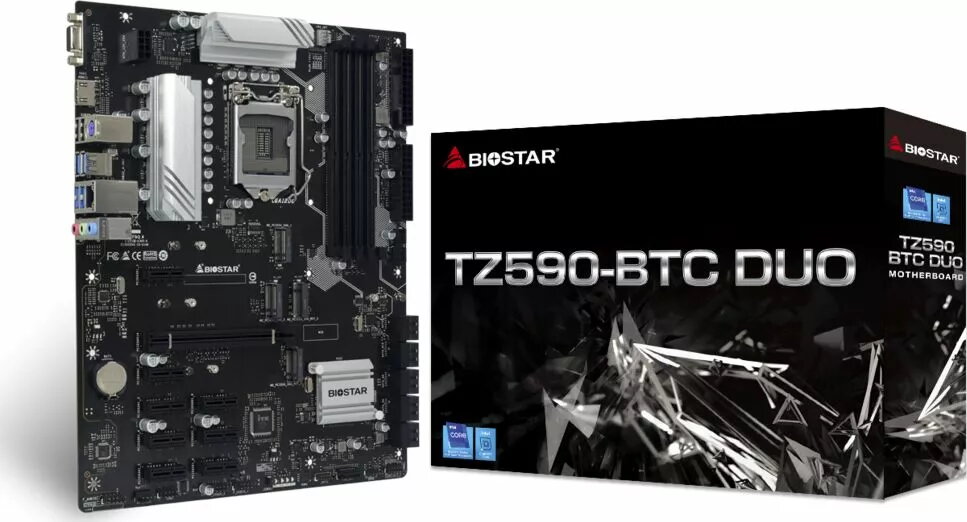
Motherboard BIOSTAR TZ590-BTC DUO — Intel Z590 LGA 1200 ATX, 4×DDR4 slots, 4×M.2, 10×SATA III, 7.1 audio
BIOSTAR TZ590-BTC DUO is an ATX motherboard based on the Intel Z590 chipset with an LGA 1200 socket compatible with Intel Core i7 processors. It provides four DDR4 memory slots supporting up to 128 GB (dual-channel) and memory speeds up to 3600 MHz, four M.2 slots and ten SATA III ports for extensive internal storage, integrated Intel I219V Gigabit Ethernet and Realtek ALC887 7.1 audio. The board includes multiple PCIe expansion slots and a range of internal and rear I/O headers suitable for mining rigs, workstations, or multi-drive systems.
The motherboard combines a high-performance Intel Z590 chipset with wide storage options—four M.2 slots plus ten SATA III ports—enabling large-capacity and high-speed drive configurations. Four DDR4 slots and support for up to 128 GB of RAM at up to 3600 MHz allow for substantial memory capacity and dual-channel operation. Integrated Gigabit Ethernet and 7.1-channel audio provide reliable networking and multi-channel sound without additional cards. A variety of internal connectors and numerous PCIe slots offer flexibility for expansion and system customization.
Install the TZ590-BTC DUO into a compatible ATX case and mount an LGA 1200 compatible Intel Core i7 processor following standard CPU installation procedures. Populate DDR4 memory modules into the four DIMM slots to enable dual-channel operation, and connect power via the 24‑pin ATX and 8‑pin EPS connectors. Attach storage devices to available M.2 slots or SATA III ports and connect front-panel and peripheral headers as required. Install a compatible operating system (Windows 11 x64 is supported) and necessary drivers for chipset, audio and LAN to ensure full functionality.
For optimal stability, use matched DDR4 modules rated for the intended speed, ensure adequate cooling for high-load scenarios (mining or multi-GPU use), and update BIOS and drivers from the manufacturer before deploying in production. When populating multiple high-speed M.2 drives, verify thermal management for each M.2 slot to prevent throttling.
{{highlightedFeature.featureTitle}}:
{{getProductFeatureValueById(product, highlightedFeature.featureId)}}
{{ productComparisonGenerationError }}