


Toner cartridge BLACKPOINT LBPPBTN2000 Black 3000 pages compatible with Brother printers
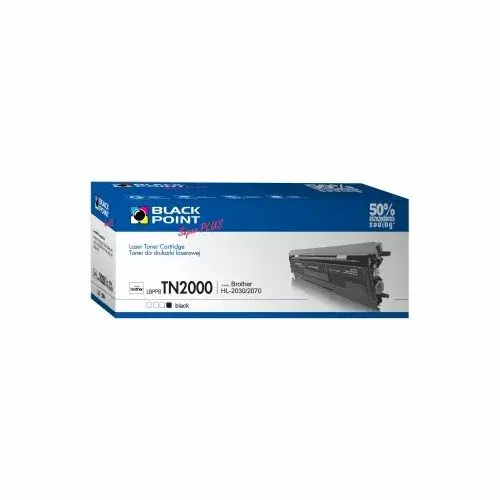
Short description

Cheapest delivery:
Unisend LV
Product information
Description
BLACKPOINT LBPPBTN2000 is a black toner cartridge compatible with a range of Brother monochrome laser printers and MFC/FAX models. Rated for approximately 3000 pages, this replacement cartridge provides consistent black text and graphics for everyday office and home printing tasks. It is designed to fit printers such as DCP-7010, HL-2030, HL-2070N and MFC-7225N among others, offering an alternative to original manufacturer supplies while keeping print quality suitable for documents, reports and correspondence.
Advantages
The cartridge delivers reliable mono output with a standard page yield of around 3000 pages under typical printing conditions. It is manufactured to be compatible with multiple Brother models, simplifying stock management where several printer types are used. BLACKPOINT LBPPBTN2000 focuses on producing clear black text, even coverage and consistent toner distribution to reduce the need for reprints. The product is suitable for general document printing and is an economical option compared to new-brand cartridges.
Suitable for
- Everyday black-and-white office documents and reports
- Home printing of letters, invoices and school materials
- Small business environments with compatible Brother mono printers
- Sites that require a cost-effective replacement for original toner
Key specifications
- Colour: Black
- Estimated page yield: approx. 3000 pages (standard print coverage)
- Compatibility: select Brother monochrome laser printers and MFC/FAX models including DCP-7010, DCP-7010L, FAX-2820, HL-2030, FAX-2920, DCP-7025, HL-2040, HL-2070N, MFC-7225N, MFC-7420, MFC-7820N
- Intended use: monochrome text and basic graphics printing
How to use
Turn off the printer and open the front cover following the printer manufacturer’s instructions. Remove the empty toner cartridge by grasping the handle and pulling straight out. Unpack the replacement BLACKPOINT LBPPBTN2000, remove any protective seals or packaging according to the included instructions, and insert the cartridge into the printer until it seats firmly. Close the front cover, power the device on, and print a test page to confirm correct installation and alignment.
Usage recommendations
Store the cartridge in a cool, dry place away from direct sunlight and high humidity to preserve toner quality. For consistent print results, allow the cartridge to reach room temperature before installation if it has been exposed to low temperatures. If streaks or light areas appear, run the printer’s cleaning or calibration routine and check that the cartridge is seated correctly.
Features
- Brand compatibility:
- Brother
- Printing colours:
- Black


