
Leave your address - as soon as the price of the product goes down, you'll know about it right away
Bluetooth audio transmitter-adapter BLOW 74-198# with AUX Out (BA-01)
In cart {{totalProductsCount}} item(s)
Your cart is empty
Bluetooth audio transmitter-adapter BLOW 74-198# with AUX Out (BA-01)
Leave your address - as soon as the price of the product goes down, you'll know about it right away
Bluetooth audio transmitter-adapter BLOW 74-198# with AUX Out (BA-01)
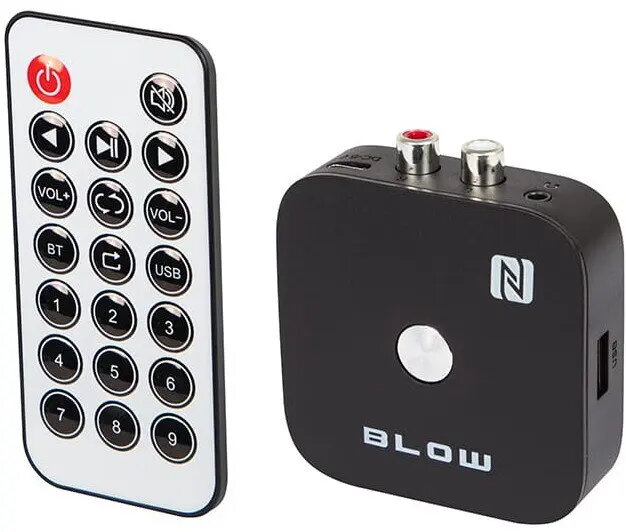
BLOW 74-198# (BA-01) is a compact Bluetooth audio transmitter-adapter with an AUX Out connection that enables wireless streaming from Bluetooth-enabled devices to speakers, car stereos and other AUX-equipped audio inputs. The unit functions as a bridge between Bluetooth sources — such as smartphones, tablets and laptops — and wired audio systems, allowing music or calls to be sent to older or non-Bluetooth equipment without rewiring or replacing existing hardware.
The device offers a small footprint and simple operation, making it easy to install in vehicles or next to home audio components. Its AUX Out port provides compatibility with a wide range of wired speakers and car audio inputs. Low power consumption and plug-and-play connectivity reduce setup time, while stable Bluetooth streaming maintains consistent audio output for music playback and hands-free calls.
Connect the adapter’s AUX Out to the AUX input of your speaker system or car stereo using a 3.5 mm audio cable. Power the unit using the supplied USB cable or internal battery as applicable. Activate Bluetooth on your source device, search for available devices, and pair with the adapter. Once paired, audio from the source device will stream through the connected wired audio system. For hands-free calls, ensure the car stereo is set to the AUX input and manage calls from the paired phone.
Place the adapter where it has a clear Bluetooth path to the source device to minimize dropouts. Use a quality shielded 3.5 mm cable for the AUX connection to reduce interference. If you experience unstable connections, reset the adapter and re-pair the source device, and ensure the source device’s Bluetooth profile supports audio streaming (A2DP).
{{highlightedFeature.featureTitle}}:
{{getProductFeatureValueById(product, highlightedFeature.featureId)}}