
Leave your address - as soon as the price of the product goes down, you'll know about it right away
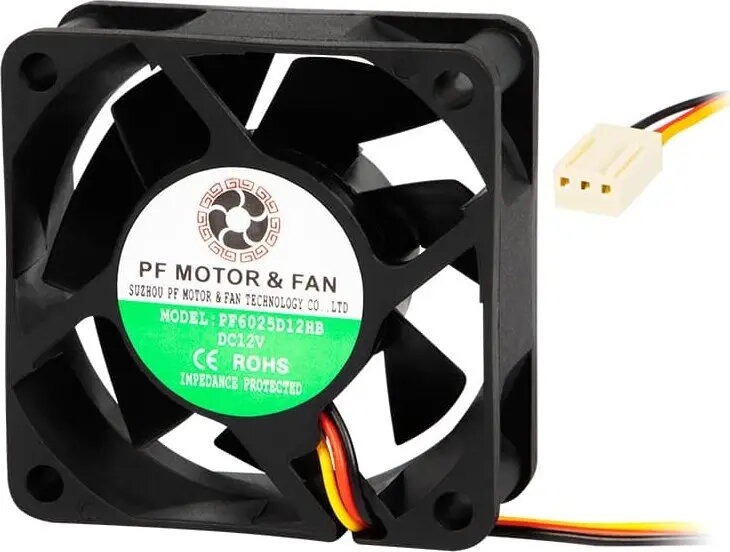
Axial ball-bearing fan BLOW 60x25 mm 12V for electronics and cooling
In cart {{totalProductsCount}} item(s)
Your cart is empty
Axial ball-bearing fan BLOW 60x25 mm 12V for electronics and cooling
Leave your address - as soon as the price of the product goes down, you'll know about it right away
Axial ball-bearing fan BLOW 60x25 mm 12V for electronics and cooling
The BLOW 60x25 mm 12V axial ball-bearing fan is designed to provide directed airflow for electronics cooling and ventilation. With a 60 mm diameter and 25 mm thickness, this compact fan runs on 12 V DC and uses ball bearings to deliver stable rotation, extended operational life and reliable performance during continuous use. It is intended for installation in small enclosures, computer cases, power supplies and other electronic equipment where forced airflow and heat dissipation are required.
Ball-bearing construction increases durability and supports long continuous operation under varying orientations and temperatures. The compact 60x25 mm form factor allows installation in tight spaces where larger fans will not fit. Operating at 12 V DC, the fan is compatible with common low-voltage electronics and PC fan headers. The axial design produces a focused airstream suitable for spot cooling of components and improving overall airflow inside enclosures.
Mount the fan in the desired location using the matching 60 mm mounting holes and secure it with appropriate screws or brackets. Connect the fan to a 12 V DC power source, observing correct polarity. When integrating into a PC, use the compatible fan header or an appropriate adapter to supply 12 V. Ensure airflow direction matches the intended cooling path and avoid obstructing the intake or exhaust openings. Periodic inspection and cleaning of the fan blades will maintain performance and prevent dust buildup.
For reliable operation, install the fan in a well-ventilated area with unobstructed airflow and maintain a clean environment by removing dust regularly. Use rubber washers or vibration-damping mounts if noise or vibration transfer to the chassis is a concern. Verify voltage compatibility before connection and avoid prolonged exposure to temperatures beyond the device operating range.
{{highlightedFeature.featureTitle}}:
{{getProductFeatureValueById(product, highlightedFeature.featureId)}}