
Leave your address - as soon as the price of the product goes down, you'll know about it right away
Axial Ball Bearing Fan BLOW 60×20 mm 12V for PC cooling
In cart {{totalProductsCount}} item(s)
Your cart is empty
Axial Ball Bearing Fan BLOW 60×20 mm 12V for PC cooling
Leave your address - as soon as the price of the product goes down, you'll know about it right away
Axial Ball Bearing Fan BLOW 60×20 mm 12V for PC cooling
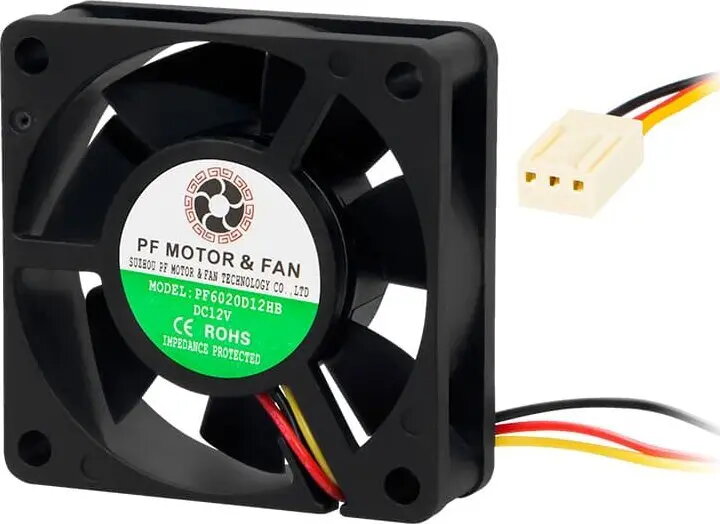
Axial Ball Bearing Fan BLOW 60×20 mm 12V is a compact cooling fan designed for PC and electronics ventilation. Its 60×20 mm frame and 12V DC operation provide a balance of size and airflow for small cases, CPU cooler assistance, and enclosed electronic projects. The ball-bearing construction is intended to give more stable rotation and longer operational life compared with sleeve-bearing alternatives, and the fan supports various mounting orientations common in PC and equipment builds.
The ball-bearing design reduces friction and enables reliable continuous operation at different angles, improving service life and stability. The small 60×20 mm form factor allows installation in tight spaces where larger fans cannot fit. Low-voltage 12V DC power makes the fan compatible with standard PC power supplies and many embedded systems. The unit provides steady airflow appropriate for case ventilation, spot cooling, and small enclosure thermal management.
Install the fan into the designated mounting location using screws that match the fan's mounting holes and the enclosure. Connect the fan's power leads to a 12V DC source, such as a motherboard fan header with appropriate adapter or a system power supply rail, observing correct polarity. Ensure the airflow direction matches the intended ventilation path and that wiring is secured to prevent contact with the blades. Periodically inspect and clean the fan to remove dust buildup that can reduce airflow and increase noise.
For reliable long-term operation, mount the fan in a position that minimizes exposure to direct dust and moisture, provide sufficient intake or exhaust clearance, and consider adding a dust filter if used in dusty environments. If quieter operation is required, operate the fan at reduced voltage through supported fan controllers or motherboard PWM control where applicable.
{{highlightedFeature.featureTitle}}:
{{getProductFeatureValueById(product, highlightedFeature.featureId)}}