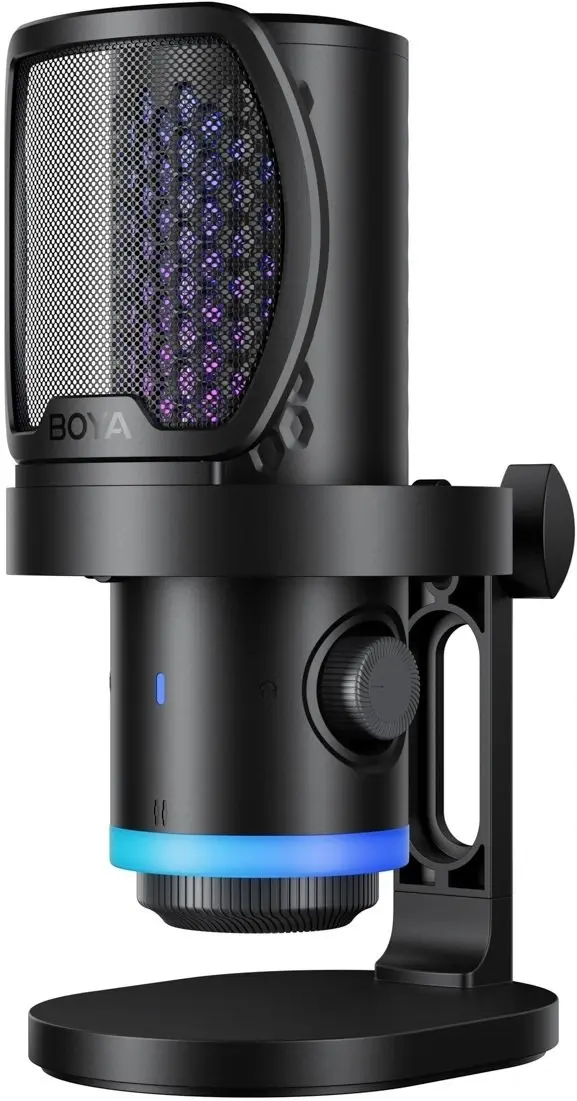
The Boya CastMic G40 is a high-performance wired gaming microphone engineered to deliver professional-grade audio clarity for gamers, streamers, and content creators. Featuring a modern USB-C interface, this microphone ensures a seamless plug-and-play experience across a wide range of devices, including PCs, laptops, and gaming consoles. Its robust construction and sleek black aesthetic make it a reliable and stylish addition to any desktop setup, providing consistent sound quality for voice chats, live broadcasts, and recording sessions.
Advantages
This microphone stands out due to its high-fidelity audio capture, which ensures that your voice is transmitted with precision and minimal background interference. The USB-C connectivity offers universal compatibility and fast data transmission, eliminating the need for complex drivers or external sound cards. Its ergonomic design allows for easy positioning, while the durable build quality ensures long-term reliability during intensive gaming sessions or daily streaming routines.
Suitable for
- Live streaming on platforms like Twitch or YouTube
- In-game voice communication for multiplayer gaming
- Recording voiceovers for video content
- Participating in online meetings and remote collaboration
This microphone may not be suitable for professional studio music recording where specialized XLR microphones and dedicated audio interfaces are required to capture a wider dynamic range. Additionally, it is not designed for outdoor field recording or environments where high-level ambient noise cancellation is the primary requirement.
Key specifications
- Connection type: USB-C
- Design: Wired gaming microphone
- Color: Black
- Compatibility: Plug-and-play with major operating systems
To use the Boya CastMic G40, simply connect the provided USB-C cable to your computer or gaming console. The device will be automatically recognized by your operating system, allowing you to select it as your primary input device in your audio settings or streaming software. Ensure the microphone is positioned at an appropriate distance from your mouth to achieve optimal volume levels and clarity.
What to consider before purchase
- Check if your device has an available USB-C port or if you require an adapter
- Consider the length of the cable to ensure it reaches your preferred desk placement
- Verify compatibility with your specific streaming or recording software
For the best audio performance, keep the microphone at a consistent distance of 15 to 20 centimeters from your mouth and adjust the input gain settings within your software to avoid clipping or distortion.