
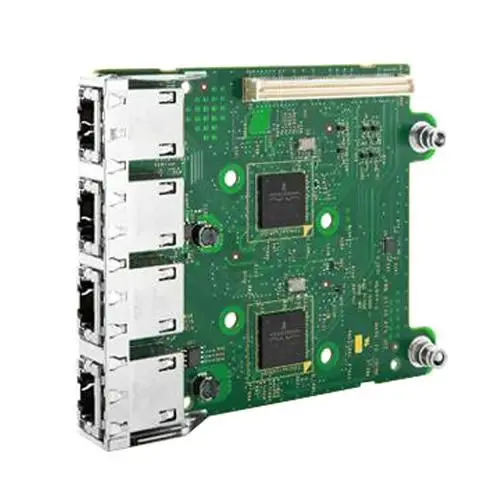
Enhance your server connectivity with the Broadcom Network Card Dell 5720 4x1GbE. This 4-port Gigabit Ethernet adapter provides reliable high-speed wired network performance for data centers and enterprise environments. Designed for seamless integration, it ensures stable data transmission, improved throughput, and efficient network management in server systems.
Advantages
The Broadcom Network Card Dell 5720 4x1GbE delivers enhanced network reliability and stable performance for demanding IT infrastructures. Its four-port configuration allows multiple network connections through a single adapter slot, optimizing physical space within server chassis. The adapter supports efficient data processing and helps maintain consistent throughput during intensive network workloads, contributing to overall system stability and reduced latency.
Suitable for
- Data center server upgrades and expansions
- Enterprise IT environments requiring multi-port connectivity
- Virtualization hosts needing segregated network traffic
- High-availability server setups
When it may not be suitable
This network card is not designed for desktop computers, standard home office PCs, or consumer motherboards lacking enterprise server slots. It may also not be suitable for environments requiring wireless connectivity or speeds exceeding standard Gigabit Ethernet limits without additional hardware.
Key specifications
- Four Gigabit Ethernet ports
- 1GbE network speed capability
- Wired connection interface
- Designed for server systems
How to use
To use the Broadcom Network Card Dell 5720 4x1GbE, power down the host server and disconnect all power cables. Open the server chassis and insert the network card into a compatible PCIe slot, ensuring it is securely seated. Fasten the bracket to the chassis, close the cover, reconnect power, and boot the system. Install the appropriate drivers provided by the operating system or manufacturer to enable network functionality and configure the network ports as required.
What to consider before purchase
- Compatibility with your specific server model and available expansion slots
- Operating system support for the Broadcom 5720 chipset
- Physical space and cooling requirements inside the server chassis
- Network infrastructure cabling requirements for four Gigabit connections
Usage recommendations: Ensure that the server BIOS and operating system drivers are updated to the latest versions before deploying the network card into a production environment. Properly manage cables connected to all four ports to maintain adequate airflow inside the server chassis.