{{ totalProductsCount }}

In cart {{totalProductsCount}} item(s)

Total:
{{sum | formatAmount}}

Your cart is empty

header-product Plug-in for Adobe Illustrator Brother ScanNCut Link CADXSNCLNK1 — plug-in to send designs from Illustrator to ScanNCut
26.49 €

Plug-in for Adobe Illustrator Brother ScanNCut Link CADXSNCLNK1 — plug-in to send designs from Illustrator to ScanNCut

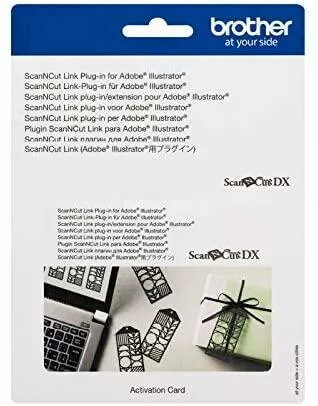
Plug-in Brother ScanNCut Link CADXSNCLNK1 Photo 1
Keep track of price changes You keep track of price changes
Watch the price drop

Leave your address - as soon as the price of the product goes down, you'll know about it right away

You keep track of price changes

Plug-in for Adobe Illustrator Brother ScanNCut Link CADXSNCLNK1 — plug-in to send designs from Illustrator to ScanNCut

{{email}}
You keep track of price changes

Plug-in for Adobe Illustrator Brother ScanNCut Link CADXSNCLNK1 — plug-in to send designs from Illustrator to ScanNCut

{{email}}
{{selectedOffer && selectedOffer.price | formatAmount}}

Short description

Plug-in for Adobe Illustrator by Brother (model CADXSNCLNK1) enables direct transfer of vector designs from Illustrator to compatible ScanNCut cutting machines. It integrates into the Illustrator workflow, exports selected artwork in a ScanNCut-compatible format and simplifies cutting preparation. Useful for designers and crafters who need precise, fast transfer of cutting data.
Available for order: 1 pcs.
Warranty: 2 Years
SKU: 4116888
free shipment

Cheapest delivery:

Venipak Pickup LV, Venipak Locker LV

Pick-up points

Venipak Pickup LV

Venipak Locker LV

Cost

1.89 €

Deliver

{{selectedOffer.parcelStationDeliveryString}}

Customer service center
2b. Kengaraga str., Riga, Latvia, LV-1063
10.07.2026 {{selectedOffer.officeDeliveryString}}
free
Courier Delivery Please note that in case of a large parcel additional delivery costs may apply!
15.07.2026 {{selectedOffer.courierDeliveryString}}
From 4.99 €
Parcel couriers
Venipak Pickup LV / Venipak Locker LV / Latvijas Pasts pakomāts / Unisend LV / DPD Paku skapis / Omniva LV / Latvijas Pasts nodaļa
15.07.2026 {{selectedOffer.parcelStationDeliveryString}}
From 1.89 €
payment
Payment Methods:
Cash payment, Bank transfer, Bank cards on-line, Apple Pay, Google Pay
Together cheaper
{{product.price | formatAmount}}
{{product.title}}
{{productBundle.reference.specialPrice | formatAmount}}
{{productBundle.title}}
{{productBundlePreviousPrice | formatAmount}}
{{productBundleSpecialPrice | formatAmount}}

You saving {{productBundleYouSave | formatAmount}}

Product information

Description

The Brother plug-in for Adobe Illustrator (CADXSNCLNK1) enables direct transfer of vector designs from Adobe Illustrator to compatible ScanNCut cutting machines. Installed into the Illustrator environment, the plug-in exports selected artwork into a ScanNCut-compatible format and streamlines the preparation of cutting data. It is designed to fit into existing Illustrator workflows and reduce manual export/conversion steps when working with detailed vectors and shape outlines.

Advantages

The plug-in preserves vector paths and object grouping from Illustrator, allowing accurate conversion of artwork for cutting. It integrates with Illustrator's selection and layer controls to let users choose exactly which elements to send to the ScanNCut machine. By automating file export and format conversion, it saves time and reduces the risk of errors associated with manual file handling. The tool supports common vector features used in desktop crafting and small-scale production, improving consistency between on-screen artwork and physical cuts.

Suitable for

  • Graphic designers preparing vinyl, paper or fabric cut files
  • Hobby crafters using ScanNCut machines for home projects
  • Small businesses producing decals, stickers, and custom shapes
  • Educators and makers integrating vector cutting into lessons or workshops

Key specifications

  • Compatibility: integrates with Adobe Illustrator (specific version compatibility should be checked against Brother documentation)
  • Function: exports Illustrator artwork to a ScanNCut-compatible cutting format
  • Data handled: vector paths, object groupings and layer selections from Illustrator
  • Installation: desktop plug-in installed within the Illustrator application
  • Workflow: direct transfer from Illustrator to ScanNCut via export function

How to use

Install the plug-in into Adobe Illustrator following Brother's installation instructions for your operating system and Illustrator version. Open an Illustrator document and prepare the artwork, ensuring paths are closed where necessary and unwanted objects are hidden or moved to separate layers. Use Illustrator's selection tools and the plug-in's export command to send the chosen artwork to a ScanNCut-compatible file; then follow the ScanNCut machine's import or receive procedure to load the design. Check preview and cutting settings on the machine before executing a test cut on scrap material to confirm scale, path order, and cut depth.

Usage recommendations

For reliable results, keep artwork organized with named layers and grouped elements, convert text to outlines when exact shaping is required, and run a short test cut before full production. Verify that your Illustrator version is supported by the plug-in and consult Brother support for updates or compatibility notes.

Description

Machine translation. Load original

Similar products

{{product.title}} Show details Hide details

{{highlightedFeature.featureTitle}}:

{{getProductFeatureValueById(product, highlightedFeature.featureId)}}

{{product.price | formatAmount}}
Might be useful
{{product.manufacturerName}}
{{product.categoryName}}
{{product.title}}
{{product.specialPrice}}
{{product.price}}

Customer reviews

Customer questions

FAQ

How much does the Plug-in Brother ScanNCut Link CADXSNCLNK1 cost, and is it available for purchase?

The price is 26.49 € (valid at the time of publication and already includes all taxes). The item is available for order — 1 pcs. are in stock, and you can place your purchase right now with delivery across Latvia and Europe or choose pickup at the Riga collection point. We offer favorable purchase terms, including the option to split the payment into convenient monthly installments. Availability and price are updated in real time, so we recommend placing your order in advance.

If I order this product today, when will I receive my order?

If you place your order today, delivery will be as fast and convenient as possible. You will be able to pick up your order on 10.07.2026 at the Riga pickup point or choose delivery across Latvia and Europe. We carefully inspect every purchase and pack it securely for safe transportation.

What payment options are available?

AiO.lv offers several payment methods: Cash payment, Bank transfer, Bank cards on-line, Apple Pay, Google Pay. All transactions are 100% secure and encrypted.

Can this product be purchased for a company (with VAT)?

Yes. AiO.lv works with legal entities in Latvia and across Europe. The product price already includes VAT. For certain product categories, as well as for companies from other EU countries with a valid VAT number, a 0% VAT rate may apply. We issue the invoice immediately after the order is placed, support electronic BIS invoices, and automatically generate all necessary accounting documents. You can complete the purchase for a company online — simply select the company profile and choose bank transfer as the payment method during checkout.

What is the warranty period?

All Brother products come with an official 2 Years warranty. It covers all manufacturing defects and malfunctions that may occur during use. The warranty is valid at all authorized Brother service centers and through AiO.lv

Can the product be returned after purchase?

Yes, you can return the product within 14 days of purchase if you bought it as a consumer (not a legal entity). Returns are possible without giving any reason — the main condition is that the product retains its original appearance and full set of accessories. We will make the process as simple and convenient as possible: just contact our customer support team, and we will help you arrange the return.

Where should I contact for warranty service?

For warranty-related questions you can contact the AiO.lv (SIA VSPRO) customer support team. We will assist with consultation, warranty claim processing, and coordination with certified service centers.

warranty
14-Day Return Policy We are confident in our quality, but if the purchase doesn’t fit — you have 14 days to return the product with peace of mind.
shipping
Fast Delivery Get your orders as quickly as possible — right to your door, parcel lockers, or pickup points across Latvia and the EU.
payment
Secure Payment Pay the way you prefer: cash, VISA, MasterCard, Apple Pay, Google Pay, bank transfer, or 0% installment plan.
warranty
Quality Since 2008 AiO.lv has been on the market for over 18 years and has earned trust — with more than 6000 genuine positive reviews on Google.