Filters you can trust. Pure water every day.
In cart {{totalProductsCount}} item(s)
Your cart is empty
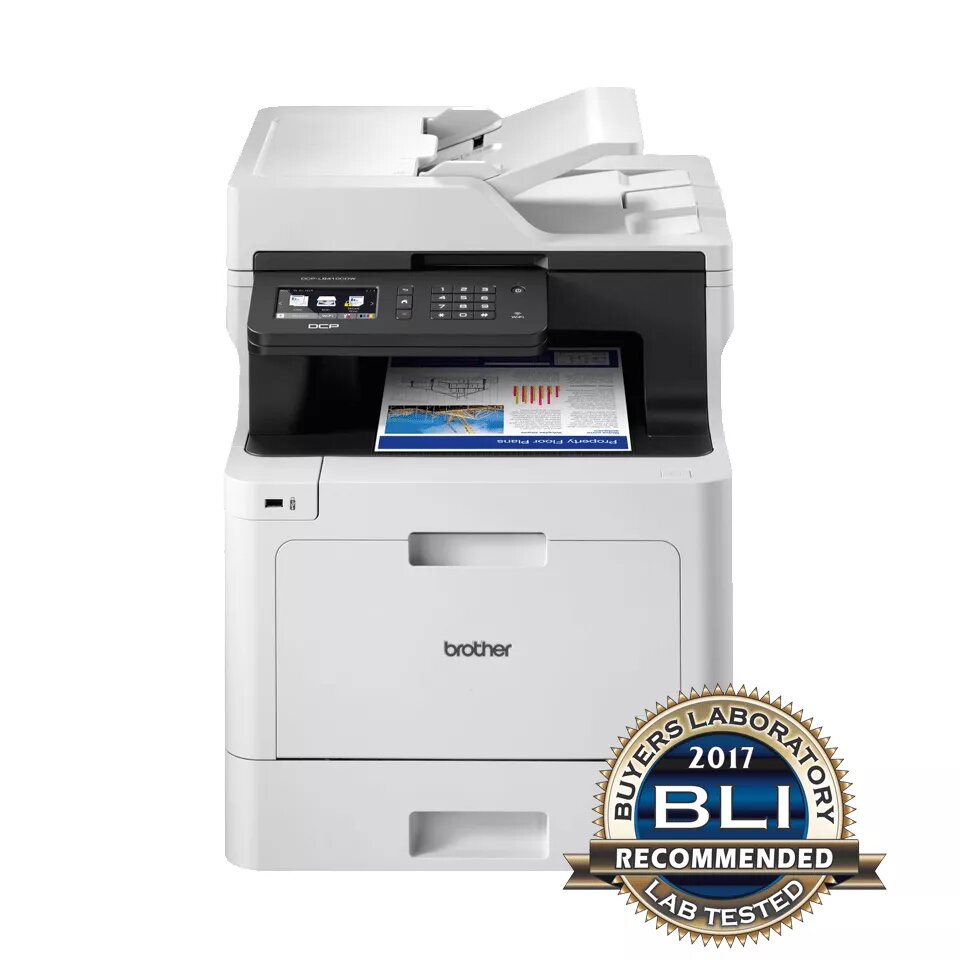
Multifunction Printer Brother DCP-L8410CDW Laser Colour
The Brother DCP-L8410CDW is a multifunction laser colour printer designed for business use, offering print, copy and scan functions with fast performance and a 9.3 cm touchscreen for easy operation. It supports up to 31 ppm print speed in colour and mono, optical colour scanning up to 1200 x 2400 dpi and a maximum print resolution of 2400 x 600 dpi. The device includes a 300-sheet paper capacity, USB, wireless and Gigabit wired network connectivity, and ships with inbox toners rated at approximately 3,000 pages for black and 1,800 pages for each colour.
High-speed printing and scanning reduce wait times in busy offices while the robust build improves long-term reliability in high-output environments. Multiple connectivity options — USB, Wi‑Fi and Gigabit Ethernet — enable flexible deployment across workgroups. Environmental certifications such as Blue Angel, Nordic Swan and Energy Star indicate improved energy efficiency and lower environmental impact. The supplied high-yield inbox toners extend time between replacements.
Install the printer following the manufacturer instructions: unpack, connect power and network (Ethernet or Wi‑Fi), and load paper into the tray. Install drivers and software on workstations via USB, network discovery or Brother's installation package. Use the 9.3 cm touchscreen to access copy and scan presets, change settings and monitor consumable status. For scanning, select destination (PC, email or USB) and adjust resolution as needed. Replace toners when the device indicates low levels and perform routine maintenance such as clearing paper jams and keeping the unit dust-free.
For reliable long-term operation in busy offices, use recommended genuine Brother toner cartridges, maintain regular cleaning cycles, and place the unit on a stable surface with sufficient ventilation. For energy savings and compliance with environmental standards, enable power-saving settings when the printer is idle.
{{highlightedFeature.featureTitle}}:
{{getProductFeatureValueById(product, highlightedFeature.featureId)}}