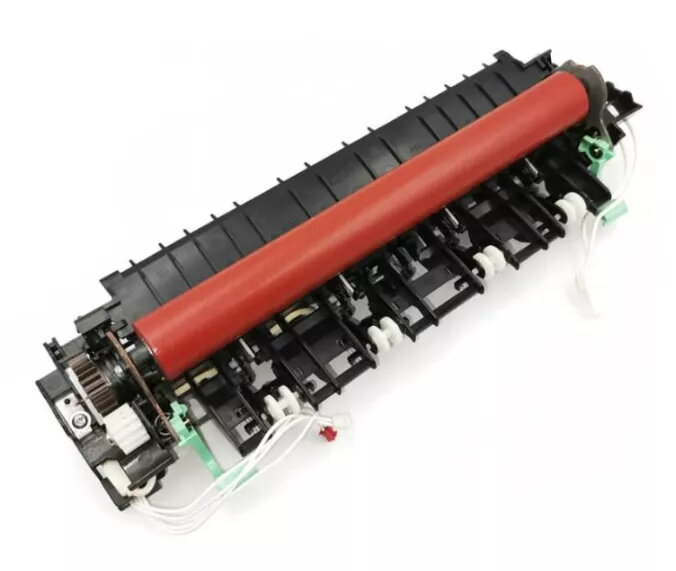
The Brother LY3704001 fuser assembly is a replacement heat-fusing unit compatible with a range of Brother monochrome laser printers and multifunction devices including HL-2130, HL-2135, HL-2240, HL-2250, HL-2270, DCP-7055, DCP-7060, DCP-7065, MFC-7360, and MFC-7460. The fuser assembly secures toner to paper by applying heat and pressure, restoring reliable print output and helping maintain consistent image quality across documents. It is designed to meet the thermal and mechanical requirements of the specified Brother models to ensure stable operation over the life of the part.
Advantages
The fuser assembly provides consistent heat distribution for uniform toner bonding and reduces occurrences of toner smearing or offset. It is manufactured to match the physical dimensions and connection points of original equipment, facilitating straightforward replacement and alignment. Designed for durability, the unit helps extend the usable life of the printer by restoring the fusing function without requiring more invasive service. Use of a correctly matched fuser assembly supports predictable print performance and helps avoid paper jams related to worn fuser components.
Suitable for
- Replacing a worn or failed fuser in supported Brother monochrome laser printers and MFPs
- Maintaining consistent print quality in office and home environments
- Preventing toner transfer issues such as smearing or light prints
- Servicing devices to reduce paper jams caused by failing fuser parts
Key specifications
- Type: Heat fuser assembly for monochrome laser printers
- Compatibility: Select Brother HL-series, DCP-series, and MFC-series printers and multifunction devices (models listed by manufacturer)
- Function: Applies heat and pressure to fuse toner to paper
- Form factor: Complete fuser unit designed to fit designated printer models
- Durability: Engineered for the operating temperature and duty cycle typical for the supported devices
How to use
Power off and unplug the printer before attempting replacement. Allow the printer to cool if it has been in recent use. Open the printer according to the device service or user manual to access the fuser assembly, remove any retaining screws or levers, and carefully extract the old fuser by following the manufacturer’s recommended steps. Install the replacement fuser assembly by aligning it with the mounting points, securing any fasteners, and reconnecting any connectors as required. Close the printer, plug it back in, and run a test print to verify proper installation and fusing performance.
Usage recommendations
Replace the fuser assembly when printouts show consistent streaking, toner smearing, or when the printer reports a fuser-related error. Always handle the fuser with care to avoid burns and to prevent damage to the heating element. Use genuine or manufacturer-recommended replacement parts and follow the printer’s maintenance schedule to ensure optimal performance and safety.