Save time and money with our discounts!
In cart {{totalProductsCount}} item(s)
Your cart is empty
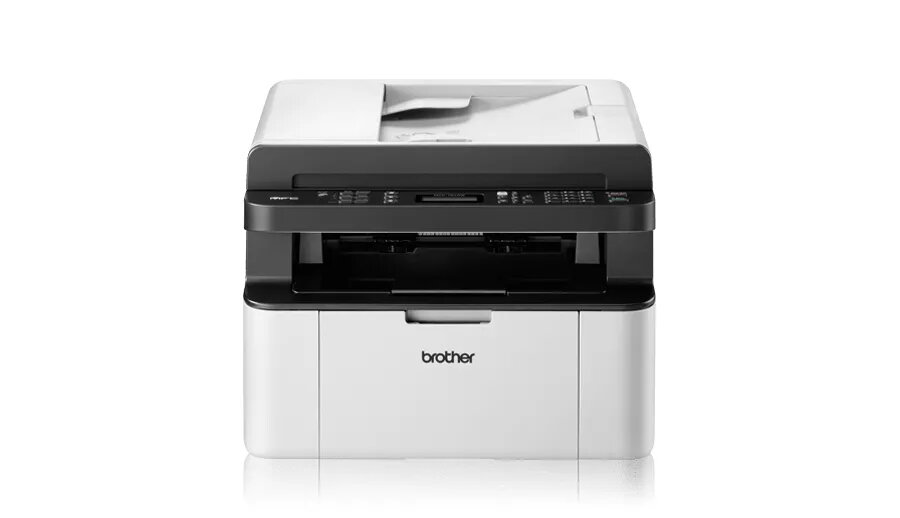
Multifunction printer Brother MFC-1910W Laser Mono
The Brother MFC-1910W Laser Mono is a compact multifunction printer designed for home and small office environments. It integrates laser printing, monochrome copying, colour scanning and fax functions in a single unit. With a maximum print resolution of 2400 x 600 DPI and a rated print speed of up to 20 pages per minute for A4, the device delivers sharp text and clear mono documents. Built-in Wi‑Fi enables wireless printing from computers and mobile devices, while USB connections provide direct wired setup.
The MFC-1910W combines reliable monochrome laser printing with scanning at an optical resolution of 600 x 1200 DPI, allowing accurate digital capture of documents and photos in colour. Its compact footprint and 8.2 kg weight make it suitable for limited workspace. Standard interfaces include USB 1.1/2.0 and Wireless LAN for flexible connectivity. The device supports A4 paper sizes and offers consistent output quality at up to 20 ppm, suitable for everyday printing needs.
Place the Brother MFC-1910W on a stable, level surface with sufficient ventilation around the unit. Connect to a computer via USB or configure wireless settings using the printer control panel to join a Wi‑Fi network; follow the on-screen prompts or the supplied user guide for network setup. Load plain A4 paper into the input tray, adjust paper guides, and select monochrome print settings on your computer or mobile app. For scanning, place the original on the flatbed glass, choose colour scan and desired resolution in the scanning software, then start the scan. Use the copy and fax functions via the control panel following the device menu options.
Use genuine or manufacturer-recommended toner cartridges and observe the specified paper types and weight ranges for best print quality and device longevity. Regularly clean the scanner glass and remove dust from input trays. For busy environments, monitor toner levels and replace cartridges before they deplete to avoid interrupted jobs. When using wireless printing, ensure the printer firmware and drivers are up to date.
{{highlightedFeature.featureTitle}}:
{{getProductFeatureValueById(product, highlightedFeature.featureId)}}
{{ productComparisonGenerationError }}