JBL speakers and headphones for pure and deep sound!
In cart {{totalProductsCount}} item(s)
Your cart is empty
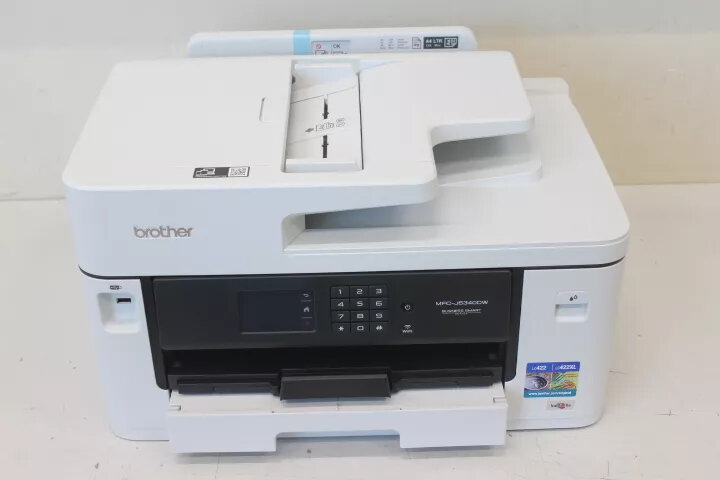
Inkjet Printer Brother MFC-J5340DW Colour 4-in-1
Brother MFC-J5340DW is an A3 ink-jet office MFP that combines printer, copier, scanner and fax functions. It supports four-ink colour printing with automatic duplexing, a 250-sheet main tray and an automatic document feeder (ADF) for multi-page scanning and copying. Connectivity includes USB 2.0, LAN and Wi‑Fi(n), and the device supports mobile printing via Apple AirPrint and Epson iPrint.
The MFC-J5340DW delivers colour and mono printing at up to 1200 x 4800 dpi with ISO speeds up to 28 ppm. It offers automatic duplex printing and copying, an ADF for efficient document handling and built-in G3 fax with PC fax support. Wired and wireless networking plus mobile-printing compatibility enable flexible placement and easy printing from smartphones and tablets.
Place the MFC-J5340DW on a stable, well‑ventilated surface and connect it to mains power. Load plain paper into the 250-sheet main tray and use the ADF for multi-page originals. Connect the device to a computer or network via USB, Ethernet or Wi‑Fi and install the appropriate drivers, or enable mobile printing with Apple AirPrint or Epson iPrint. Use the control panel or supplied software to choose print settings such as duplexing, to copy, scan or send faxes. Monitor ink levels and follow Brother's instructions for replacing cartridges and routine maintenance.
Install the device within your wired or wireless network, keep drivers updated and use plain paper suitable for ink-jet printing. Store ink cartridges in a cool, dry place and perform regular maintenance to preserve print quality and device reliability.
{{highlightedFeature.featureTitle}}:
{{getProductFeatureValueById(product, highlightedFeature.featureId)}}
{{ productComparisonGenerationError }}