JBL speakers and headphones for pure and deep sound!
In cart {{totalProductsCount}} item(s)
Your cart is empty
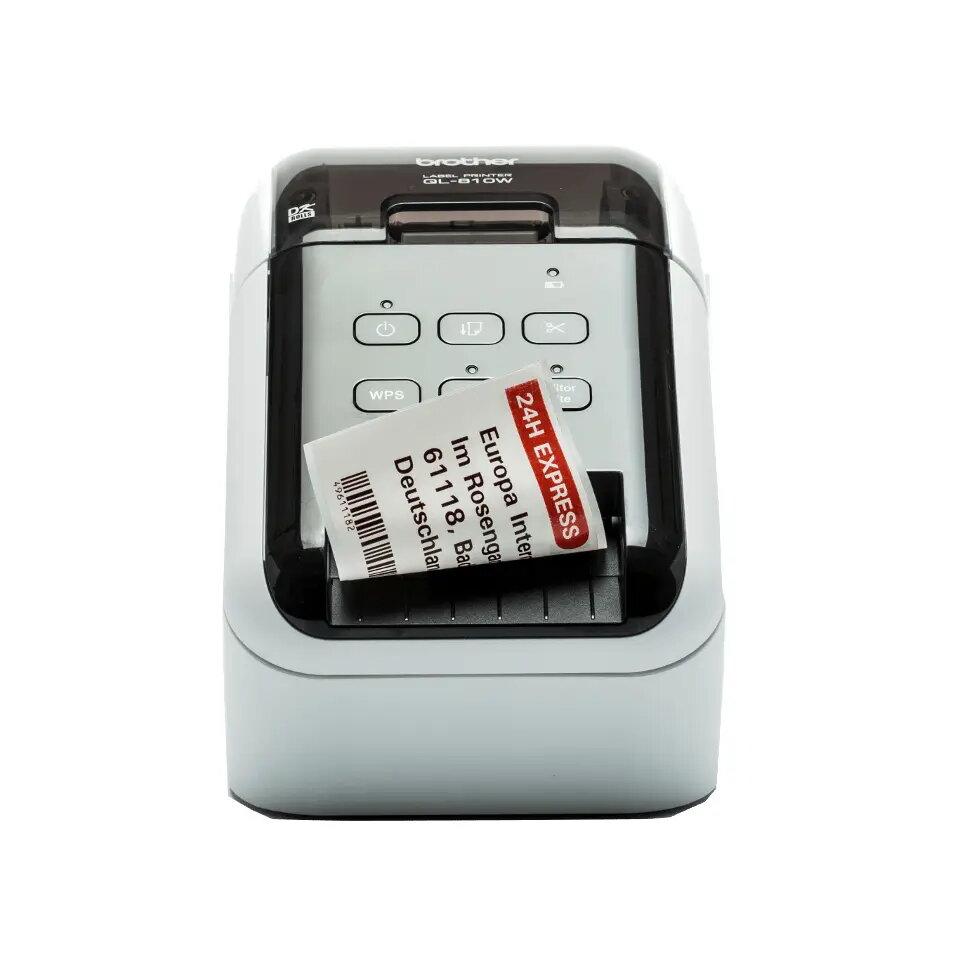
Label printer Brother QL-810W
The Brother QL-810W label printer is a compact, mobile-ready direct thermal printer designed for fast, on-demand label production. With a maximum resolution of 300 x 600 DPI and a print speed of 176 mm/sec, this model supports clear text and barcodes for retail, logistics, and office workflows. The unit accepts DK tape types and combines wired and wireless connectivity for flexible placement in POS counters, delivery vehicles, or back-office environments. A built-in Lithium‑Ion battery enables cordless operation when mobility is required, while the black and white housing integrates into professional settings.
The Brother QL-810W delivers high-speed label output with direct thermal printing that removes the need for ink or toner. Wireless connectivity and a compact footprint allow versatile placement and integration with printers over Wi‑Fi or via cable. The printer's resolution supports legible fonts and barcode clarity, and compatibility with a range of DK tape types simplifies media management. Battery operation increases portability for tasks away from fixed power sources.
Install a compatible DK tape roll according to the user guide, ensuring the label roll is seated correctly and the cover is closed. Connect the printer to a network via Wi‑Fi or use a wired connection to your computer or POS terminal; follow the Brother software or driver instructions to configure settings such as label size, print density, and orientation. For mobile use, charge the Lithium‑Ion battery fully before operating and verify wireless pairing with your device. Use the supplied utilities or compatible label design software to compose text, barcodes, and simple graphics, then send print jobs from your connected device.
For reliable long-term performance, use genuine DK tape media and keep the print head clean from dust or adhesive residue. Select label widths up to the specified maximum printing width to avoid feed errors, and adjust print density when printing small barcodes or fine text to ensure scannability. When operating on battery power, monitor battery level and charge between large print runs to maintain consistent speed and print quality.
{{highlightedFeature.featureTitle}}:
{{getProductFeatureValueById(product, highlightedFeature.featureId)}}