


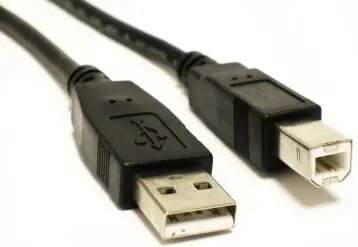
USB-A to Micro-B Cabletech cable, 1.8 m, Black — Cabletech KPO2784-1,8
Short description

Cheapest delivery:
Unisend LV
Product information
Description
The Cabletech USB-A to Micro-B cable, 1.8 m in black, provides a reliable wired connection for devices with Micro-B ports. Designed for standard data transfer and charging, this cable links smartphones, tablets, external hard drives and other Micro-B peripherals to USB-A hosts such as computers, wall chargers and power banks. With a 1.8 metre length, it balances reach and convenience for desktop, bedside or on-the-go use.
Advantages
This USB-A to Micro-B cable offers stable data transmission and consistent charging current when used with compatible devices and power sources. The 1.8 m length reduces the need for close proximity to power outlets while maintaining signal integrity. The black jacket provides a neutral appearance and typical abrasion resistance for everyday handling.
Suitable for
- Connecting Micro-B smartphones and tablets to computers for syncing and file transfer
- Powering or charging Micro-B powered accessories from wall chargers or power banks
- Connecting external Micro-B hard drives and storage devices to USB-A ports
- Using with peripherals such as cameras, audio devices or GPS units that use Micro-B
Key specifications
- Cable type: USB-A to Micro-B
- Length: 1.8 metres
- Colour: Black
- Functions: Data transfer and charging
- Connector arrangement: Male USB-A to Male Micro-B
How to use
Insert the USB-A connector into a compatible USB-A host such as a computer USB port, wall charger or power bank, and connect the Micro-B plug to the device’s Micro-B receptive port. For data transfer, ensure the connected device is unlocked and any required drivers or transfer modes are enabled on the host device. For charging, confirm the power source provides appropriate current for your device. Disconnect by pulling the connector body rather than the cable to avoid stress on the internal conductors.
Usage recommendations
To prolong cable life and maintain reliable performance, avoid sharp bends near the connectors, keep the cable away from heat sources, and store it coiled loosely when not in use. Use the cable with compatible devices and chargers to ensure safe charging and stable data transfer.


