


Canon PGI-9G Green Ink Cartridge Pigment-Based 765 Pages Capacity Original Print Supply for PIXMA Pro9500 Series Printers

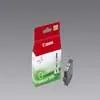
Short description


Cheapest delivery:
Unisend LV
Product information
Description
The Canon PGI-9G Green Ink Cartridge is an original pigment-based print supply designed specifically for professional photo printing applications. Part of the advanced LUCIA ink range, this green ink tank delivers rich, high-density colour reproduction with an excellent colour gamut and reliable output quality. Engineered to integrate seamlessly with compatible inkjet printers, it ensures precise colour accuracy, smooth gradients, and professional archival print standards for creative and commercial projects.
Advantages
Utilising genuine pigment-based formulation, this cartridge provides exceptional photo permanence and consistent output performance throughout its lifespan. The specialised green ink enhances the natural spectrum of printed images, allowing for vivid and accurate colour transitions. Designed to meet strict manufacturing standards, it operates reliably to help maintain printhead health and reduce unexpected maintenance needs.
Suitable for
- Professional photo printing and gallery exhibitions
- Fine art reproductions requiring high colour accuracy
- Printing detailed landscapes and nature photography
- Large-format creative projects up to A3+ size
When it may not be suitable
This cartridge is designed specifically for dedicated photo printing systems and is not compatible with standard office document printers or multi-function devices outside the specified series. It may also not be optimal for high-volume, low-cost plain paper document printing where pigment photo inks are not required.
Key specifications
- Original Canon print supply
- Pigment-based green ink formulation
- 14 ml ink capacity
- Page yield of up to 765 pages
- Compatible with inkjet printing technology
- Quantity: 1 piece per pack
How to use
Install the cartridge into the designated green ink slot of your compatible printer following the manufacturer instructions. Ensure the printer is powered on and open the cartridge access cover. Remove the new cartridge from its packaging, gently insert it into the correct housing until it clicks securely into place, and close the cover. Run a nozzle check or printhead alignment procedure if recommended by the printer software to ensure optimal print quality before starting large print jobs.
What to consider before purchase
- Verify that your printer model matches the compatible device list before purchasing
- Check current ink levels in your printer to determine if a replacement is immediately necessary
- Ensure proper storage conditions away from direct sunlight and extreme temperatures prior to use
Store unopened cartridges in a cool, dark place and recycle empty units responsibly through official collection programs to support environmental sustainability.
Features
- Colour ink page yield:
- 765 pages
- Quantity per pack:
- 1 pc(s)
- Compatibility:
- PIXMA Pro9500, PIXMA Pro9500 Mark II
- Type:
- Original
- Printing colours:
- Green


