{{ totalProductsCount }}

In cart {{totalProductsCount}} item(s)

Total:
{{sum | formatAmount}}

Your cart is empty

header-product Multifunction Device Canon i-SENSYS MF465dw Laser Mono
464.49 €

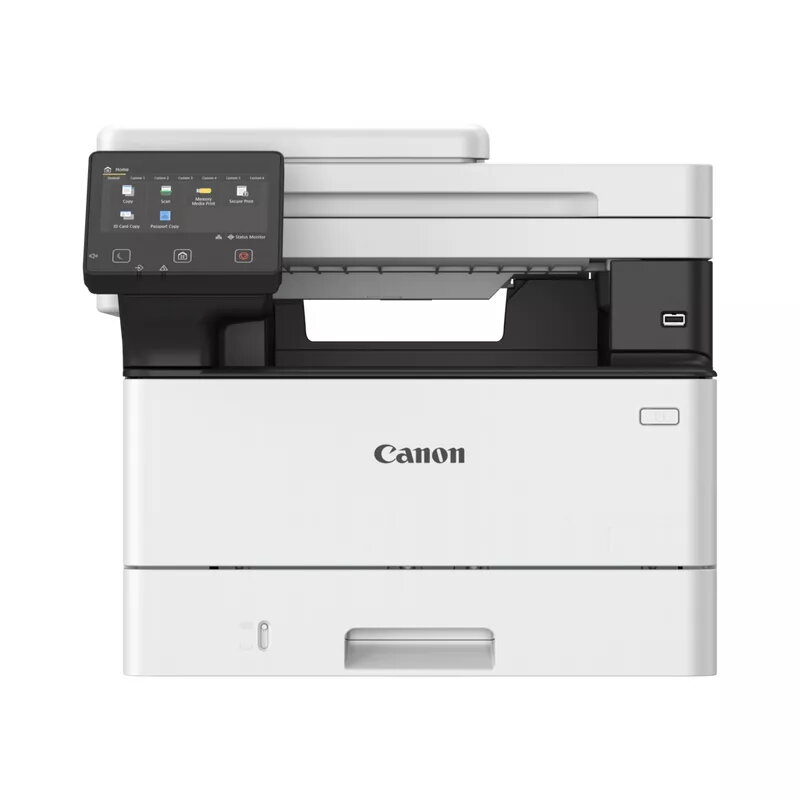
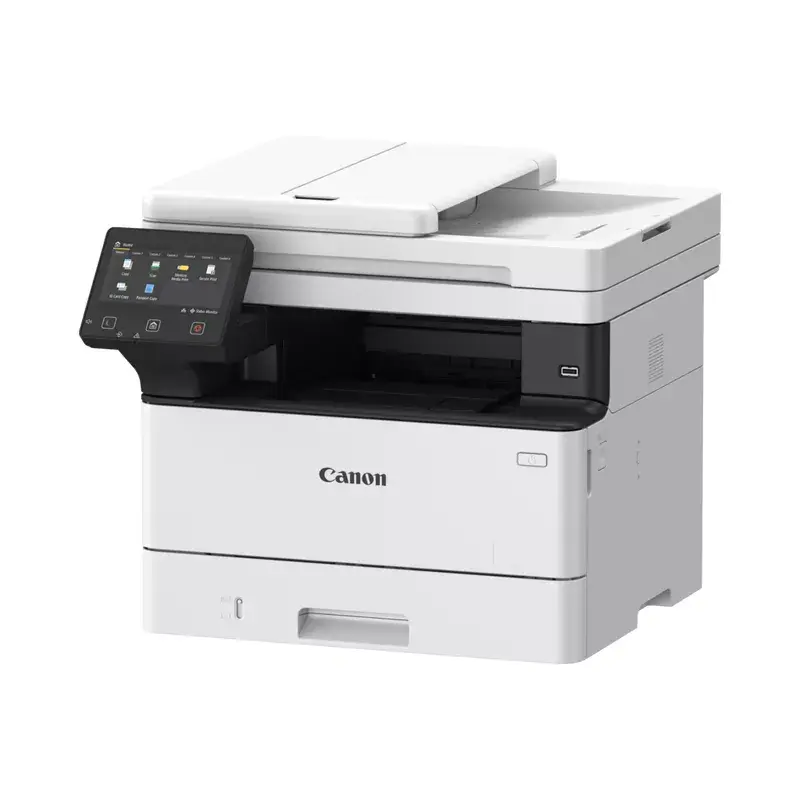
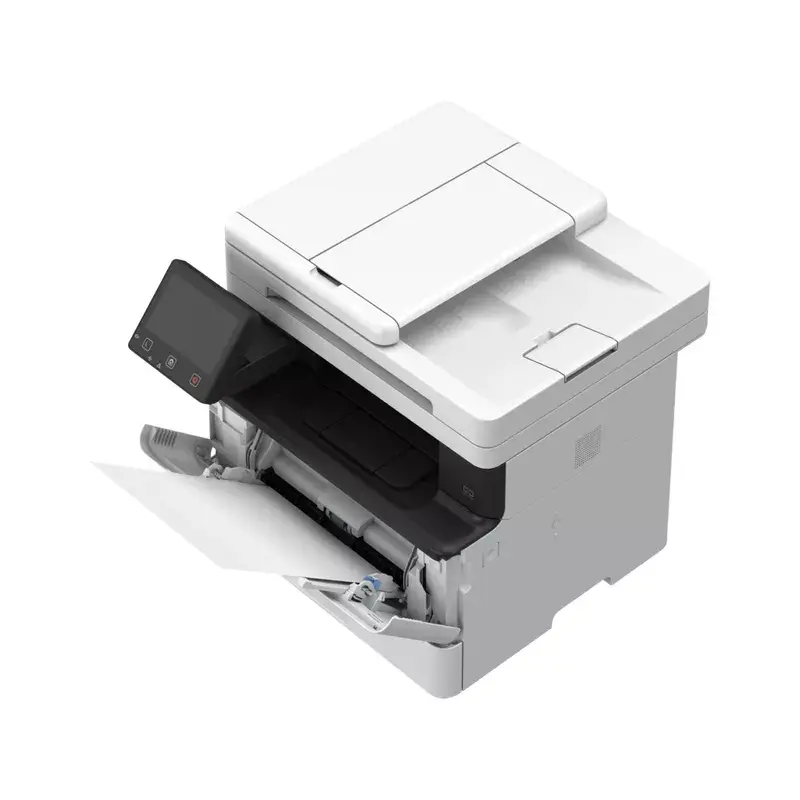
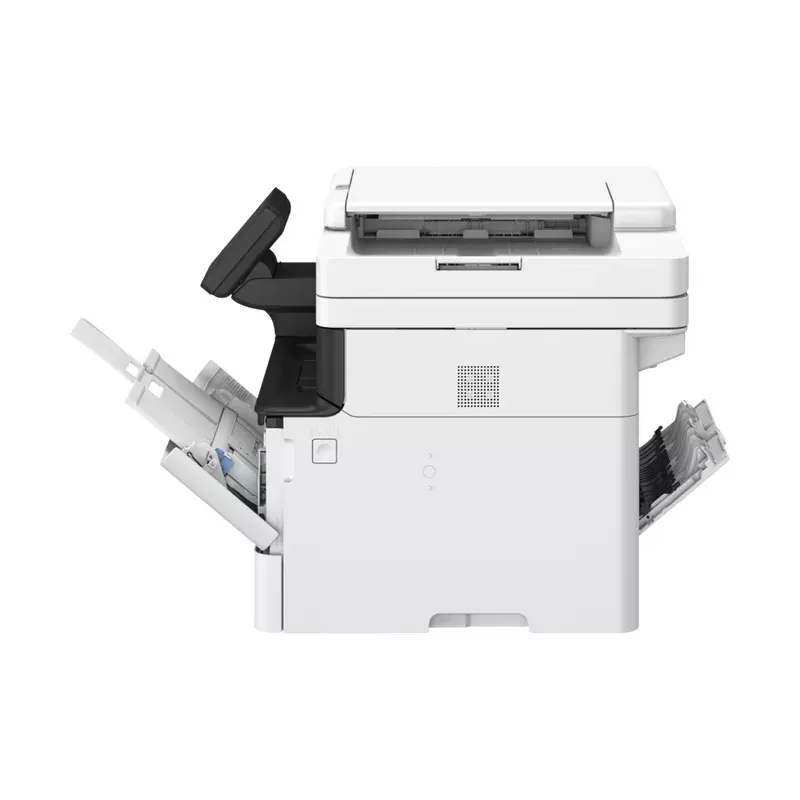
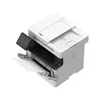
Multifunction Device Canon i-SENSYS MF465dw Laser Mono

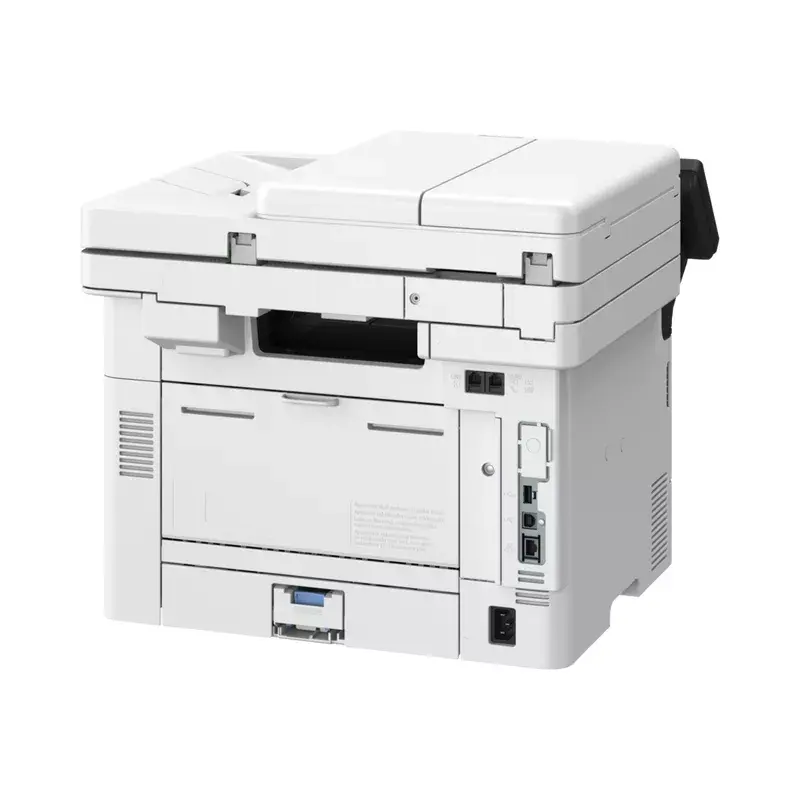
Multifunction Device Canon i-SENSYS MF465dw Photo 1
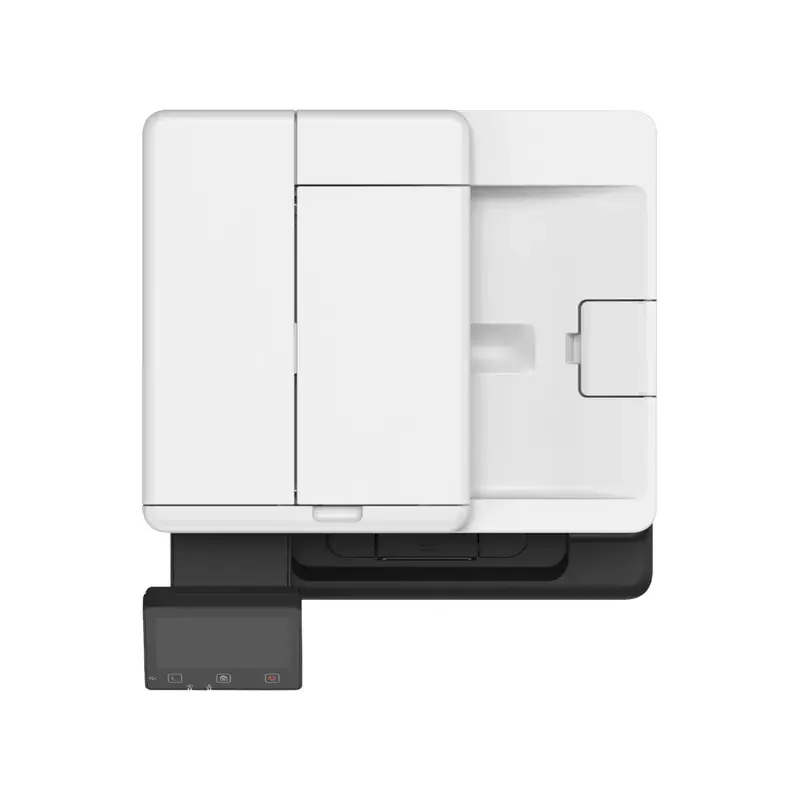
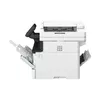
Multifunction Device Canon i-SENSYS MF465dw Photo 2
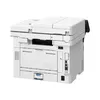
Multifunction Device Canon i-SENSYS MF465dw Photo 3
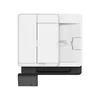
Multifunction Device Canon i-SENSYS MF465dw Photo 4
Multifunction Device Canon i-SENSYS MF465dw Photo 5
Multifunction Device Canon i-SENSYS MF465dw Photo 6
Multifunction Device Canon i-SENSYS MF465dw Photo 1
Multifunction Device Canon i-SENSYS MF465dw Photo 2
Multifunction Device Canon i-SENSYS MF465dw Photo 3
Multifunction Device Canon i-SENSYS MF465dw Photo 4
Multifunction Device Canon i-SENSYS MF465dw Photo 5
Multifunction Device Canon i-SENSYS MF465dw Photo 6
Keep track of price changes You keep track of price changes
Watch the price drop

Leave your address - as soon as the price of the product goes down, you'll know about it right away

You keep track of price changes

Multifunction Device Canon i-SENSYS MF465dw Laser Mono

{{email}}
You keep track of price changes

Multifunction Device Canon i-SENSYS MF465dw Laser Mono

{{email}}
{{selectedOffer && selectedOffer.price | formatAmount}}

Short description

The Canon i-SENSYS MF465dw is a versatile multifunction device featuring laser printing technology with a maximum resolution of 1200 x 1200 DPI. It offers mono printing and copying at 40 ppm, along with color scanning capabilities at 600 x 600 DPI. This device supports duplex functions for printing, copying, faxing, and scanning, making it ideal for efficient office use. With Wi-Fi connectivity and direct printing options, it ensures seamless operation in any workspace.
Available at price 464.49 €: 1 pcs.
Total available for order: 19 pcs.
Warranty: 2 Years
SKU: 10551147
delivery
to the Customer Service Center at Kengaraga 2b, Riga
03.07.2026 {{selectedOffer.officeDeliveryString}}
free
Customer service center
2b. Kengaraga str., Riga, Latvia, LV-1063
03.07.2026 {{selectedOffer.officeDeliveryString}}
free
Courier Delivery Please note that in case of a large parcel additional delivery costs may apply!
08.07.2026 {{selectedOffer.courierDeliveryString}}
From 15.49 € (Weight: 20.00 kg)
Parcel couriers
Latvijas Pasts pakomāts / Unisend LV / DPD Paku skapis / Omniva LV / Venipak Locker LV
08.07.2026 {{selectedOffer.parcelStationDeliveryString}}
From 1.99 €
0 credit

pay in 3 equal parts

today

0 €

afterward

3 mth. х 154.83 €

overpayment

0 €

All payment Methods:
Bank transfer, Bank cards on-line, Apple Pay, Google Pay, Installment
36 months installment: from 12.90 euros per month
Together cheaper
{{product.price | formatAmount}}
{{product.title}}
{{productBundle.reference.specialPrice | formatAmount}}
{{productBundle.title}}
{{productBundlePreviousPrice | formatAmount}}
{{productBundleSpecialPrice | formatAmount}}

You saving {{productBundleYouSave | formatAmount}}

Product information

Description

The Canon i-SENSYS MF465dw is a compact multifunction device combining fast mono laser printing, mono copying and colour scanning with duplex capability. It delivers up to 40 ppm black-and-white printing at a maximum resolution of 1200 x 1200 dpi, 600 x 600 dpi optical scanning and supports Wi‑Fi and Ethernet connectivity. Designed for office environments, the MF465dw offers built-in cloud connectivity, mobile printing and a small footprint for convenient placement on desktops or counters.

Advantages

360-degree security features — including TLS 1.3, Verify System at Startup and secure PIN printing — protect documents, device and network. The device accelerates workflows with print speeds up to 40 ppm, scanning speeds up to 100 ipm and a short warm-up time of 14 seconds. Intuitive one-touch buttons and a customizable drag-and-drop home screen simplify routine tasks. Built-in support for cloud services such as Google Drive, Dropbox and OneDrive, plus Universal Print from Microsoft, enable seamless collaboration and centralised management.

Suitable for

  • Small and medium-sized offices requiring dependable mono printing and duplex functions
  • Workgroups that need fast scanning and networked cloud access
  • Environments needing mobile printing from smartphones and tablets

Key specifications

  • Print technology: Laser
  • Printing: Mono, up to 40 ppm (A4)
  • Maximum print resolution: 1200 x 1200 dpi
  • Copying: Mono, max copy resolution 600 x 600
  • Scanning: Colour, optical resolution 600 x 600 dpi, up to 100 ipm
  • Duplex: Print, copy, scan, fax
  • Connectivity: Wi‑Fi, Ethernet LAN, mobile printing (Canon PRINT Business, AirPrint, Mopria)
  • Maximum duty cycle: up to 80,000 pages/month
  • Weight: 16.3 kg
  • Colours: Black, White

How to use

Place the MF465dw on a stable, level surface with adequate ventilation. Connect to your network via Wi‑Fi or Ethernet and install the Canon drivers or use Universal Print from Microsoft for central management. Use the one-touch buttons and customizable home screen to start print, copy or scan jobs. For mobile printing, install the Canon PRINT Business app on your smartphone or use AirPrint (iOS) or Mopria (Android). Load A4 paper into the tray and select duplex settings in the print driver when needed.

Usage recommendations

For reliable operation, use Canon-recommended toner and perform routine maintenance such as replacing consumables and clearing paper paths. Enable Verify System at Startup and keep firmware updated to maintain security. Store the device in a dust-free environment and avoid placing heavy objects on top.

Specifications

Print technology:
Laser
Printing:
Mono printing
Print speed (black, normal quality, A4/US Letter):
40 ppm
Maximum resolution:
1200 x 1200
Copying:
Mono copying
Maximum copy resolution:
600 x 600
Scanning:
Colour scanning
Optical scanning resolution:
600 x 600
Maximum ISO A-series paper size:
A4
Wi-Fi:
Yes
Ethernet LAN:
Yes
Weight:
16.3 kg
Maximum duty cycle:
80000 pages per month
Product colour:
Black, White
Duplex functions:
Copy, Fax, Print, Scan
All features

Performance

Processor frequency:
1200 MHz
Internal memory:
1024 MB
Internal storage capacity:
4 GB

Printing

Print technology:
Laser
Printing:
Mono printing
Maximum resolution:
1200 x 1200
Print speed (black, normal quality, A4/US Letter):
40 ppm
Warm-up time:
14 s
Time to first page (black, normal):
5 s
Secure printing:
Yes

Copying

Copying:
Mono copying
Copier resize:
25 - 400
Maximum number of copies:
999 copies
N-in-1 copy function (N=):
2, 4
Time to first copy (black, normal):
6.1 s
Maximum copy resolution:
600 x 600
ID-card copy function:
Yes
N-in-1 copy function:
Yes
Duplex copying mode:
Auto
Duplex copying:
Yes

Scanning

Scanning:
Colour scanning
Greyscale levels:
256
Scanner type:
ADF scanner
Optical scanning resolution:
600 x 600
Duplex scanning:
Yes
Scan to:
Cloud, E-mail, FTP, PC, USB
Scan drivers:
ICA, TWAIN, WIA
Input colour depth:
24
Output colour depth:
24

Fax

Faxing:
Mono faxing
Fax memory:
512 pages
Speed dialling:
Yes
Duplex faxing:
Yes

Paper handling

Maximum ISO A-series paper size:
A4
Envelopes sizes:
C5, Com-10, DL, Monarch
ISO A-series sizes (A0...A9):
A4, A5, A6
ISO B-series sizes (B0...B9):
B5
Multi-Purpose Tray media weight:
60 - 199
Non-ISO print media sizes:
Executive (184 x 267mm), Legal (media size), Letter (media size), Oficio (media size), Statement (140 x 216mm)
Custom media width:
105 - 215.9
Custom media length:
128 - 355.6
Paper tray media types:
Envelopes, Heavy paper, Labels, Plain paper, Postcard, Recycled paper, Thin paper
Paper tray media weight:
60 - 120

Network

Management protocols:
SNMPv1, SNMPv3
Wi-Fi standards:
802.11b, 802.11g, Wi-Fi 4 (802.11n)
Security algorithms:
WPA2-AES, WPA2-EAP, 64-bit WEP, WPA2-PSK, 128-bit WEP, WPA2-TKIP, WPA-AES, WPA-EAP, WPA-PSK, WPA-TKIP
Cabling technology:
10/100/1000Base-T(X)
Ethernet LAN:
Yes
Wi-Fi:
Yes
Ethernet LAN data rates:
10, 100, 1000
Mobile printing technologies:
Apple AirPrint, Canon PRINT Business, Mopria Print Service

Ports & interfaces

Direct printing:
Yes
USB port:
Yes

Power

Power consumption (standby):
8 W
Power consumption (printing):
480 W
Power consumption (sleep):
0.9 W
Energy Star Typical Electricity Consumption (TEC):
0.32 kWh/week
AC input frequency:
50/60
AC input voltage:
220 - 240
Power consumption (max):
1280 W

Design

Display:
LCD
Product colour:
Black, White
Control type:
Touch
Built-in display:
Yes
Market positioning:
Business

System requirements

Windows operating systems supported:
Windows 10, Windows 11
Mac operating systems supported:
Mac OS X 10.15 Catalina, Mac OS X 10.7 Lion, Mac OS X 10.15.3 Catalina, Mac OS X 10.7.5 Lion, Mac OS X 10.2 Jaguar, Mac OS X 10.8 Mountain Lion, Mac OS X 10.3 Panther, Mac OS X 10.9 Mavericks, Mac OS X 10.4 Tiger, Mac OS X 11.0 Big Sur, Mac OS X 10.13 High Sierra, Mac OS X 10.5 Leopard, Mac OS X 12.0 Monterey, Mac OS X 10.14 Mojave, Mac OS X 10.6 Snow Leopard, Mac OS X 13.0 Ventura
Linux operating systems supported:
Y
Server operating systems supported:
Windows Server 2019, Windows Server 2012 R2, Windows Server 2022, Windows Server 2016, Windows Server 2012

Weight & dimensions

Weight:
16.3 kg
Height:
375 mm
Width:
420 mm
Depth:
460 mm

Operational conditions

Operating relative humidity (H-H):
20 - 80
Operating temperature (T-T):
10 - 30

Other features

Duplex printing:
Yes

Features

Maximum duty cycle:
80000 pages per month
Duplex functions:
Copy, Fax, Print, Scan
Printing colours:
Black
Number of print cartridges:
1
Recommended duty cycle:
750 - 4000
Page description languages:
PCL 5e, PCL 6, PostScript 3, UFRII

Processor

Built-in processor:
Yes

Input & output capacity

Maximum input capacity:
900 sheets
Multi-Purpose tray input capacity:
100 sheets
Total number of input trays:
1
Total input capacity:
250 sheets
Total output capacity:
150 sheets
Multi-Purpose tray:
Yes

{{highlightedFeature.featureTitle}}:

{{product.title}}
{{product.price}}

{{getProductFeatureValueById(product, highlightedFeature.featureId)}}

Might be useful
{{product.manufacturerName}}
{{product.categoryName}}
{{product.title}}
{{product.specialPrice}}
{{product.price}}
Stock data
Warehouse Stock Delivery to the store Store Price
WH337 1 03.07.2026 Best delivery 464.49 €
Available only for legal entities
Warehouse Stock Delivery to the store Store Price
WH109 18 17.07.2026 650.99 €
464.49 €
Stock: 1
Delivery Date: 03.07.2026 Best delivery
Warehouse: WH337
Available only for legal entities
650.99 €
Stock: 18
Delivery Date: 17.07.2026
Warehouse: WH109

Customer reviews

Customer questions

FAQ

How much does the Multifunction Device Canon i-SENSYS MF465dw cost, and is it available for purchase?

The price is 464.49 € (valid at the time of publication and already includes all taxes). The item is available for order — 19 pcs. are in stock, and you can place your purchase right now with delivery across Latvia and Europe or choose pickup at the Riga collection point. We offer favorable purchase terms, including the option to split the payment into convenient monthly installments. Availability and price are updated in real time, so we recommend placing your order in advance.

If I order this product today, when will I receive my order?

If you place your order today, delivery will be as fast and convenient as possible. You will be able to pick up your order on 03.07.2026 at the Riga pickup point or choose delivery across Latvia and Europe. We carefully inspect every purchase and pack it securely for safe transportation.

What payment options are available?

AiO.lv offers several payment methods: Bank transfer, Bank cards on-line, Apple Pay, Google Pay, Installment. All transactions are 100% secure and encrypted.

Can Multifunction Device Canon i-SENSYS MF465dw be purchased with a lease?

Yes, the purchase is available both on credit and with an interest-free installment plan. We work with leading banks and leasing companies in Latvia, allowing you to make your purchase on convenient terms — with a minimal down payment and a repayment period from 3 to 36 months. You can apply for credit or installments for the Multifunction Device Canon i-SENSYS MF465dw online, and the application process is as simple as possible:
  • Select the product on the website and add it to your cart;
  • When placing your order, choose the payment method “Installments”;
  • Fill in the required details for the lending partner;
  • Receive a decision within a few minutes.
For more information about available payment options, interest-free installment terms, and credit conditions in Latvia, please visit the Payment page.

Can this product be purchased for a company (with VAT)?

Yes. AiO.lv works with legal entities in Latvia and across Europe. The product price already includes VAT. For certain product categories, as well as for companies from other EU countries with a valid VAT number, a 0% VAT rate may apply. We issue the invoice immediately after the order is placed, support electronic BIS invoices, and automatically generate all necessary accounting documents. You can complete the purchase for a company online — simply select the company profile and choose bank transfer as the payment method during checkout.

What is the warranty period?

All Canon products come with an official 2 Years warranty. It covers all manufacturing defects and malfunctions that may occur during use. The warranty is valid at all authorized Canon service centers and through AiO.lv

Can the product be returned after purchase?

Yes, you can return the product within 14 days of purchase if you bought it as a consumer (not a legal entity). Returns are possible without giving any reason — the main condition is that the product retains its original appearance and full set of accessories. We will make the process as simple and convenient as possible: just contact our customer support team, and we will help you arrange the return.

Where should I contact for warranty service?

For warranty-related questions you can contact the AiO.lv (SIA VSPRO) customer support team. We will assist with consultation, warranty claim processing, and coordination with certified service centers.

How can I tell if this product suits my needs?

When making a choice, we recommend paying attention to the key features: print technology, printing, print speed (black, normal quality, a4/us letter), maximum resolution, copying, maximum copy resolution, scanning, optical scanning resolution, maximum iso a-series paper size, wi-fi, ethernet lan, weight, maximum duty cycle, product colour, duplex functions, compatibility with your devices or usage conditions, material quality, functionality, and warranty terms. These characteristics will help you determine how well the model meets your needs.

Where can I download the instructions for Multifunction Device Canon i-SENSYS MF465dw?

You can download the instructions in PDF format from the “Instructions” section on the product description page. The file contains complete information about installation, setup, and usage.
warranty
14-Day Return Policy We are confident in our quality, but if the purchase doesn’t fit — you have 14 days to return the product with peace of mind.
shipping
Fast Delivery Get your orders as quickly as possible — right to your door, parcel lockers, or pickup points across Latvia and the EU.
payment
Secure Payment Pay the way you prefer: cash, VISA, MasterCard, Apple Pay, Google Pay, bank transfer, or 0% installment plan.
warranty
Quality Since 2008 AiO.lv has been on the market for over 18 years and has earned trust — with more than 6000 genuine positive reviews on Google.