
Leave your address - as soon as the price of the product goes down, you'll know about it right away
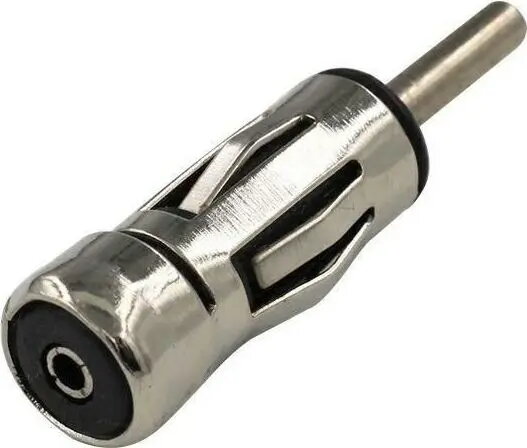
CGAuto AK124 Car Radio Antenna Adapter with ISO Straight Plug
In cart {{totalProductsCount}} item(s)
Your cart is empty
CGAuto AK124 Car Radio Antenna Adapter with ISO Straight Plug
Leave your address - as soon as the price of the product goes down, you'll know about it right away
CGAuto AK124 Car Radio Antenna Adapter with ISO Straight Plug
The CGAuto AK124 Car Radio Antenna Adapter with ISO Straight Plug is a high-quality component engineered to facilitate a seamless connection between your vehicle's factory antenna cable and an aftermarket head unit. Designed for durability and signal integrity, this adapter ensures that your car audio system maintains optimal radio reception and clear sound quality. Its robust construction and precise engineering make it a reliable choice for automotive audio upgrades.
This antenna adapter offers a straightforward installation process, allowing for a secure and stable connection without the need for complex modifications. By utilizing high-quality materials, the adapter minimizes signal loss and interference, which is essential for achieving consistent radio performance. Its compact design ensures it fits easily behind the dashboard, providing a professional finish to your audio installation.
This adapter is specifically designed for vehicles utilizing a standard ISO antenna connection. It will not be compatible with vehicles that require proprietary antenna connectors or those using different plug standards such as DIN or Fakra without the use of additional specialized adapters.
To install the CGAuto AK124, first ensure that your car radio is powered off and removed from the dashboard. Locate the antenna cable coming from your vehicle's wiring harness. Insert the vehicle's antenna cable into the corresponding socket of the adapter. Then, plug the straight ISO connector of the adapter into the antenna input port on the back of your new head unit. Once connected, slide the radio back into the dashboard and test the radio reception to ensure a clear signal.
For the best audio performance, ensure that all connections are pushed firmly into place and that the antenna cable is not pinched or bent at sharp angles during the installation process.
{{highlightedFeature.featureTitle}}:
{{getProductFeatureValueById(product, highlightedFeature.featureId)}}