JBL speakers and headphones for pure and deep sound!
In cart {{totalProductsCount}} item(s)
Your cart is empty
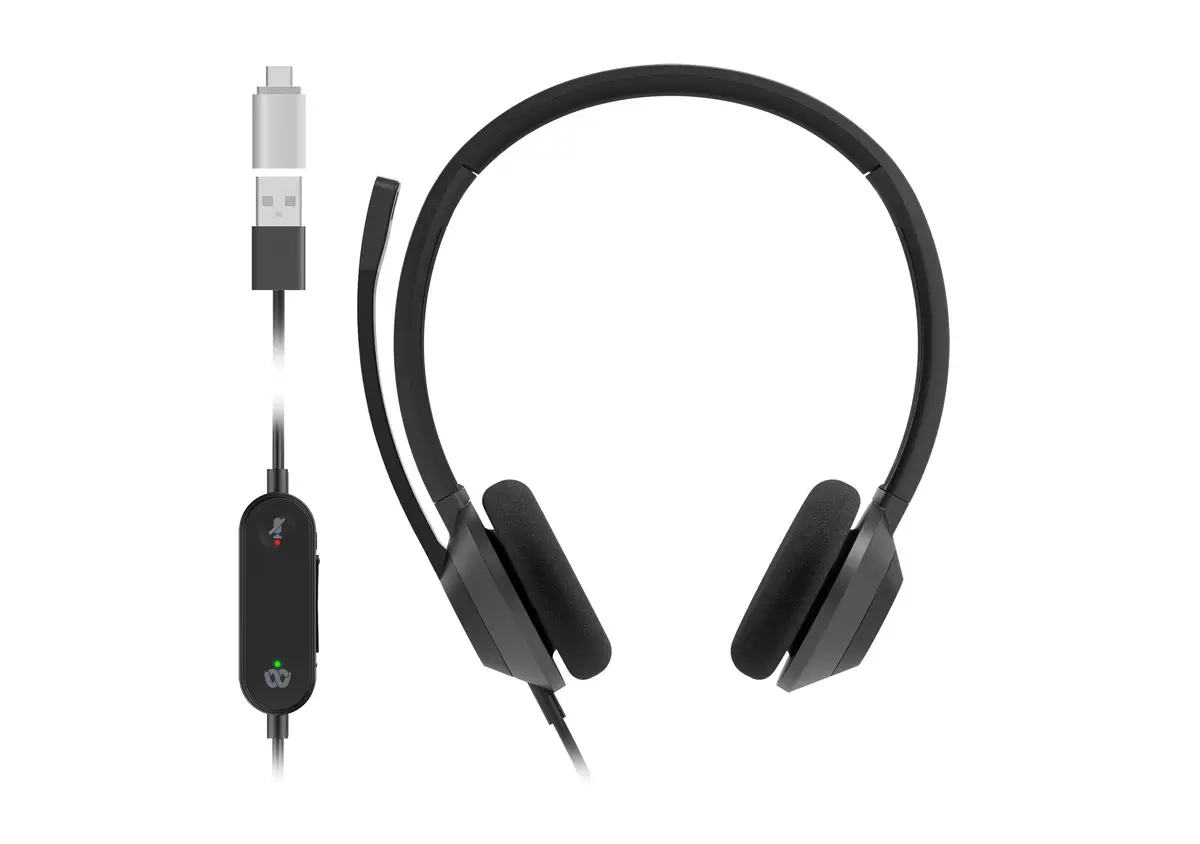
Cisco 322Q USB-C Wired Dual On-Ear Headset with Microsoft Teams Controller
The Cisco 322Q USB-C is a professional wired dual on-ear headset engineered for high-performance communication in office and call center environments. This headset combines reliable audio engineering with a lightweight, ergonomic design, ensuring comfort during extended periods of use. With its dedicated Microsoft Teams controller, users can manage meetings, answer calls, and adjust settings with ease, making it an essential tool for modern professional workflows.
The primary benefit of the Cisco 322Q is its seamless integration with Microsoft Teams, facilitated by a dedicated controller that simplifies meeting management and call handling. The dual on-ear design provides effective passive noise suppression, allowing users to focus on conversations even in busy workspaces. Furthermore, the inclusion of a high-quality uni-directional noise-canceling microphone ensures that voice transmission remains clear and professional by minimizing background distractions. The lightweight construction and durable materials make it suitable for all-day wear, while the plug-and-play USB-C connectivity ensures a quick and hassle-free setup across various devices.
This headset is designed specifically for wired connectivity and may not be suitable for users who require wireless freedom or Bluetooth mobility. Additionally, because it is an on-ear model, it may not provide the same level of total acoustic isolation as over-ear or active noise-canceling headsets in extremely loud industrial environments.
To use the Cisco 322Q, simply connect the USB-C cable to the corresponding port on your computer or compatible device. The device is plug-and-play, meaning it should be automatically recognized by your operating system and Microsoft Teams application. Once connected, you can use the integrated controller to join meetings, adjust volume, or mute your microphone. Ensure the microphone boom is positioned correctly near your mouth for optimal voice capture.
For the best audio performance and longevity, keep the headset cable free from sharp bends and store the device in a clean, dry area when not in use. Regularly inspect the ear cushions for wear and replace them if necessary to maintain consistent comfort and noise isolation.
{{highlightedFeature.featureTitle}}:
{{getProductFeatureValueById(product, highlightedFeature.featureId)}}
{{ productComparisonGenerationError }}