Powerful EcoFlow stations for energy anywhere!
In cart {{totalProductsCount}} item(s)
Your cart is empty
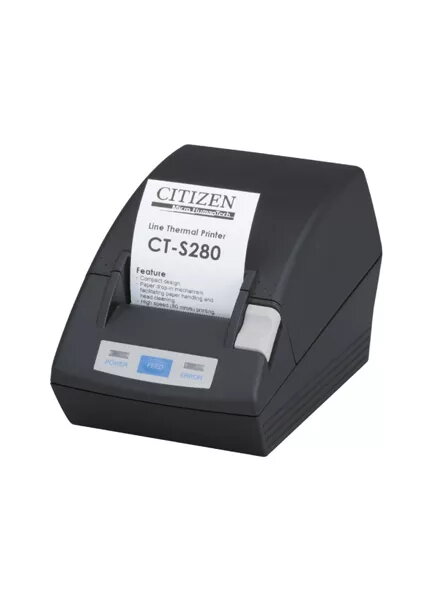
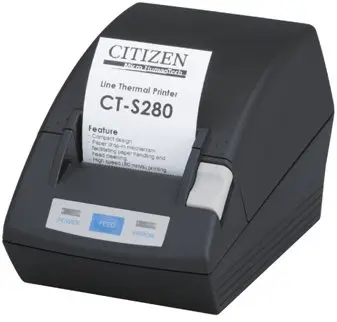
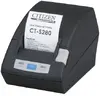
Citizen CT-S280 Thermal POS Printer, 203 x 203 DPI, 80 mm/sec, Wired, Black
The Citizen CT-S280 is a compact and reliable thermal POS printer engineered for efficient receipt and label production in professional environments. This device combines a space-saving design with robust performance, offering a print resolution of 203 x 203 DPI and a consistent print speed of 80 mm/sec. Its user-friendly architecture includes a drop-in paper loading system, which minimizes downtime during roll changes, and integrated flash memory that allows for the storage of custom logos and graphics directly on the printer.
This thermal printer stands out due to its versatility and ease of maintenance. The long-life thermal print head is rated for a service life of at least 50 km, ensuring durability even in high-traffic retail or hospitality settings. With multiple wired connectivity options, including Serial, Parallel, and USB interfaces, the printer integrates seamlessly into existing point-of-sale systems. Its lightweight construction and compact footprint make it an ideal choice for counters where space is at a premium, while the wide AC input voltage range provides stable operation across various power environments.
This printer is not designed for high-volume industrial label production or wide-format printing, as it is limited to a maximum print width of 48 mm. Additionally, it lacks wireless connectivity options such as Wi-Fi or Ethernet LAN, making it unsuitable for environments that require mobile printing or network-based printer sharing.
To begin using the Citizen CT-S280, connect the printer to your POS terminal using the appropriate interface cable and plug the power supply into a standard AC outlet. Open the top cover using the release mechanism and drop the thermal paper roll into the compartment, ensuring the paper feeds from the bottom. Close the cover until it clicks into place. Once the device is powered on and the drivers are installed on your host computer, the printer will be ready to process print commands from your software application.
To maintain optimal print quality and extend the lifespan of the thermal print head, use only high-quality thermal paper and periodically clean the print head with a soft cloth and isopropyl alcohol. Avoid touching the print head immediately after printing as it may be hot.
{{highlightedFeature.featureTitle}}:
{{getProductFeatureValueById(product, highlightedFeature.featureId)}}
{{ productComparisonGenerationError }}