Filters you can trust. Pure water every day.
In cart {{totalProductsCount}} item(s)
Your cart is empty
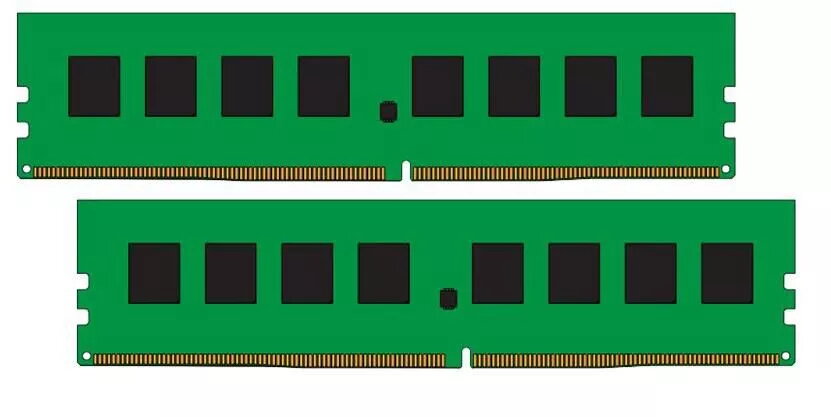
Memory Module CoreParts DDR4 16GB 2400MHz
The CoreParts Memory Module DDR4 16GB 2400MHz is a single-module desktop and server memory upgrade that provides 16 GB of DDR4 RAM running at 2400 MHz. Its compact design and green PCB make it a straightforward replacement or addition to compatible systems. The module is intended to increase available system memory to improve multitasking and overall responsiveness for everyday applications, office work and light content creation.
This 16 GB DDR4 module delivers a balance between capacity and energy-efficient operation typical of DDR4 technology. With a 2400 MHz clock speed it supports faster data throughput compared with lower-frequency memory, enabling smoother multitasking and reduced application load times. The module is compatible with many DDR4-supporting motherboards and is suitable for paired or single-channel configurations depending on the target system.
This module requires a motherboard that supports DDR4 memory and a slot compatible with standard desktop DIMM modules. Systems that require ECC memory, proprietary SODIMM laptop modules, or higher-performance RAM with advanced cooling and XMP/overclocking profiles may not benefit from this module.
Power down the computer and disconnect it from the mains before installation. Open the case, locate an empty DDR4 DIMM slot or remove an existing compatible module if replacing one. Align the module’s notch with the slot key and press evenly on both ends until the retaining clips snap into place. Reassemble the case, reconnect power and start the system. The operating system or BIOS/UEFI should detect the additional memory automatically; verify the new total RAM in the system information or BIOS settings.
For best results install modules in matched pairs when your motherboard supports dual-channel mode. After installation, check BIOS/UEFI settings to ensure memory is running at the expected frequency and timings; update the system BIOS if required for full compatibility.
{{highlightedFeature.featureTitle}}:
{{getProductFeatureValueById(product, highlightedFeature.featureId)}}
{{ productComparisonGenerationError }}