
Leave your address - as soon as the price of the product goes down, you'll know about it right away
Camera Creality NEBULA for 3D printers (MPN 4005010062)
In cart {{totalProductsCount}} item(s)
Your cart is empty
Camera Creality NEBULA for 3D printers (MPN 4005010062)
Leave your address - as soon as the price of the product goes down, you'll know about it right away
Camera Creality NEBULA for 3D printers (MPN 4005010062)
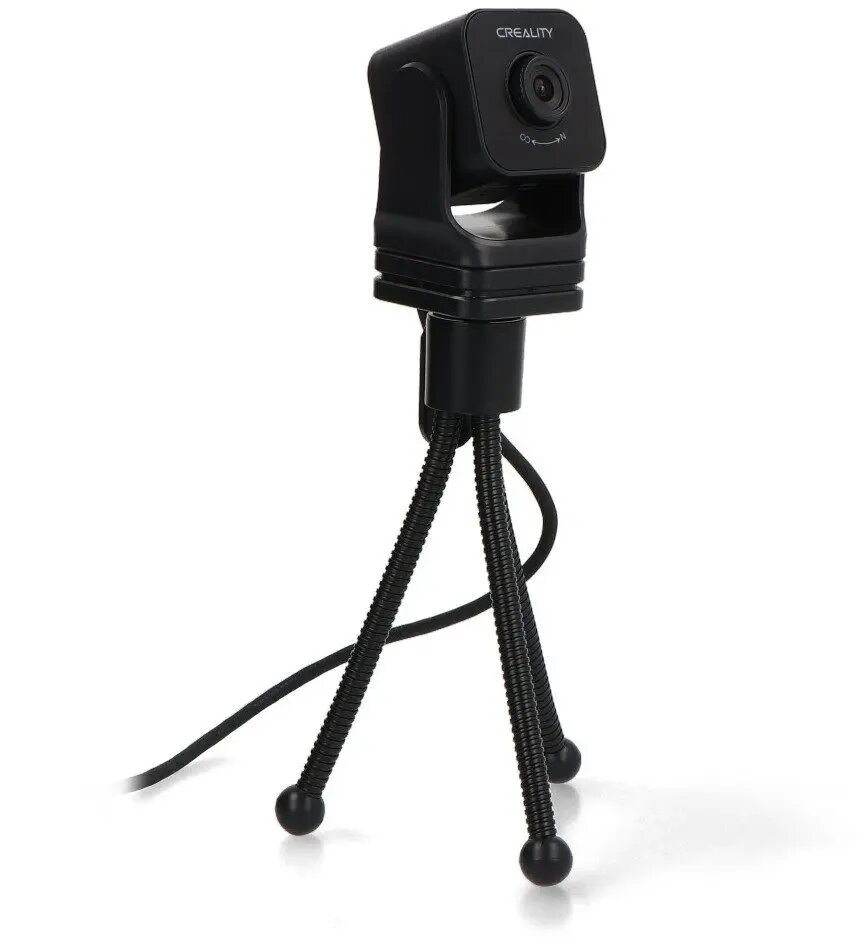
Creality NEBULA Camera for 3D printers is a compact monitoring accessory designed to provide live video feed and recording of printing processes. It connects to compatible Creality 3D printers to deliver visual oversight, enabling users to observe print progress remotely, capture time-lapse footage and identify printing issues during operation. The camera is suitable for home users, hobbyists and small workshops that require continuous visual monitoring and simple integration with Creality hardware.
The Creality NEBULA Camera offers continuous live streaming and recording to help track print progress and detect common print failures early. Its compact form factor makes installation straightforward without occupying much workspace. The camera supports time-lapse capture to document print jobs and create concise progress videos, and its compatibility with Creality printers simplifies setup and reduces configuration time.
Mount the Creality NEBULA Camera on the designated bracket or a stable surface near the printer to ensure an unobstructed view of the build plate. Connect the camera to the printer or control unit following the manufacturer's interface instructions and power it on. Use the Creality-compatible software or app to access the live feed, start and stop recordings, and configure time-lapse settings. Position the camera and adjust framing before starting a print to ensure critical areas are visible throughout the process.
For reliable monitoring, place the camera where it has a stable view of the print area and avoid direct exposure to filament debris, high temperatures or liquids. Regularly check cable connections and firmware/app updates to maintain compatibility with Creality printer systems. Use adequate lighting to improve image clarity for live observation and time-lapse recordings.
{{highlightedFeature.featureTitle}}:
{{getProductFeatureValueById(product, highlightedFeature.featureId)}}