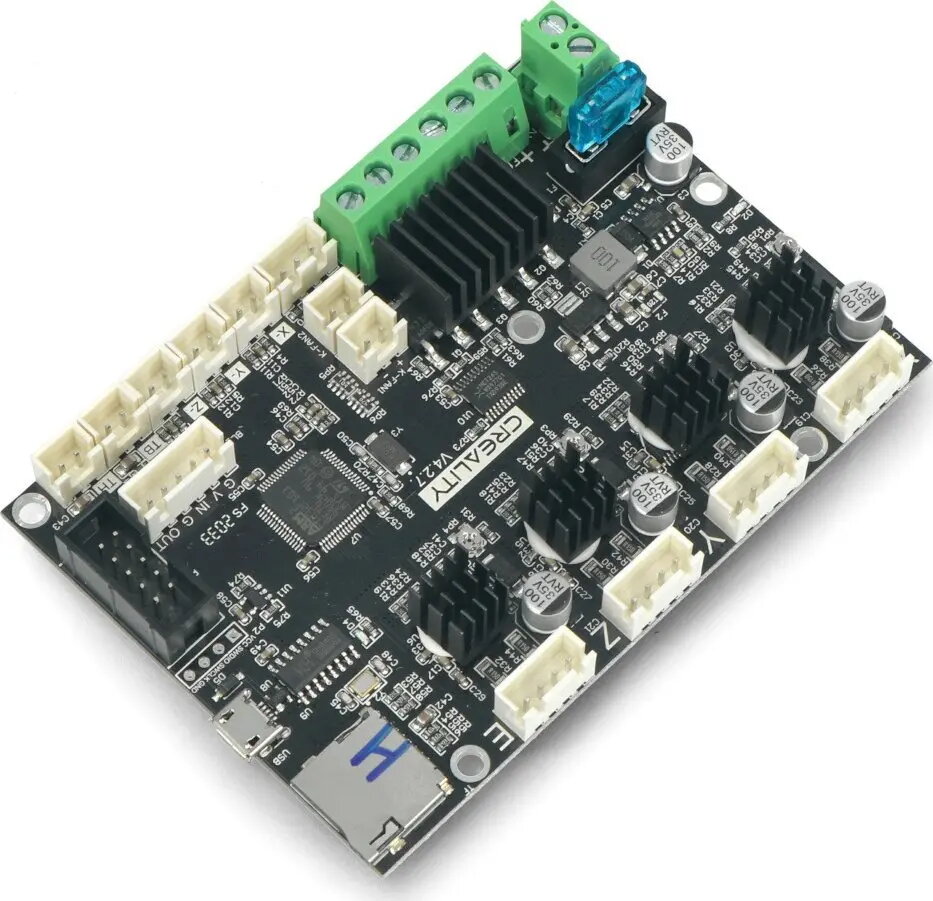
The Creality Ender-3 3D Printer Mainboard CRL-15771 is a replacement controller board designed for Ender-3 series machines. This printed circuit board coordinates stepper motor drivers, heater and thermistor inputs, endstop switches and serial communication with the printer firmware to manage motion, temperature and basic I/O functions. It is intended as a service part to repair or restore core electronics when the original board fails or to replace a damaged controller.
Advantages
This mainboard provides direct control over stepper motors and temperature regulation through integrated inputs for heaters and thermistors, allowing the printer to execute planned motion and thermal routines reliably. The board supports standard endstop inputs and serial communication interfaces compatible with common firmware, enabling straightforward replacement without extensive rewiring. As an OEM-compatible spare part for Ender-3 series printers, it helps recover printer functionality and reduce downtime.
Suitable for
- Repairing Ender-3 series 3D printers with failed mainboard electronics
- Replacing a damaged or malfunctioning controller board to restore motion and heating control
- Using as a service spare in workshops or maker spaces that maintain Creality Ender-3 printers
Key specifications
- Form factor: standard Ender-3 replacement PCB layout compatible with stock wiring
- Control: stepper motor driver interfaces for X, Y, Z and extruder axes
- Temperature inputs: heater and thermistor terminals for hotend and heated bed
- Endstops: dedicated endstop input pins for axis homing switches
- Firmware interface: serial/USB communication for firmware upload and printer control
- Power: board-side power terminals for main power and heater supply
How to use
Power off and unplug the printer before replacing the mainboard. Remove the printer cover or access panel to reach the original controller, document existing cable routing and connector positions, then disconnect all cables from the old board. Mount the replacement board in the same orientation, reconnect stepper, heater, thermistor, endstop and power connectors to their corresponding terminals, and secure the board in place. After reassembly, power on the printer and verify that motors, endstops and heaters respond; if required, upload compatible firmware and calibrate motor current and thermistor settings according to manufacturer guidance.
Usage recommendations
Use calibrated firmware and confirm correct thermistor type and motor driver current settings before running heated or high-speed operations. Always follow electrostatic discharge precautions when handling the PCB and ensure secure power connections to avoid intermittent faults.