
Leave your address - as soon as the price of the product goes down, you'll know about it right away
Bluetooth adapter CreativeHome AK276D — wireless audio/USB connectivity
In cart {{totalProductsCount}} item(s)
Your cart is empty
Bluetooth adapter CreativeHome AK276D — wireless audio/USB connectivity
Leave your address - as soon as the price of the product goes down, you'll know about it right away
Bluetooth adapter CreativeHome AK276D — wireless audio/USB connectivity
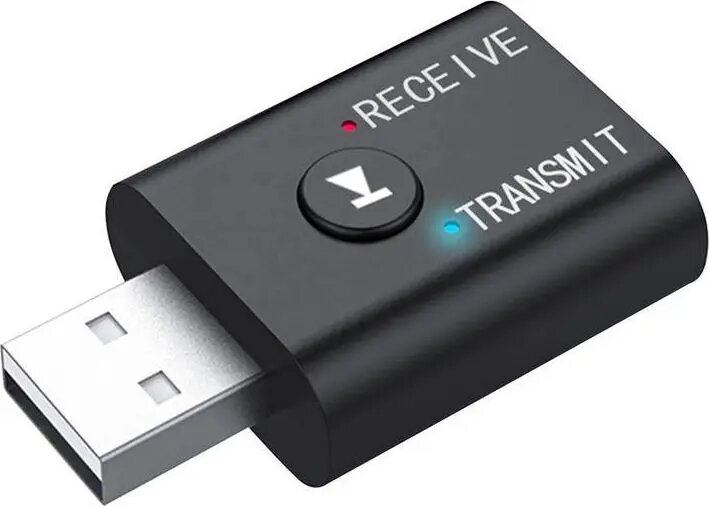
The CreativeHome AK276D is a compact Bluetooth adapter that adds wireless audio connectivity to devices without built-in Bluetooth. Designed for simple USB-powered operation, the adapter enables audio streaming from desktop PCs, laptops and other compatible sources to Bluetooth speakers, headphones and car stereos. The device supports plug-and-play setup when connected to a USB port and aims to provide a straightforward way to convert wired systems into wireless audio endpoints.
The adapter offers a small footprint and USB power for convenient placement and minimal cable clutter. It provides wireless audio transmission to a wide range of Bluetooth receivers, removing the need for physical audio cables. The device is intended to be easy to install and operate, making it suitable for users who want basic, reliable Bluetooth audio functionality without complex configuration.
Plug the CreativeHome AK276D into an available USB port on your computer, laptop or USB-equipped audio device. Allow the host device to recognize the adapter; on many systems this requires no additional drivers. Put the target Bluetooth speaker or headphones into pairing mode, then initiate pairing from the host device or the adapter according to the device prompts. Once paired, select the adapter as the audio output device in the host operating system or audio settings, and begin playback. To disconnect, unpair or turn off the Bluetooth receiver and remove the adapter from the USB port when not in use.
The adapter performs best when used within typical Bluetooth range and in environments with limited radio interference. For stable audio playback, keep the paired receiver within line-of-sight distance and avoid placing the adapter near large metal objects or dense wireless congestion. Ensure the host device supplies sufficient USB power and that audio settings are configured to use the external Bluetooth adapter for output.
{{highlightedFeature.featureTitle}}:
{{getProductFeatureValueById(product, highlightedFeature.featureId)}}