Dreame vacuums for fast and efficient cleaning!
In cart {{totalProductsCount}} item(s)
Your cart is empty
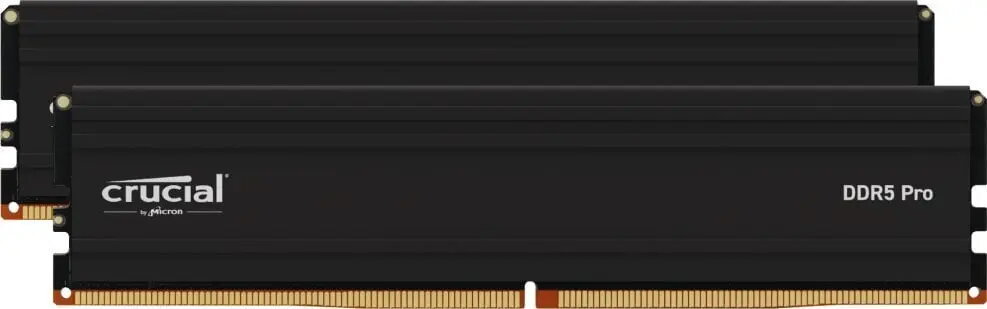
Memory Crucial DDR5 64GB 5600MHz CL46 UDIMM
The Crucial DDR5 64GB 5600MHz CL46 UDIMM is a high-capacity system memory module engineered for desktop platforms that support DDR5 UDIMM modules. With a single 64GB stick running at 5600MHz and CL46 latency, the module is built to provide increased bandwidth and substantial headroom for heavy multitasking, large datasets, and memory-intensive applications. It follows DDR5 architecture improvements to deliver higher transfer rates and better power efficiency compared with previous generations.
This 64GB DDR5 UDIMM combines high frequency and large capacity in a single module, reducing the need for multiple DIMMs while enabling smoother operation of demanding workloads. The 5600MHz speed improves data throughput for applications that benefit from higher memory bandwidth. CL46 latency is balanced with the higher clock rate to optimize real-world performance for multitasking and professional workloads. As an unbuffered DIMM designed for consumer and workstation desktops, it provides straightforward compatibility with systems that accept DDR5 UDIMM memory.
Power off the desktop system and disconnect it from mains power before installing the DDR5 UDIMM. Open the chassis, locate the appropriate DDR5-compatible DIMM slot on the motherboard, and align the module with the slot key. Press firmly and evenly into the slot until the latches click into place. After installation, reconnect power and enter the system BIOS/UEFI to verify that the memory is detected and operating at the expected speed; enable the appropriate XMP/EXPO/overclock profile if supported by the motherboard to run at 5600MHz. Follow the motherboard manufacturer’s guidance for dual-channel population rules if installing additional modules.
Use this 64GB DDR5 5600MHz UDIMM in systems that explicitly support DDR5 UDIMM memory and confirm BIOS compatibility before purchase. For optimal stability, install matching modules in corresponding slots when populating multiple channels, and keep motherboard BIOS up to date to ensure correct memory training and performance.
{{highlightedFeature.featureTitle}}:
{{getProductFeatureValueById(product, highlightedFeature.featureId)}}
{{ productComparisonGenerationError }}